Blog

  • Boost Event Marketing with AI-Powered Post-Event Video Content on Social Media

    Boost Event Marketing with AI-Powered Post-Event Video Content on Social Media

    The next big step after wrapping up an event is promoting it. You want your event's success to reach as many people as possible. You also want a bigger footfall in its next edition. All this is possible only through smart social media event marketing. Contrary to popular belief, event marketing is not something you do only before the event. It's equally important when it's over. However, this bit is trickier. You can't just rely on a press release to tell people what and how your event was. You need something more, like stronger content? This blog will cover how to generate this content for social media event marketing in the easiest way possible, using AI.

    Why You Need AI to Make Your Social Media Event Marketing Easier?

    AI has become an integral part of various workflows across industries, and event marketing will be no exception soon. But why is this happening? The most reasonable cause behind this never-before-seen surge in AI use is its power to speed up redundant tasks. It gives teams more time and scope to focus on tasks that require purely human intelligence. Let's see how this fits in social media event marketing:
    Social Media Event Marketing

    1. After an event has ended, marketing teams immediately get to the task of getting the word out about this huge event that culminated successfully. In this process, the event recordings become their main content source. But when all the scrubbing and editing that they have to do is manual, the content generation process becomes super time-consuming.

    2. There's an undesirable delay in posting the event's content online. Every reel, every carousel post, takes up a lot of time! In this rush, imagine if the video content editor falls sick, or the key content approver is unavailable! More delays, more pressure!

    3. A one-hour webinar is still easier to manage. But what if the event is a multi-day, multi-session event? Every session has a recording. Imagine the enormity of the task of going through so many event recordings to spot insta-worthy moments and shareable highlights.

    4. Even if you hire the best team to get all this work done for you within a set deadline, you have to pay them really well. No one works for free when the deal involves sitting through hours of event recordings to spot and extract marketable event highlights. It takes a lot of hard work and patience!

    AI solves all these issues. At least Snipin AI does!

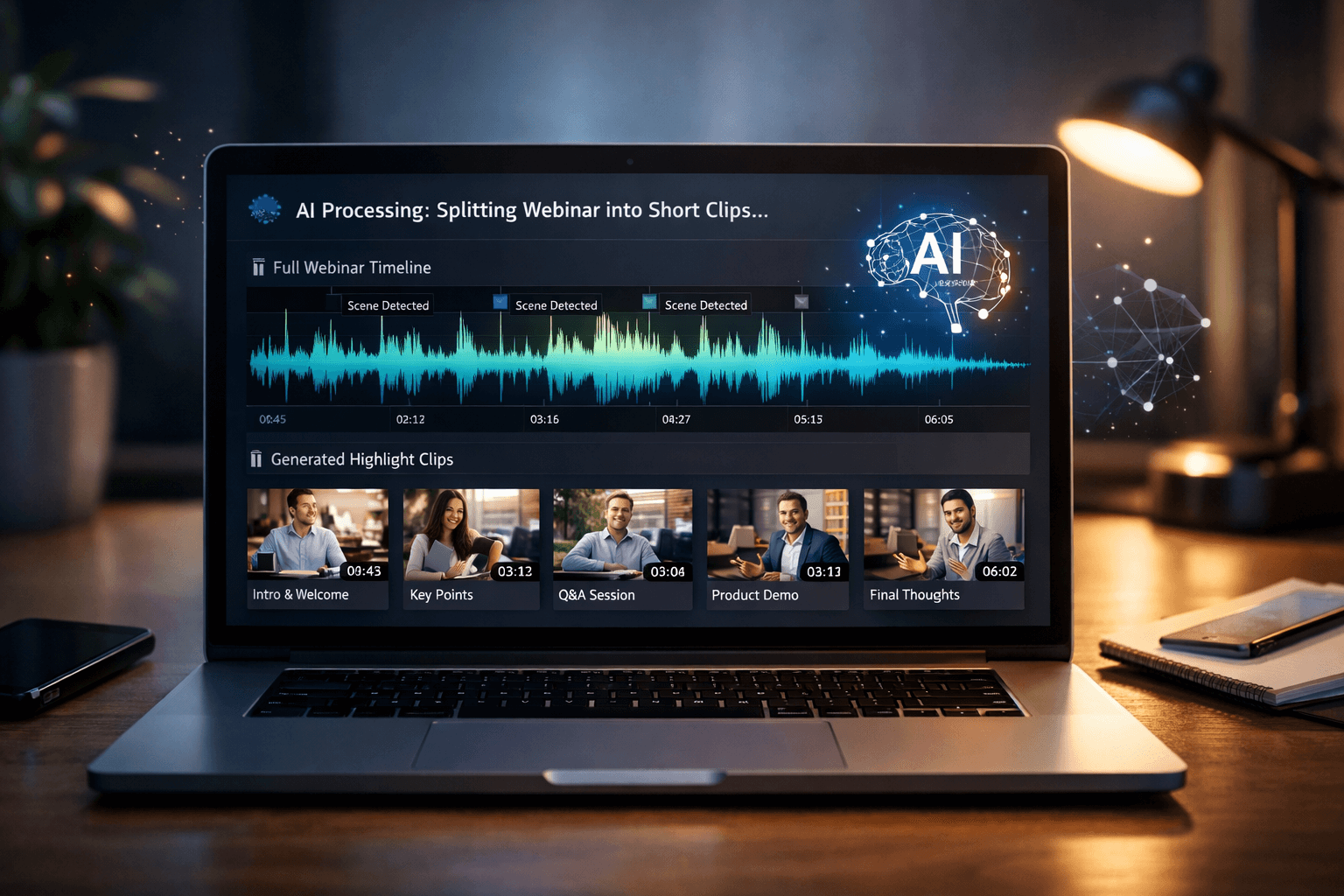
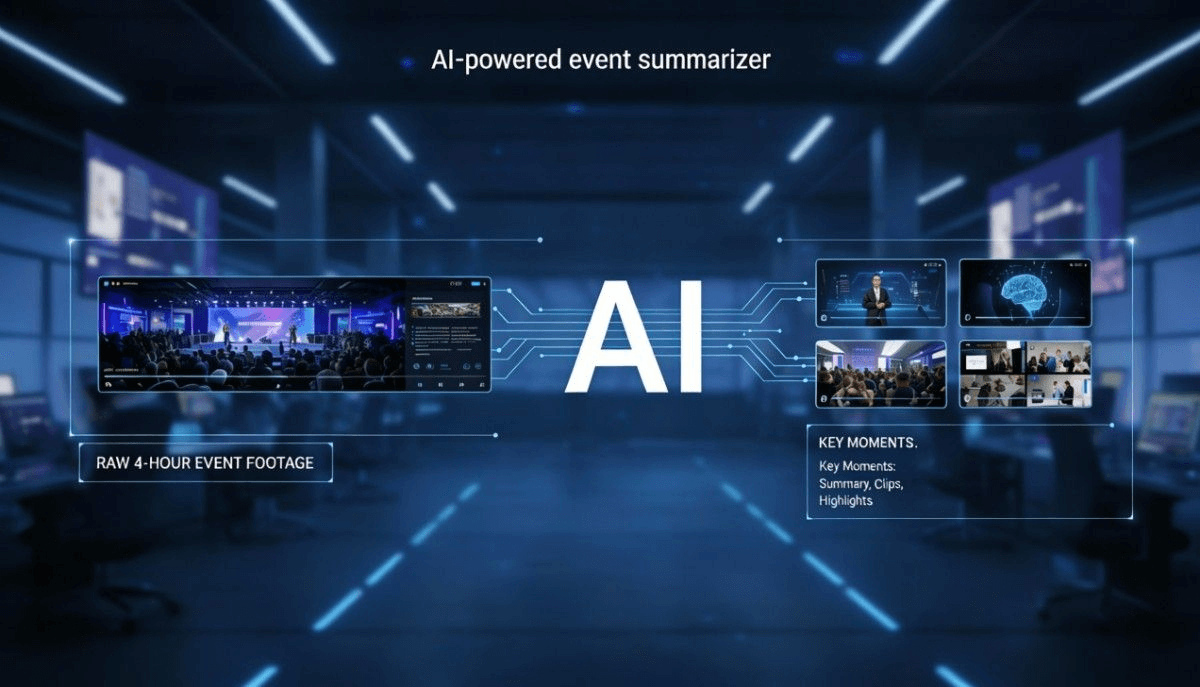
    – It automatically scans lengthy event recordings and produces shareable highlights within minutes.

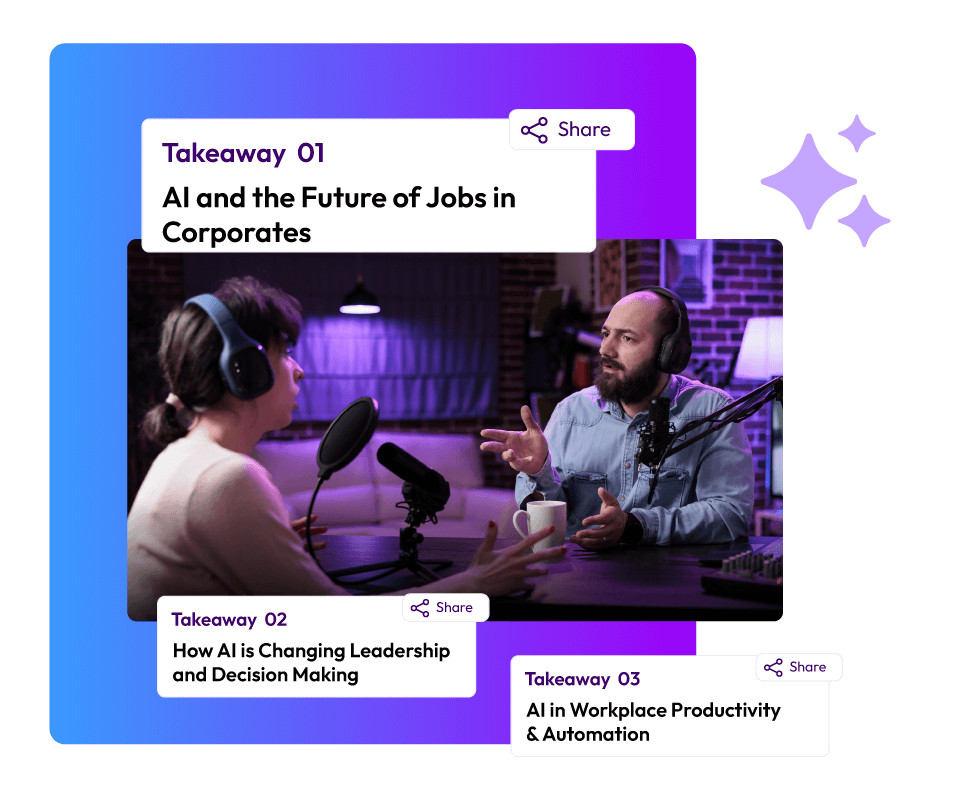
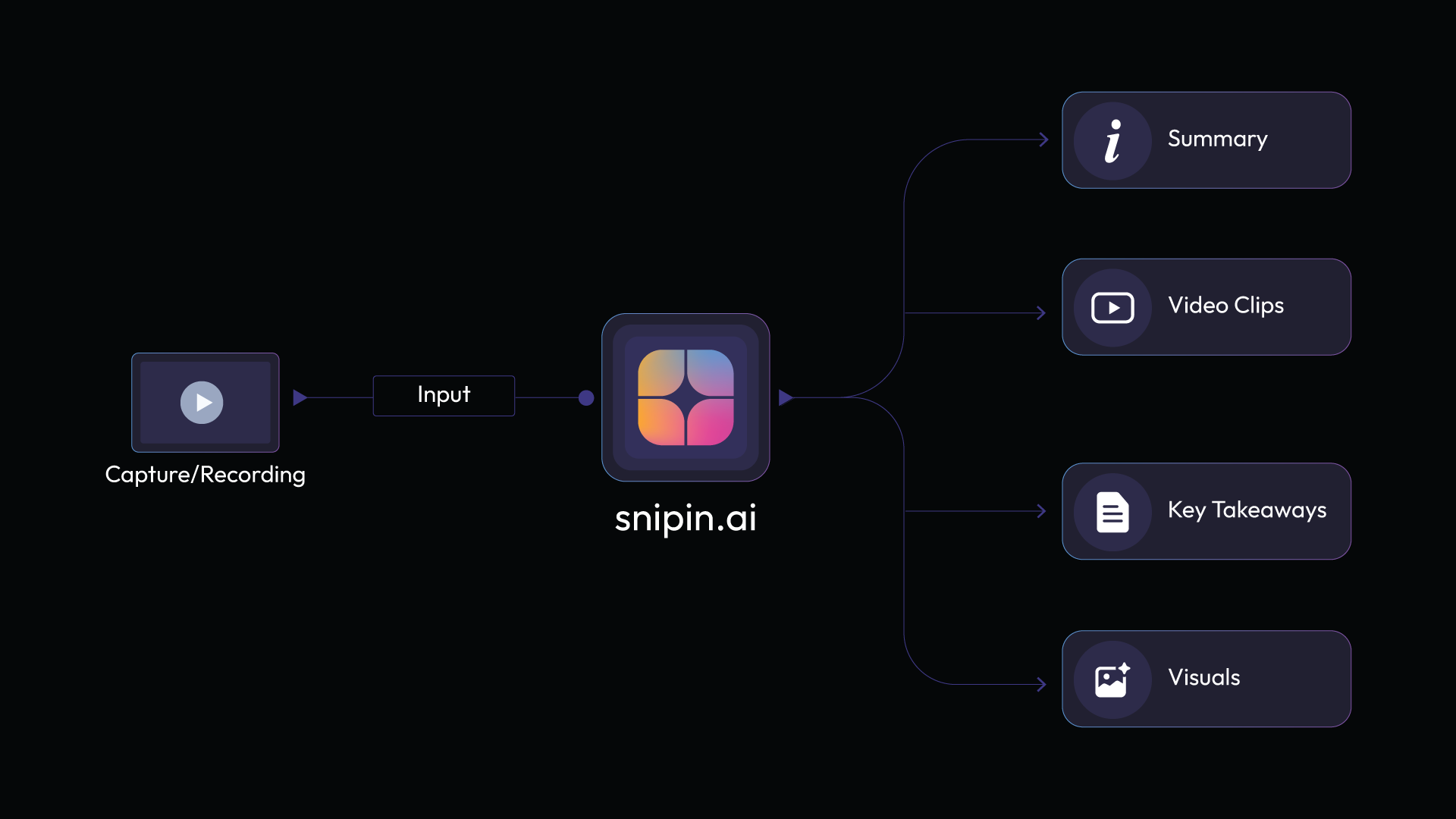
    – It gives multiple short video clips from one event recording, along with snapshots and text-based session-wise takeaways.

    – It scales incredibly. No matter how many days the event lasts, or how many recordings there are. It processes them in record time!

    – It has a range of plans, including a free plan. Event planners can choose the plan that best suits their needs. There are enough choices.

    Are Event Recordings Not Enough for Post-Event Video Marketing?

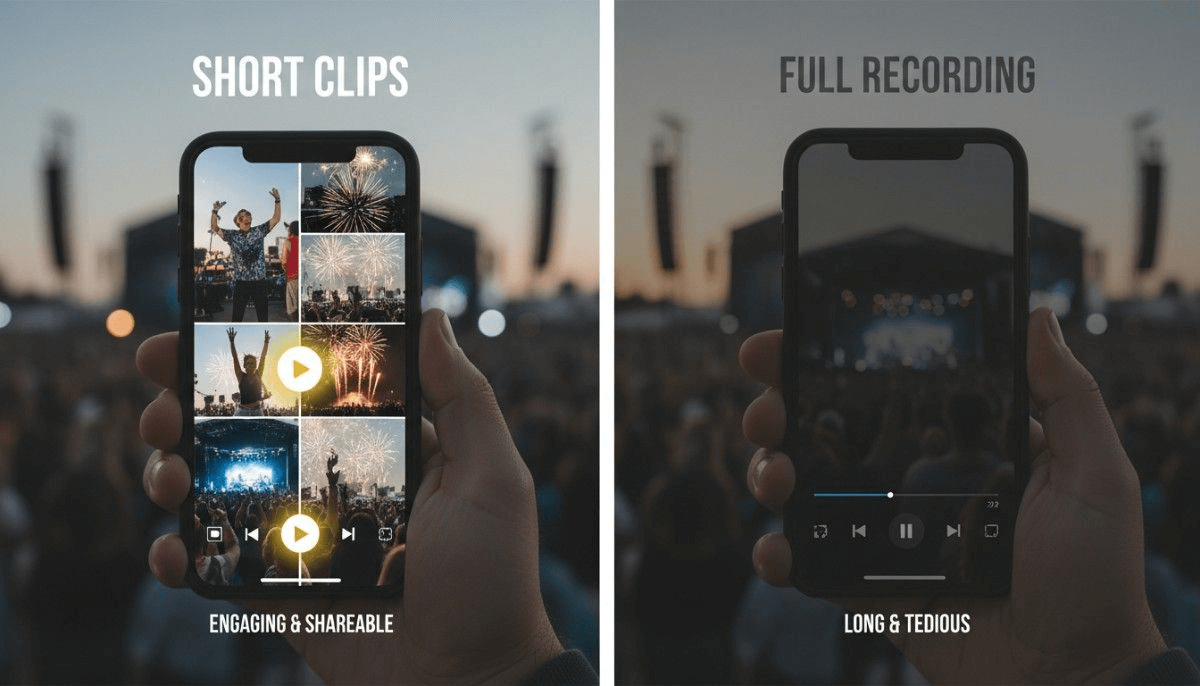
    Social Insider wrote an article that looks closely at how long people pay attention to videos on social media. It turns out that if a video goes over 90 seconds, views drop off fast. Even though this is about Instagram Reels, it tells us something important about post-event video marketing. So, to answer the question, no, putting up full-length recordings of events isn't a great way to market on social media.
    Post-Event Video Marketing

    We're talking about short, 90-second clips, and those recordings can be hours long. There's just no way to keep people interested. Sending recordings to people in emails after the event and calling it a day used to be normal. But the way marketing works now has changed, and how people watch videos has also changed. Long duration is just one issue with event recordings. Here are some others:

    Information Overload

    Post-event video marketing is all about leaving an impact on viewers. A long recording with a flood of information is not at all impactful. It has so much content packed into it that people hardly retain anything, unless they take notes. That whole process is more like academic research, not casual content consumption.

    Numerous Unnecessary Elements

    Event recordings are almost always raw footage of an event. They include all the ambient sounds and other interferences that might have been there in the actual event. Sometimes, even things like the stage set-up and mic testing get recorded. Imagine how slow and eventually frustrating the viewers' experience would be if they went through the entire recording.

    Zero Formatting; Nil Impact

    No matter how great an event's content is. If it reaches people in a poorly formatted state, it doesn't really get registered. What your eyes and ears grasp via a 90-second reel is much more than an hour-long podcast, unless you are an ardent lover of long-form content. But, it's worth observing that even podcasts and interviews that enjoy a strong following are well-formatted. There is proper lighting, correct angles, and enough cuts. They are not like an event's raw footage.

    How Snipin AI’s Video Clips For Event Promotion Are Game Changers?

    Snipin AI's video clips for event promotion are the perfect solution for all issues related to post-event marketing. In the beginning, we briefly touched upon how Snipin AI makes things easy for event marketing teams. Let's elaborate on those points and a few more of them here, in detail:
    Video Clips For Event Promotion

    1. Time Saving

    The foremost problem that AI video clips for event promotion solve is time consumption. They are huge time savers! Snipin AI takes just a few minutes to generate these video clips. This allows event marketing teams to spend their time on bigger marketing projects and to do custom follow-ups after the event.

    Even if, let's say, these AI video clips for event promotion require a final approval or disapproval at the end, just imagine how much of the tedious work is already done! The endless scrubbing, spotting, and editing!

    2. Meant for Social Media

    AI video clips for event promotion are short, crisp, and shareable, exactly how things work on social media. They are not more than a few minutes long. Snipin AI's short video clips focus on one topic in one clip. That way, the content of each clip is clear and more impactful. It could be a pathbreaking stat, a great quote, or an emotional anecdote. Every clip covers a highlight, and this way, the content generated by Snipin AI is fluff-free!

    3. Dynamic and Helpful

    Apart from being Insta-friendly, these AI video clips for event promotion are useful across platforms. You could write a LinkedIn post about one of your event's sessions and support it with a relevant clip. Or, you could furnish your YouTube channel's content with these clips. Apart from being social-media-friendly, these clips come in handy for internal communications, too.

    4. More Engagement, More ROI

    There is a great chance that people get more curious about your event after one of these AI video clips for event promotion. It is like this with so many things these days, right? You see a random clip on social media in which a speaker is saying something jaw-dropping, and you immediately look up where and when that moment happened! Also, it's just not the event that gets popular. Your speakers might shine, too! But, if their following increases because of your incredible AI-driven post-event video marketing, they'll never leave a chance to collaborate with you!
    Try Snipin AI Tool

    5. Rich Content Calendar

    Even a content marketing intern will tell you that keeping the content calendar filled and ready is not easy! You could come up with a thousand ideas, but not every idea goes into the sheet. Either it's too difficult to execute, or you simply don't have time. Or, sometimes, your brain shuts down, and there's nothing you can think of! For something that's bound like post-event video marketing, AI video clips come in handy. In scenarios other than this, you might be able to buy some time, but events need to be promoted right after they are over. So, when you are on such a tight schedule, you don't have to worry about a week's worth of content with Snipin AI. From one recording, it gives you 8-10 short video clips, many stills, and session summaries.

    6. Some Additional Benefits of Using Snipin AI for Event Content Repurposing

    • Snipin AI organizes all the AI video clips for event promotion in a clean and structured content hub. Users don't have to manage anything messy. They can simply access the hub and move around the clips as they like.
    • These AI video clips are pre-sized and pre-formatted for sharing. With just a click, marketing teams can share these clips on social media channels. It's a fuss-free process.
    • No matter the type of event, Snipin AI works with everything. It can help in the post-event video marketing of conferences, podcasts, trade shows, virtual events, and all content-heavy events.
    • It shows the likes, shares, and downloads that every clip gets! Event marketers can easily track which content people like or do not like as much.

    Wrapping Up:

    After you wind up an event, your next big task is to promote it well. Why? So that more people come to know about its success, and you get more of them to come to your next event. But, post-event video marketing on social media requires a lot of time and effort, if done manually. AI flips the script and makes everything easy. Tools like Snipin AI give you multiple AI video clips for event promotion from a single recording, in minutes. These clips are of high quality and easily shareable. Not only does your content calendar stay filled with ready-to-post marketing material, but your teams also get time to focus on better tasks. If you want to speed up your social media event marketing, choose Snipin AI!

    FAQs

    What is event content repurposing, and why is it important?

    Event content repurposing is basically just putting event recordings to good use, mainly for event promotion. It matters because raw event footage isn’t easily watchable, shareable, or digestible.

    How do AI-generated event video clips help?

    AI-generated event video clips significantly help in saving the long editing time that goes into the manual event content repurposing. It automates several aspects of the process and makes it easier and faster.

    Does AI post-event video content for social media work with multi-day events?

    Yes! Tools like Snipin AI are highly scalable. It can easily handle multiple event recordings.

    Is there any manual effort required after one gets the AI post-event video content for social media?

    You can approve or disapprove the video clips as per your preferences. But, apart from that, you don’t have to put in any manual effort in formatting them.
  • Vizard AI Alternatives: Turn Long Event Videos into Short Clips

    Vizard AI Alternatives: Turn Long Event Videos into Short Clips

    Vizard AI is one of the most popular AI video clipping tools, ideal for reusing content from events. If you've ever hosted events, you know how much work it takes to convert long recordings into short clips. Doing it yourself can be a real drag! That's where AI video clippers, like Vizard AI, can help. Since there are a variety of choices available, each has its own strengths and weaknesses. In this post, we'll cover some of the best Vizard AI alternatives and what makes them unique.

    What Do AI Video Clipping Tools Like Vizard AI Do Exactly?

    Almost all event planners will agree that post-event marketing is as gruelling as organizing the event itself. It requires thinking, creating, and posting content, all within strict deadlines. There's a mountain of pressure from stakeholders to get the event as much reach as possible so that the brand keeps growing. AI video clipping tools make event teams' work a lot easier by pulling social-media-ready content from long event recordings. Not all tools necessarily generate publishing content, but broadly, they are built to repurpose long videos for better use. Different event video repurposing tools work in different ways, and yet, some things remain common. That's why they are close alternatives to each other.

    The Best Vizard AI Alternatives You Need To Know About

    Vizard AI is widely counted among the most reliable event video repurposing tools out there. But it has some great alternatives as well. Check them out here:

    Snipin AI

    Snipin AI is made just for events. This makes it one of the smartest event video highlight tools you can use. Upload your event recording, and you get ready-to-use highlight clips instantly. Short snippets, summaries, and key takeaways appear right away. No waiting.

    The tool handles all kinds of content. Conferences, townhalls, podcasts, workshops, webinars, and training sessions. Whatever you throw at it, Snipin AI processes it. One of the coolest things? Your clips keep the visual identity of your original recording. Logos stay in place. Overlays remain. Speaker layouts don't change.

    Here's what else makes Snipin AI special. You get a customizable microsite to showcase your highlights. Present your key event moments in a clean, branded space. Snipin AI makes your event content live far beyond the event days. You don’t have to worry about your event recordings going to waste!

    Here’s a quick overview of Snipin AI’s features that make it stand out among other AI video clipping tools:

    Auto Snippet Generation Pulls out the best moments from your long videos without any manual work.

    AI Summaries Gives your audience a quick overview of each session so they can grasp the main points in seconds.

    Key Takeaways Picks out the most important insights and quotes that you can easily share on your blog, in emails, or on social media.

    Smart VisualsGrabs high-quality images and thumbnails from your videos that work perfectly for galleries or social posts.

    Microsite Publishing Builds a shareable webpage in moments where all your video snippets live in one place.

    Analytics DashboardShows you how your snippets are doing by tracking views, clicks, engagement, and shares.

    Reprocessing Engine Lets you regenerate snippets instantly if the first version isn't quite what you wanted.

    Snipin AI’s biggest plus is that it’s highly user-friendly. Just a few simple steps, and you get great content for your event promotion:

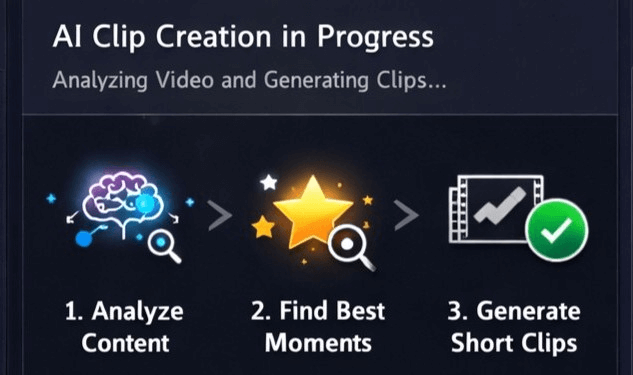
    1. Upload your event recording into the tool.

    2. Snipin AI scans it carefully and spots the best moments.

    3. It converts these moments into clips, snaps, and takeaways.

    Snipin ai tool

    Wisecut

    Wisecut is an AI video clipping tool that uses voice recognition for automatic editing. It finds awkward pauses in your videos and removes them. No more sitting through hours of footage hunting for bad moments.
    The tool creates jump cuts with punch effects. Your videos look clean and professional. Wisecut picks background music for you and adjusts it on its own. When someone speaks, the music volume drops. When there's silence, it comes back up.

    You get auto-generated subtitles in more than 100 languages. Silent sections disappear automatically. There's an auto-zoom feature to keep viewers engaged. And you can edit by changing the transcript text. Delete words you don't want, and the video changes instantly.

    Opus Clip

    Opus Clip is one of those AI video clipping tools that hunts for viral moments. It analyzes your long videos and picks out the best parts. Then it creates short clips ready for social media.

    Opus Clip handles different video styles. Podcasts work well. So do webinars, commentary videos, and educational content. The AI detects speaker energy and keywords to find punchy moments. You can add brand templates with your logos and colors. Everything stays consistent.

    One useful feature? Export clips in multiple aspect ratios. Horizontal for YouTube. Vertical for TikTok and Reels. Square for Instagram posts. The tool handles all of it.

    SnapSight

    SnapSight takes a different approach from other event video highlight tools. It focuses on real-time content summarization during live events. When speakers talk, SnapSight captures the key takeaways on the spot.

    The platform creates interactive "idea clouds." These show the main themes from each session visually. Attendees click on concepts to explore them deeper. Everything updates in real time as the event unfolds.

    SnapSight works in over 40 languages. Language barriers disappear at global events. You can process past recordings, too. Upload your old event videos, and SnapSight pulls out the insights.

    For event organizers, this boosts engagement. Attendees get value immediately instead of waiting for post-event content. The tool integrates easily with existing event apps. You just need one laptop to get started.

    Vozo AI

    Vozo specializes in video translation and dubbing. But it also creates short clips from long videos. The platform uses AI to analyze your footage and spot engaging moments.

    You get accurate auto-generated subtitles with customizable styles. Vozo offers over 100 digital avatars you can use. These make your videos more engaging without needing real presenters. There's voice cloning technology, too. Record your voice once and use it for multiple videos.

    Auto-reframe keeps speakers centered even in dynamic conversations. Subtitle translation works across many languages. Your content becomes accessible globally.

    Vozo works great for educational content, product demos, and marketing videos. The batch processing feature handles multiple videos at once. Got a library of content? Repurpose it all efficiently.

    Descript

    Descript takes a unique approach. Edit videos by editing text. Upload your footage, and it transcribes everything automatically. Delete words from the transcript and the video updates.

    The tool has an AI assistant called Underlord. Tell it what you want, and it edits for you. Remove filler words with one click. Add captions automatically. Clean up audio with Studio Sound. Change backgrounds without a green screen.

    The text-based editing makes it super beginner-friendly. No timeline confusion. Edit like you're working in a document. You can create AI avatars that present your content, too. Stay off camera if you prefer.

    Try Snipin AI

    InVideo AI

    InVideo AI generates complete videos from text prompts. Describe what you want, and the tool creates it. It writes scripts, picks visuals, adds voiceovers, and includes background music. All automatically.

    Edit videos using simple text commands through the Magic Box. Type things like "delete this scene" or "change the accent." The AI understands and makes the changes. No complex editing skills needed.

    The AI picks relevant content to match your script. Customize everything afterward. The tool supports over 50 languages for voiceovers.

    For event content, turn session recordings into social clips. The AI identifies key moments and creates short versions. Perfect for promoting future events. Plans start free with basic features. Paid plans give you more AI credits and premium stock assets.

    CapCut

    CapCut is a popular long video to short video AI editor with powerful automation. There's an AI script-to-video feature. Write your idea, and CapCut generates a complete video. It picks visuals, adds voiceovers, and includes music. You get over 100 digital avatars to choose from. Or clone your own avatar for custom videos.

    CapCut offers auto-reframe for different platforms. One video becomes multiple formats automatically. The AI background remover works instantly. Click, and the background disappears. Replace it with anything you want.

    The tool cleans audio automatically, too. The long-to-shorts converter finds the best moments in your recordings. CapCut works on web, desktop, and mobile. Edit anywhere you want.

    Pictory

    Pictory turns text into videos quickly. Paste your script, and it creates a video with scenes, visuals, and voiceovers. There's a feature for editing videos using text, too. Upload a video,o and Pictory transcribes it. Edit the transcript and the video changes.

    Pictory works great for repurposing blog posts. Turn written content into video content easily. The tool adds captions automatically. Add your brand elements. Upload logos, set your colors and fonts. Perfect for turning webinars or conferences into social media clips.

    Veed

    Veed is browser-based, so there's no software to download. Upload your footage and start editing immediately.

    The auto-edit feature is powerful. Edit by changing the transcript. Just like editing a document. Eye contact correction makes it look like you're staring at the camera. Even if you weren't. The voice clone feature lets you create voiceovers without recording.

    There's text-to-video generation too. You get access to stock media libraries. Music, video clips, and images are all included. The collaboration features let teams work together in real time. Everyone can comment and edit simultaneously.

    The Bottom Line:

    Vizard AI has some great alternatives. Snipin AI is good for events. Wisecut rocks at talking-head videos. Opus Clip finds clips that could go viral. SnapSight helps out during live events. Vozo handles translation and dubbing. Descript lets you edit video by editing text. InVideo AI makes videos from simple cues. CapCut brings editing to your phone. Pictory can turn blog posts into videos. Veed is good for all your online editing needs. Basically, these AI video tools save time. Things that took days now take hours or minutes. They help you make more content, faster. Now, anyone can get professional-looking videos using AI!

    FAQs

    What are AI video clipping tools, and why do event planners need them?
    AI video clipping tools automatically turn long event recordings into short, shareable clips. They save event planners tons of time on post-event marketing by finding the best moments and creating social media content instantly.

    Which Vizard AI alternative is best for event content?

    Snipin AI is the best choice for event content. It works well with conferences, webinars, workshops, and almost all event types.

    How do these tools help with repurposing long conference recordings?

    Event video repurposing tools analyze your full conference recordings and automatically detect the best moments.

    Do I need video editing experience to use these tools?

    Not at all! These tools are built for beginners. Many let you edit by changing text transcripts instead of using confusing timelines. Just delete words you don't want, and the video updates automatically.

  • 11 Best Video Repurposing Tools to Turn Long Videos into Viral Clips

    11 Best Video Repurposing Tools to Turn Long Videos into Viral Clips

    Imagine these two scenarios: A. You have just wrapped up a big event, but your next humongous task won't let you rest. You have to make your long event recordings shareable and social-media ready! Your socials need to go out in two days, and there are tons of recordings to process! B. You finish your event, and you and your editing team go back home and relax. The deadline remains the same, but you have an excellent tool to work with. This tool does the marketing team's job in just a few minutes, and all you have to do is review the output and hit 'send' or 'post.'If you like the second scenario better, you are at the right place. This blog will tell you about the top AI video repurposing tools. These tools can make that dream-like-scenario come true and save you a lot of time, money, and energy!

    What are AI Video Repurposing Tools?

    With AI video repurposing tools, you can chop up long videos into shorter, shareable clips in minutes. These tools are pretty smart and can pick out the good parts on their own. Today's video clipping tools are not the usual trimming tools you know about. These new AI-powered tools are different. They treat your event recordings like a content goldmine. From one event recording, they can give you multiple content assets for marketing, training, and internal communications. Some of these AI video repurposing tools can also add captions and change the size of videos.

    What are AI Video Repurposing Tools

    The Top 11 AI Video Clipping Tools You Can Choose From

    One could think that all that these AI video clipping tools do is turn long videos into short clips. But, event video content is not just about making long videos short. Go through these best-in-the-business AI video repurposing tools, and you’ll know what all they are capable of:

    1. Snipin AI

    Summary:

    Snipin AI is a premium AI video clipping tool. It works for multiple event types: webinars, expos, conferences, townhalls, trade shows, and podcasts. It works in the most user-friendly manner and extracts pre-sized, pre-formatted, and ready-to-share short clips from long event recordings. These clips are not randomly trimmed. They are pulled from long recordings after the AI closely reviews speakers’ expressions, audience reactions, and more.

    Strengths:

    • Snipin AI is highly user-friendly; minimal manual effort is required
    • Works equally well for all event types
    • Gives users a clean and organized content hub where all the AI-generated content is stored
    • Lets users know the likes, shares, and downloads each clip gets
    • Allows users to approve, disapprove, and regenerate the clips if they are not satisfied
    • Snipin AI clips are the one-click-share types. Again, no heavy effort is required
    • Gives event organizers a customizable microsite
    • Provides a free plan where users can process up to 120 minutes of event recordings to see what works for them!

    Limitations:

    • Depends on the internet for proper functioning
    • For event planners hosting events regularly, the subscription plan is paid, and prices vary according to their needs.
    Snipin AI Tool

    2. OpusClip

    Summary:

    OpusClip is one of the leading AI video clipping tools built for creators who need to turn long videos into short clips quickly. It uses an AI model that identifies engaging moments with high accuracy. The platform automatically generates captions, provides virality scores to predict social media performance, and reframes horizontal videos for vertical platforms.

    Strengths:

    • Achieves 95% accuracy in highlight detection across all video types
    • Automatically generates captions with 97% accuracy in multiple languages
    • Provides AI virality scores to help predict which clips will perform best

    Limitations:

    • Multi-language support is weaker compared to specialized platforms
    • No direct publishing integrations to social media platforms
    • Brand customization features are limited on lower-tier plans
    • The free plan is restricted to 60 minutes of processing monthly

    3. Vizard.ai

    Summary:

    Vizard.ai is a complete platform designed for event video content repurposing at scale. The AI identifies 8-12 clip-worthy moments from 60-minute recordings and creates complete stories with natural beginnings and endings. Vizard stands out with superior multi-language captioning in Spanish, French, German, Portuguese, and Mandarin.

    Strengths:

    • Superior multi-language captioning with customizable styling across five languages
    • One-click publishing directly to TikTok, YouTube, Instagram, and LinkedIn
    • AI creates complete story clips rather than random cuts

    Limitations:

    • Free plan limited to 60 minutes of upload time monthly
    • Advanced branding requires higher-tier paid plans
    • AI occasionally misses contextual nuances that human editors would catch

    4. CapCut

    Summary:

    CapCut is ByteDance's free AI video clipping tool that offers impressive features at zero cost. It provides AI-powered auto-captions, script generation, and AutoCut features that turn long videos into short clips. The platform includes smart cutout functions that automatically detect subjects and AI-driven filters that adapt based on mood and lighting.

    Strengths:

    • Completely free with powerful AI features at no cost
    • Auto-captions and background removal save significant editing time

    Limitations:

    • Free version exports videos with watermarks on some templates
    • Limited to 1080p resolution on the free plan with no 4K support

    5. Descript

    Summary:

    Descript excels as a podcaster's tool with its unique text-based video editing approach. It transforms how creators edit by allowing them to edit videos simply by editing the transcript text. Descript integrates pre-production, recording, and long-form editing capabilities in one place. The video highlight generator works by identifying key moments through the transcript.

    Strengths:

    • Industry-leading transcription accuracy makes text-based editing highly reliable.
    • Studio Sound feature dramatically improves poor audio quality with one click.
    • Overdub voice cloning allows quick corrections without re-recording

    Limitations:

    • Not optimized for fast social media repurposing workflows compared to dedicated clip tools
    • Recent pricing changes introduced media-minute limits and AI credit systems that can be confusing
    Short Clips. Try Snipin AI Now

    6. Runway ML

    Summary:

    The platform operates on a credit-based system where users spend credits on AI-powered video generation, editing, and effects. The platform offers text-to-video generation, advanced camera controls, and motion tracking. It integrates with creative software like Adobe products. Runway requires a stable internet connection as all processing happens in the cloud.

    Strengths:

    • Gen-4 model delivers exceptional character consistency across multiple scenes.
    • Supports 4K exports and advanced video effects with precise control

    Limitations:

    • The complex credit system makes actual costs difficult to predict for users
    • Monthly credits expire without rolling over to the next billing period
    • Not designed for standard video repurposing workflows or clip creation

    7. InVideo AI

    Summary:

    InVideo AI transforms text prompts, scripts, and blog posts into complete videos with automatically selected visuals, voiceovers, and music. The AI Script Generator helps create video scripts automatically. The platform focuses more on creating new videos from scratch than repurposing existing long-form content into clips.

    Strengths:

    • Extensive template library with thousands of customizable options for different industries
    • AI-powered script generation speeds upthe video creation process significantly.
    • Access to millions of premium stock media files included in the subscription

    Limitations:

    • More focused on creating new videos than extracting clips from existing footage
    • AI-generated videos sometimes require significant manual adjustments for quality

    8. Pictory

    Summary:

    Pictory transforms scripts, blog posts, and articles into video content automatically. The platform specializes in converting written content into videos by analyzing text and matching it with relevant visuals from its media library. Users can edit videos using text commands, making it accessible for non-editors. The platform is best for content marketers looking to repurpose written content rather than clipping existing videos.

    Strengths:

    • Converts written content into videos automatically, saving content creation time
    • Access to 10 million+ premium stock assets from major providers

    Limitations:

    • Not designed for repurposing existing video content into shorter clips
    • AI sometimes misses context when converting articles to video format

    9. VEED

    Summary:

    VEED offers browser-based video editing with AI-powered tools accessible from any device. The platform runs entirely in web browsers, requiring no software installation. It provides automatic subtitle generation in 100+ languages, AI eye contact correction, and voice cloning. The tool focuses more on general video editing than specifically repurposing long content into short clips.

    Strengths:

    • A browser-based platform requires no software downloads or installations
    • Auto-subtitle generation supports 100+ languages with decent accuracy

    Limitations:

    • Performance issues were reported with larger files, including buffering and lag
    • Not optimized for automated video repurposing workflows like dedicated AI video clipping tools

    10. SpikesStudio

    Summary:

    SpikesStudio is an AI video clipping platform designed specifically for gaming content and streamers. The platform automatically processes streams and generates highlight clips with AI trained on gaming broadcasts. The tool includes auto-captioning, animated captions, AI B-roll, and social media scheduling features. It's built for content creators who need to turn long videos into short clips optimized for platforms like TikTok, Instagram Reels, and YouTube Shorts.

    Strengths:

    • Gaming-specific AI trained on broadcast patterns for accurate highlight detection.
    • Automatic Twitch integration processes streams immediately afterthe broadcast ends.

    Limitations:

    • Gaming focus makes it less suitable for general business or marketing content.
    • The free plan provides only 30 minutes of processing yearly with watermarks.
    • Advanced features like 1080p exports and unlimited clips require a paid subscription.
    • Web-based editor limited to a 5-minute video length maximum

    11. Wisecut

    Summary:

    Wisecut uses AI and voice recognition to automatically edit videos with minimal user input. The platform analyzes dialogue to make editing decisions and creates a transcribed storyboard that lets users edit videos by editing text. Wisecut generates auto-captions in 13 languages and includes audio ducking to balance music with speech. The tool is especially effective for talking-head videos like tutorials, podcasts, and interviews, where automatic silence removal saves significant time.

    Strengths:

    • Highly automated workflow requires minimal user decisions and technical skills
    • Smart background music automatically syncs and adjusts volume with audio ducking

    Limitations:

    • Limited control over output compared to manual editing tools
    • Missing advanced features like text overlays and title screens
    • Upload and download times can be slow, especially for longer videos

    How to Know If You Need These AI Video Clipping Tools?

    To know whether you need these AI video clipping tools or not, just look at this list and see for yourself if your work involves doing anything similar:

    • Event Planner Looking to Build Your Events’ Social Profile: If your goal is to have more people see what you do and how your events look, you probably need a consistent content stream to post on social media. Simple graphics, carousels, and the same videos on loop may not help you much. Instead, you could use AI video repurposing tools to extract great content from your event recordings!
    • A Speaker Who Also Creates Content: If you are someone who is often called to events as a guest speaker or a panelist, AI video clipping tools are just as great for you. You can use these to extract short clips featuring yourself and post them on your social media. Whether you speak in a webinar or at a conference, video clipping tools make you look good in both! You can just focus on your content, and these AI video repurposing tools will take care of the content creation bit.
    • Marketing Agencies and Teams: Marketers know the true meaning of deadlines and also the rush that happens behind the scenes when content has to keep going out for an event’s high visibility. Instead of creating every reel and every session description from scratch, what if one event session recording could give you 10 reels, 20 attractive snapshots, and an accurate session summary? It’s possible with AI video repurposing tools.
    • Podcaster: Nowadays, podcasters are using podcast glimpses for virality, which ultimately leads people to watch the entire podcast. These glimpses are nothing but short clips showing the interviewer asking a loaded question or the interviewee giving a bang-on quote! To save yourself from wasting time scrubbing your 60-90 minute podcast for the best moments, why not leave it to AI video repurposing tools?

    Wrapping Up:

    AI video repurposing tools make long event recordings shareable. They prevent these huge content assets from rotting in a PC’s storage. They identify the best moments from these recordings and convert them into reel-like clips. The highlight is that these video clipping tools do all this in minutes! This way, teams save time and huge costs, too. This blog talks about some of the best players in the industry. Choosing the best one depends on your specific needs.

    FAQs

    How are these AI tools different from regular video editors?

    A regular video editor requires proper manual work. AI video clipping tools are automated. Also, a regular video editor is only mechanical. It doesn’t understand nuance like these AI tools do. They closely analyse every recording and pull the best parts based on actions, reactions, and expressions of the people in it.

    Are they free to use?

    Some AI video repurposing tools like Snipin AI offer free plans in addition to paid plans. Others offer paid plans only.

    How is Snipin AI better than Vizard.ai?

    In its free plan, Snipin AI gives users 120 minutes of event recording time to process. Vizard.ai just gives 60 minutes, 50% less.

    Which tool is most recommended for event planners looking to do a test run?

    The best tool that offers a great free plan is Snipin AI. In its free plan also, Snipin AI gives upto 120 minutes of event recordings for the trial. Besides this, it’s super easy to use and navigate. Its ease of use and excellent results are great for a successful test run!

  • Turn Long Videos into Viral Shorts, Reels & Clips Using AI

    Turn Long Videos into Viral Shorts, Reels & Clips Using AI

    Creating content takes hours of effort. You spend hours planning an event or a webinar recording. You edit it, polish it, and finally hit publish. It feels great. You pour a celebratory coffee and wait for the views to roll in. But then, reality hits.

    Some of your loyal audience watch the whole thing. That's amazing. But a massive chunk of your potential audience? They are scrolling right past it. Why? They are just busy. In today’s digital world, attention spans are shorter than ever. People are used to getting bite-sized entertainment. Sixty-second chunks on Instagram Reels or YouTube Shorts.

    You might leave money and a huge audience on the table. If you are only posting long-form content. This is where many creators get discouraged. The thought of taking that one-hour video and manually chopping it up into ten tiny pieces sounds like a nightmare. Who has the time to re-watch their own content, identify the best moments, crop them vertically, add captions, and then schedule them? Almost nobody.

    But what if I told you there was a way to take your existing library of long content and turn it into a month’s worth of engaging social media posts in just a few minutes? That's where the AI video clipping tool comes in. It’s time to work smarter, not harder, and finally get the recognition your content deserves. Here is your guide on how to turn long videos into short videos that actually get watched.

    What Is an AI Video Clipping Tool?

    An AI video clipping tool uses artificial intelligence. It analyzes your long video. It understands speech, context, emotions, and key moments. AI does the work for you. Rather than manually scrubbing through footage. It automatically:

    • Finds highlights.
    • Identifies impactful quotes.
    • Detects high-engagement moments.
    • Cuts them into short clips.

    This makes it easier to create viral short videos in minutes, not hours.

    Why Long Videos and Recordings Are a Goldmine of Short Clips

    Before we dive into the "how," let’s talk about the "why." If you have been creating content for any length of time, you are sitting on a digital goldmine. Think about all those event recordings. Those deep-dive webinar series. The live streams you did last year.

    Long Videos and Recordings

    Currently, they are probably collecting digital dust in an archive somewhere. But hidden inside those long videos are dozens of golden nuggets. There’s that hilarious joke you told at the 15-minute mark. There’s that incredibly smart insight your guest shared at the 40-minute mark. There’s that controversial take that would definitely start a debate in the comments section.

    These moments are perfect for social media platforms. The problem is that they are buried inside a giant file that nobody has time to watch. The goal of modern content marketing isn't just to create new stuff constantly. It's to squeeze every last drop of value out of the stuff you’ve already made. This is called AI social media video repurposing. It is the secret weapon of top creators.

    When you repurpose content, you aren't being lazy. You are being efficient. You are taking one big idea and serving it up in many different ways to suit different appetites. Some people want the full meal (your long video). But most people just want a snack (a Reel or Shorts). If you want to grow today, you must turn long videos into short videos.

    Enter the AI Video Clipping Tool: Your New Best Friend

    So, how do we find those golden nuggets without spending hours re-watching our old footage? In the "old days", you had to hire a video editor. You’d send them the file with timestamps saying, "Cut from 12:02 to 13:15." It was expensive and slow. Today, we have Artificial Intelligence.

    We have an AI video clipping tool. It acts like a super-smart assistant editor. It doesn't just look at the video; it listens to it. These tools use advanced technology to understand the context. The context of what is being said in the video. That's how they identify the most engaging parts. The parts are based on things like topic changes, increased excitement, or key phrases.

    The AI says, "Hey, here are ten potentially viral moments from your hour-long video. Which ones do you like?" Rather than scrubbing through a timeline trying to find a good breaking point. It's an absolute game-changer. Therefore, the heavy lifting goes out of the editing process.

    Step-by-Step: How to Create Viral Short Videos Fast

    Sure, every tool is different. The general process to create reels from long videos using AI is similar. Even more, it's surprisingly easy. You don't need to be a tech wizard. If you can upload a file, you can do this.

    Create Viral Short Videos Fast

    Step 1: The Upload

    You start by uploading the video. You take your long-form video. Maybe a video recording of an event or a webinar. You upload it to the AI video clipping tool.

    Step 2: The Video Analysis and Processing

    This is where you can grab a coffee. The AI tool starts processing your video. It transcribes everything that’s said. It analyzes the pacing. It looks for the hooks. This might take a few minutes. Often depends on the video length. But it’s faster than you doing it manually.

    Step 3: Reviewing the Clips

    The tool provides you with a dashboard full of potential short clips. After the processing is done. The tools could give you a headline for every segment. You can watch them quickly. You get a wide range of clips. Maybe five of them are okay, three are good, and two are absolutely fantastic. That's when you need to review. You pick the best ones.

    Step 4: Adding the Final Touch

    This is where you take a raw clip and turn it into something meant for social media. You want to create viral short videos, right? That means they need to look the part. The AI tool will automatically crop the video into a vertical format. A format that's perfect for phones. It will keep the speaker centered in the frame.

    Next, captions. AI social media video repurposing relies on captions. Why? Because something like 80% of people watch social media videos on mute. Especially while they are commuting, waiting in line, or hiding in the bathroom at work. If your video doesn’t have captions, they will scroll past it.

    The AI tool generates these captions automatically. You just need to quickly read through them. You can also choose cool fonts and colors that match your brand.
    Step 5: Export the Clips

    Once you’re happy with your clips, you hit export. Suddenly, that one long video has transformed into five ready-to-post Reels, TikToks, and YouTube Shorts. You can download them to your device.

    Tips to Make Your Clips and Reels Viral

    Okay, a quick reality check. An AI video clipping tool is incredible at finding the clips. It also does the technical work. Virality comes from human connection. The AI gives you the raw materials. But you need to ensure the final product connects with people. Keep the following things in mind when reviewing the clips. The goal is to create the best short videos.

    1. The Hook is Everything: The first three seconds are crucial. It can decide if your video flies or dies. The AI is good at finding interesting starting points. But make sure the starting sentences grab attention. Does it ask a question? Does it make a bold statement? Does it promise a solution?

    2. One Idea Per Video: Short videos need to be focused. Don't try to cram three different topics into a 60-second reel. A good clip focuses on one single, powerful idea. The AI could select a two-minute clip, covering two topics. If it does, split them out. Split into two separate videos.

    3. Emotion Wins: People share engaging videos. It made them feel something. Did it make them laugh? Did it make them angry? Did it make them say, "Oh wow, I never thought of it like that!" Prioritize emotion over dry facts when choosing clips.

    4. The Call to Action (CTA): What do you want people to do after? Don't just let the video end abruptly. You can add a simple text overlay at the end. It could say, "Watch more related reels" or "Follow for more tips". That's how short clips can drive traffic back to your content.

    Benefits the AI Video Clipping Tool Brings to the Table

    Here are some of the top benefits.

    Benefits the AI Video Clipping Tool

    From One Long Video to Dozens of Clips

    You record the hours of the event. Normally, you upload it once. Then move on. With AI:

    • You extract 20-30 short clips.
    • Each clip targets a different topic.
    • Each clip reaches a new audience.

    This is the power of AI. You turn long videos into short videos. That keeps working for you.

    AI Helps Maintain Brand Consistency

    Good AI tools do more than clip videos. They help with:

    • Caption styling.
    • Font consistency.
    • Branding elements.

    This ensures every clip looks professional. Your audience recognizes your content instantly. This consistency builds trust over time.

    Short Videos Drive More Engagement

    Short videos outperform long content on social media. They get more views, shares, and comments. People are more likely to watch short videos. A 30-second clip rather than a 30-minute video. AI helps you focus on moments that matter. This increases engagement without extra effort.

    Turning Educational Content into Viral Shorts

    Educational videos do not have to be boring. AI finds:

    • Clear explanations.
    • Strong statements.
    • Memorable insights.

    These moments make excellent short videos. This is how experts grow authority online. They share value in seconds.

    AI Reduces Creative Burnout

    Creating content constantly is exhausting. AI helps by:

    • Reusing existing content.
    • Reducing editing workload.
    • Keeping content flowing.

    You stay consistent without burning out. That is a huge advantage for long-term growth.

    The Massive Benefits of Repurposing

    Using AI video clipping tools isn't just about saving time. It’s about fundamentally changing your content strategy for the better.

    • Consistency Becomes Easy: The social media algorithms love consistency. They want you to feed them daily. Before, that was impossible. Now, one video recorded can provide you with daily clips. The videos for the rest of the week. So, you create the content engine. The best part is, without even burning out.
    • Reaching New Audiences: There are millions of people who like watching shorts. It can be an Instagram or a YouTube. So, you don't exist if you aren't creating short videos. If you turn long videos into short videos. You are likely to meet people where they are. You are giving them a low-risk way to sample your content. There is a good chance they would check out the main video.
    • Better ROI on Your Effort: Think about how much energy it took to create that original long video. It’s painful to see it get a few hundred views. By generating reels from long videos using AI, you are extending the lifespan of that hard work. So, you can extend the lifespan of the video. Thanks to an AI tool for generating reels from long videos. You can get the weeks of value out of a single hour of effort.
    Turn Long Videos into Viral Shorts With Snipin AI

    Final Thoughts

    The digital landscape has changed. The days of simply posting a long video and hoping for the best are gone. You have to adapt to how people are consuming content today. If you want your message to be heard.

    The good news is that adapting has never been easier. You don't need a budget for a professional editor. You don't need dozens of hours of free time. You just need your existing content and the right tools. Don't let your best ideas stay buried in long videos. Nobody has time to watch. Use an AI video clipping tool to uncover video potential.

    It’s time to turn long videos into short videos. And start getting the attention you deserve. Your audience is waiting to engage with your reels. Go make it easy for them.
    FAQs

    How long does the process actually take?

    It’s incredibly fast compared to manual editing. Traditional cutting takes hours. Whereas an AI video clipping tool can analyze an hour-long video in under minutes. You simply upload your file. Wait for the AI to find the best moments. And, spend a few minutes polishing captions before posting.

    Does the AI really know which moments will go viral?

    AI identifies high-impact segments based on speech patterns and keywords. But your human touch still matters. Use the tool to turn long videos into short videos quickly. Then, review the hooks to ensure they are catchy. You always have the final control over which clips get published.

    Can I post these clips to multiple social platforms?

    Yes! This is the core of AI social media video repurposing. The AI content repurposing tool formats your clips for social media. You can use it as reels and shorts. They automatically handle the vertical cropping and add eye-catching captions. This ensures your content looks professional and native on every single platform with almost zero extra effort.

  • How AI Event Video Repurposing Transforms Townhalls, Expos & Virtual Events

    How AI Event Video Repurposing Transforms Townhalls, Expos & Virtual Events

    Event videos used to be a “nice to have.” Now, they are a core part of how organizations communicate, market, and build trust. Townhalls are recorded. Expos are streamed. Virtual events run for hours across multiple sessions. But here’s the honest truth most event teams won’t say out loud. A large part of that video content is never reused properly. The recording sits in a drive. Maybe a few people watch the replay. And then the moment passes.

    This is exactly where AI event video repurposing is changing the game. It turns long, overwhelming recordings into useful, engaging content that actually gets seen. In this article, we’ll explore how AI video repurposing transforms townhalls, expos, and virtual events.

    Why Event Videos Often Go Underused

    Almost every organization records its events today. Townhalls are captured for internal teams. Expos are filmed to showcase booths, panels, and demos. Virtual events are automatically recorded by default. Yet most of these videos struggle to deliver long-term value. The biggest reason is length. A 90-minute townhall is hard to rewatch. Full-day expo recording can be overwhelming. A multi-session virtual event becomes impossible to consume end-to-end.

    People don’t have the time or patience for long recordings. They want highlights and key takeaways. They want short, meaningful moments. This growing gap between recorded content and audience attention is exactly why townhall and expo event video content repurposing has become so important.

    What AI Event Video Repurposing Actually Means

    AI event video repurposing is not just trimming videos shorter. It’s about understanding content. Modern AI tools can analyze speech, visuals, tone, and engagement cues. They identify important moments automatically. They extract insights, quotes, and highlights without manual effort. No need to watch hours of footage. AI can:

    What AI Event Video Repurposing
    • Detect key discussions and decisions.
    • Identify applause, engagement spikes, or emotional moments.
    • Create summaries and short clips.
    • Turn long video to short for B2B events.

    This is where AI video summarization for events becomes incredibly powerful. It doesn’t replace human storytelling. It supports it at scale.

    How Townhall Video Repurposing Becomes More Impactful with AI

    Townhalls are one of the most common internal events. They are also one of the most underutilized. Leadership shares updates. Teams ask questions. Important announcements are made. But after the live session ends, engagement drops quickly. With AI-powered townhall video repurposing, that changes. Instead of one long internal recording, AI helps break the townhall into meaningful pieces. Short clips highlighting leadership vision. A snippet covering company performance updates.

    A concise summary of employee questions and answers. These AI video snippets for events make townhalls more accessible to employees across time zones and schedules. Employees don’t feel forced to watch the full recording. They can consume what matters to them. This improves internal communication without adding extra work for event teams.

    Why Expo Event Video Content Repurposing Is a Goldmine

    Expos generate massive amounts of video content. Booth demos. Panel discussions. Product launches. Keynote talks. Yet most expo footage has a very short shelf life. Once the event ends, attention moves on. AI changes that completely. With expo event video content repurposing, AI can scan hours of footage. It can identify content that still holds value after the event. A product demo can become a sales asset.

    Why Expo Event Video Content

    Panel discussions can turn into social media clips. A keynote can be summarized into thought leadership content. This approach helps brands extend the life of their expo investment. They get months of usable content. Instead of one-day visibility.

    AI Video Repurposing for Virtual Events Solves the Attention Problem

    Virtual events face a unique challenge. They are easy to attend but also easy to abandon. People log in late. They leave early. They miss sessions. AI video repurposing for virtual events ensures that no valuable moment gets lost. AI can track session content. The content from multiple speakers and topics.

    It can generate summaries for each session. It can create short clips for follow-up emails, landing pages, and social platforms. This means virtual events no longer end when the stream stops. They continue delivering value long after the live date.

    Turning Long Video to Short Clips for B2B Events Without Losing Context

    B2B events often deal with complex topics. Strategy. Technology. Industry insights. Simply chopping videos into random clips doesn’t work. This is where AI excels. AI understands context. AI ensures that each clip makes sense on its own. When converting long video to short for B2B events. It keeps introductions intact. The logical flow preserves. It highlights insights instead of filler. The result is short-form content that still feels professional and informative. That’s critical for B2B audiences who value clarity over hype.

    AI Video Summarization for Events Improves Knowledge Sharing

    Knowledge retention is one of the biggest benefits. That’s what AI video summarization for events brings to the table. Instead of asking people to rewatch full sessions, AI creates concise summaries that capture the essence of each discussion.

    AI Video Summarization for Events

    For internal teams, this means:

    • Faster onboarding.
    • Better alignment across departments.
    • Easier access to past decisions.

    For external audiences, it means:

    • Clear takeaways.
    • More shareable content.
    • Higher engagement.

    Summaries act as entry points. Viewers who want more detail can always watch the full clip.

    Why Manual Repurposing No Longer Scales

    Traditionally, event video repurposing was manual. Someone watched the recording. Someone took notes. Someone edited clips. This process is slow, expensive, and inconsistent. As events grow larger and more frequent, manual repurposing becomes impossible to scale. AI removes that bottleneck. The hours of video can be processed in minutes. It applies the same logic consistently. It reduces dependency on large editing teams. That’s why more organizations now repurpose event videos using AI as part of their standard workflow.

    How AI Video Snippets for Events Boost Post-Event Engagement

    Events often struggle with post-event engagement. Emails go unopened. Replays go unwatched. Momentum fades. AI video snippets for events bring that momentum back. Short clips work better than long replays. They grab attention quickly. They encourage sharing. A 30-second highlight performs better than a two-hour recording almost every time. These snippets can be used across multiple channels without feeling repetitive.

    Making Event Content More Inclusive and Accessible

    Making Event Video Content

    Another underrated benefit of AI video repurposing is accessibility. AI can generate transcripts and summaries. It can highlight specific segments relevant to different roles or regions. Employees who missed the event don’t feel left out. Remote teams stay informed. Global audiences consume content at their own pace. This inclusivity strengthens the overall impact of events.

    Measuring ROI Becomes Easier with Repurposed Content

    Event ROI has always been hard to measure. Was the event successful? Did people actually engage? When you repurpose event videos using AI, tracking becomes easier. You can measure views on clips. Engagement on snippets. Clicks on summaries. Each piece of content becomes a measurable asset. This data helps teams refine future events and content strategies.

    Learn more: The Hidden ROI of Post-Event Content: Why Event Recording Deserves a Second Life

    How AI Changes the Role of Event Teams

    AI doesn’t replace event teams. It frees them. Instead of spending hours on editing and trimming, teams can focus on storytelling and strategy. They decide which moments matter. AI handles the heavy lifting. This shift allows event professionals to create better experiences without burning out.

    The Future of Event Content Is Modular and On-Demand

    The way people consume content has changed. They don’t want everything at once. They want content in pieces. AI event video repurposing supports this shift. Townhalls become knowledge libraries. Expos become content hubs. Virtual events become ongoing resources. Each event feeds multiple channels and audiences.

    Why AI Repurposing Is No Longer Optional

    Events are expensive. Recording them and doing nothing afterward is a missed opportunity. AI video repurposing for virtual events, townhalls, and expos ensures that every event delivers long-term value. It transforms video from an archive into an asset. As attention spans shrink and content demands grow, AI is no longer optional. It’s essential.

    Final Thoughts

    AI event video repurposing is not about doing more work. It’s about doing smarter work. AI helps unlock the full potential of their event recordings. Be it a video repurposing for a town hall or an expo. An AI video clipping tool turns long videos into short clips. It creates quick snippets for B2B events. It also summarizes your main points automatically. This helps the event reach more people with less effort. With AI, the content lives on.

    FAQs

    What is AI event video repurposing?

    AI event video repurposing uses artificial intelligence. It analyzes long event recordings and convert them into short clips, summaries, and highlights. They are easier to consume and reuse across different channels.

    How does AI help with townhall video repurposing?

    AI finds the most important leadership messages. It highlights key company announcements. It pulls out the best employee Q&A moments. Internal communication becomes much easier to access. Team members get the info without watching the full video.

    Why convert long event videos into short clips?

    There are several benefits of converting long videos into short clips. It improves engagement. saves time for viewers, and helps B2B audiences quickly understand the most important takeaways.

    How does AI video summarization help after events?

    AI video summarization helps people catch up very fast. It provides clear and concise insights from event sessions. This technology also boosts engagement after the event ends. The tools extract the most vital data for viewers. It ensures that the main messages reach your audience. Attendees can review the highlights without any wasted time. Your content remains relevant long after the live show.

  • Webinar Long Recording to Highlights for Post-Event Marketing

    Webinar Long Recording to Highlights for Post-Event Marketing

    Webinars are one of the most popular types of virtual events. They usually focus on one key subject or topic and aim to inform or educate the audience on the same. The audience can be industry-specific or general. But here, the point of emphasis is that webinars are built around rich content. They are packed with insights, new ideas, expert opinions, data, and a lot more. So, the wise thing to do with these webinars is to repurpose their recordings and let their content get a wider reach. In this blog, let's discuss how an AI video summarizer for virtual events can help you do this. We know how tiring manual editing can be. So, if you want to know more about this great AI alternative to it, keep reading!

    What is an AI Video Summarizer for Virtual Events?

    An AI video summarizer for virtual events can be a real time-saver. The usual way of editing can be tough. Here's why:

    – You have to sit through the whole thing to find the best parts.

    – Hard to post on time? Editing takes forever.

    – Paying freelance editors? It gets pricey because they bill hourly.

    – And after the edit, you still have to resize clips and add text.

    It’s tiring! But an AI webinar video summarizer can do this for you and cut your work in half.

    The AI watches your recordings and picks the highlights. Then, you check its output and pick what you need. Simple. No more endless watching. Things speed up. You spend less. And you post more often.

    Basically, an AI webinar video summarizer is like a tireless assistant. Event planners can turn long webinar recordings into highlights in minutes. Less work, better results.

    Sure, a fancy video editor can do some of this. But an AI tool like Snipin AI does more than cut videos. Let's see how in the next section.

    How does an AI Video Summarizer for Virtual Events Work?

    Your webinar took weeks to plan. You got experts on the call. People asked smart questions. All that effort shouldn't go to waste because the outdated method of webinar content repurposing overwhelmed you. When you turn webinar long recording to highlights, you get more value from the same work. But, how to not feel overwhelmed? Use an AI video summarizer for virtual events. It’s simple to use and gives you the results you want in minutes. This is how:

    Video Summarizer for Virtual Events

    1. Upload Your Webinar Recording

    First, upload your webinar recording to Snipin AI. It can be anything, like a product demo, a panel discussion with experts, or a training session.

    2. Let the AI Find Your Best Moments

    Next, the AI finds the best parts. This is where the AI video summarizer for virtual events makes the time-consuming part of the thing easier. It checks your webinar for engaging stuff, like expert advice, questions people asked, product demos, etc.

    3. Review What the AI Found

    The AI automatically takes out the best parts of the webinar. Then, you look at what Snipin AI found and made. You'll see short clips, key takeaways, and moments. All this is organized for you in one place. Keep what works. Skip what doesn't. The AI does the hard work, and you make the final call.

    4. Share Your Highlights

    Once you're happy with your clips, share them anywhere. Post snippets on LinkedIn, add takeaways and summaries to your website blogs, or use them for internal training. Webinar content repurposing becomes super easy when everything's already clipped and ready.

    5. Track How Your Clips Perform

    Then you watch how your clips do. Snipin AI shows you how your webinar clips do on social media. You can see views, how people react, and share all in one spot.

    And the best thing?Snipin AI changes your long webinar long recording to highlights and makes a special content hub to showcase them. This hub displays all your best moments, insights, and takeaways in one place.

    This microsite itself becomes a marketing tool. Share it with people who missed the live session. Brand it to match your company style. Instead of sending people a boring hour-long recording, you give them a polished, professional content library that's actually enjoyable to browse.

    The Key Benefits of Turning a Webinar Long Recording into Highlights

    Webinar recordings have a lot of useful content that can come in handy in several post-event tasks. For example, you are conducting a training program for your employees, and the webinar you had last week had a lot of relevant content that could be used in the training. What do you do? Make the trainees rewatch a good one hour of the webinar? Not the most smart or engaging idea, right? The best way would be to turn the webinar's long recording into highlights and use them as references in between the training sessions, from time to time. This brings us to the first benefit of webinar content repurposing:

    benefit of webinar content repurposing

    1. Consumable Content

    The biggest benefit of web content repurposing lies in making the webinar content easy to rewatch. An hour-long recording is hard to rewatch. It's not refined in a way that can hold people's attention.

    During a live webinar, certain things feel natural. You don't mind waiting while the presenter fixes their mic or loads their slides. Those first few minutes when people are still joining? No big deal. You're patient because it's happening in real time.

    But when you rewatch the recording, these same moments become annoying interruptions. The fumbling with presentation decks feels slow. The wait times kill the flow. A recording captures everything exactly as it happened, including all the parts that don't matter anymore.

    But converting a virtual event's long video to highlights eliminates all the unnecessary elements and presents only the most engaging parts of the webinar.

    2. Social Media Ready

    Social media is all or largely about short-form content. Content that engages quickly and conveys the key idea clearly. Webinar session highlights fit the bill perfectly. They are crisp, clean, and focus on one key idea or standout moment.

    Your marketing team doesn't have to struggle with trims and cuts. The AI video summarizer for virtual events does most of the work and makes your webinar content social media-ready.

    The best part is that you can see which clip is getting the most likes and shares. This way, you get a better idea about the themes and ideas that people want to hear more about and the ones that have become redundant.

    3. Shareable

    The first impulse you get when you watch something really great is to share it with people. You share content that strikes you in some way or another. Your webinar could have that kind of impactful content, but how do you think your attendees will be able to share it?

    There's a huge gap there, and turning the webinar long recording into highlights fills that gap. Snipin AI gives you clips, moments, and takeaways that you can share with a single click. These clips are already formatted and sized in an easily shareable way.

    4. Filtered

    Too many insights and ideas can also be overwhelming. Again, when you attend a webinar live, you can handle the information flow by taking down notes, taking small breaks, and clarifying by asking questions. There's also the excitement to learn something new, which motivates you to focus and learn.

    All this vanishes when there's a webinar recording on your screen, and you have to hit play. It lacks the vibe of a live event. You can't interact with anyone. You constantly have to skip the inactive portions, like the breaks. In doing all this, the content barely impacts you as much.

    Webinar highlights, on the other hand, filter the content-heavy recordings and organize all the ideas and insights into several clips. One clip focuses on one or two main ideas. This way, the information doesn't overwhelm you.

    5. Multiple Marketing Assets From A Single Recording

    Snipin AI doesn't just give you clips. You get session takeaways and stills, too. You can easily use the takeaways and summaries in social media captions, brochures, and internal decks. The stills can come in handy when you are looking for attractive images to use as thumbnails and cover images.

    An AI video summarizer for virtual events, like Snipin AI, gives you a complete set of marketing assets. You can dig out more material eventually, but your immediate post-webinar marketing can be completely sorted with Snipin AI.

    If you are wondering how the AI works, it's pretty simple. It can read emphasis, gestures, and expressions in an advanced manner. Based on these, it generates clips and moments.

     Post-Event Marketing Content With Snipin AI

    6. Teamwork Becomes Easy

    Snipin AI makes teamwork easy. Your team can check out the clips the AI puts together. Anyone can approve the good stuff or ditch the bad stuff before it goes live. Old-school editing? Just one person in charge. Snipin AI? You pick who gets to access, control, and manage the content. Marketing, content team, managers- they can all take a look. You decide who sees what. And if a clip isn't quite right, just tell the AI webinar video summarizer to redo it. Simple as that.

    7. Scalability

    If you're submerged in videos from online events, an AI video summarizer for virtual events can be a lifesaver. Imagine running a virtual event for days, with tons of talks happening each day. That's a mountain of stuff to get through! Doing it manually takes forever, but Snipin AI changes things completely. It chews through all your recordings and finds the good bits super quick. And, you can send the best stuff and short clips to people who came, so they feel like they actually got something substantial out of it.

    Final Thoughts:

    Webinars are usually organized to discuss a key subject, idea, or issue. The speakers are mostly industry experts. Naturally, there's a lot of content in these webinars that can inform and educate a wider audience. Even those attending the webinar can feel the need to use its insights at some point in their life. But what options do these attendees have to revisit the webinar? Just their notes or the long webinar recordings. Likewise, to get a wider social media reach, event planners have no option but to ask their editors to sit for long hours and generate shareable content from the long recordings. An AI video summarizer for virtual events makes all of this much easier. It converts webinar long recording to highlights, in minutes. This way, everyone saves time, and the webinar content doesn't lose its impact when the event is over.

    FAQs

    What is Snipin AI?

    Snipin AI is an AI video summarizer for virtual events. It looks at your webinar recordings and pulls webinar session highlights from them, in minutes. This way, you get shareable clips, takeaways, and summaries instantly.

    How does Snipin AI turn a long webinar recording into highlights?

    You upload your recording to the tool. It scans it for standout moments and highlights. Then, it converts them into bite-sized clips and text-based takeaways. All these content assets are organized in a microsite.

    Are these AI-generated clips ready to post on social media?

    Yes! These clips are formatted and sized to suit social media use. However, if you want something better, you can delete them and redo the process for more clips.

    Can Snipin AI process multiple webinar recordings?

    Yes. It’s super scalable and built to handle a large volume of content. You can process multiple recordings together and convert a long virtual event video to highlights.

  • How to Turn Trade Show Recording Into Highlights Using AI

    How to Turn Trade Show Recording Into Highlights Using AI

    Trade shows are busy. They are exciting. They are packed with conversations, demos, and valuable insights. But once the event ends, something strange happens. Most trade show recordings just sit on a hard drive. They never get reused. They never reach a wider audience. This is where the AI summarization tool changes everything.

    Today, you can turn a full trade show recording into highlights in just a few steps. You can create short clips. You can generate clean summaries. And you can do it without spending weeks on manual editing. In this article, we will walk through how AI helps you transform long trade show videos into meaningful content. We will also explore how you can summarize trade show recordings and create engaging clips.

    Why Trade Show Recordings Matter More Than Ever

    Trade Show Recordings

    Trade shows are expensive. They take months of planning. They involve teams, booths, speakers, and sponsors. So when you record a trade show, you are capturing more than video. You are capturing knowledge. These recordings include:

    • Product demos.
    • Expert panels.
    • Customer questions.
    • Industry insights.

    Yet most companies only use the recording once. Some don’t use it at all. This is a missed opportunity. When you turn a trade show recording into highlights, you extend the life of the event. You allow the content to work for you long after the booth is packed up.

    The Old Way of Creating Highlights (And Why It Fails)

    Before AI, creating highlights was painful. Someone had to:

    • Watch hours of footage.
    • Take notes manually.
    • Mark timestamps.
    • Cut clips one by one.
    • Write summaries from scratch.

    This process took days. Sometimes weeks. Because of this effort, many teams gave up. Others created just one or two clips and moved on. The result was limited content and limited impact. AI removes this barrier completely.

    How AI Changes Trade Show Video Content

    Trade Show Video Content

    AI video summarization tools analyze videos. It listens to the audio and understands speech. It detects topics, keywords, and moments of importance. This allows AI to:

    • Identify key discussions.
    • Spot key moments.
    • Detect product mentions.
    • Understand audience reactions.

    With this intelligence, AI eliminates human effort. The tools automatically turn trade show recordings into key takeaways and clips.

    Step 1: Upload Your Trade Show Recording

    The process starts with a simple upload. You can upload:

    • Full-day recordings.
    • Individual session videos.
    • Panel discussions.
    • Booth demos.

    An AI video summarizer does not care how long the video is. It works the same way for a 30-minute session or a full-day trade event. Once uploaded, the AI tool begins processing.

    Step 2: AI Summarization Tool Transcribes the Entire Video

    The first thing AI does is transcription. It converts spoken words into text. This text becomes the foundation for everything else. Accurate text allows the AI to grasp the deeper meaning. It doesn't just hear sounds. It understands the specific context of the conversation. The AI can then spot exactly when a new topic begins. It also recognizes when a different person starts speaking.

    This phase is vital for summarizing trade show recordings. Without a transcript, a summary stays on the surface. It misses the small but important details. With a transcript, the AI captures the real substance. The final summary becomes clear, accurate, and useful.

    Step 3: AI Identifies Key Moments Automatically

    Now the magic begins. AI scans the transcript and video together. It looks for signals such as:

    • Repeated keywords.
    • Strong statements.
    • Questions from the audience.
    • Product feature explanations.

    These signals help AI decide what matters. Instead of watching the entire recording, AI picks out the most valuable parts. These moments become your trade event video clippings.

    Step 4: Turning Long Videos Into Short Highlights

    The AI takes those identified moments and creates clips. It produces short videos lasting 30, 60, or 90 seconds. These lengths are perfect for modern attention spans. They keep the audience engaged without losing interest.

    You can use these short videos in many ways. They make excellent social media posts for your trade show brand. They work perfectly as fresh content for your company website. The event highlights are also good to be used in email marketing.

    Instead of one long video, you now have a library of content. This variety allows you to reach people across different platforms easily. This is the most effective way to turn a massive recording into valuable assets. You transform hours of footage into a series of powerful highlights.

    Step 5: AI-Generated Summaries for Each Session

    Clips are powerful. But summaries add context. AI can summarize trade show recordings in seconds. Each summary captures:

    • Main discussion points.
    • Key takeaways.
    • Important product mentions.

    This makes the content useful for people who prefer reading over watching. Summaries are perfect for:

    • Blog posts.
    • LinkedIn updates.
    • Sales enablement material.
    • Internal documentation.

    Together, clips and summaries create a complete content package.

    Turn Your Event into Engaging Clips

    Why Short Clips Work Better Than Full Recordings

    Most people never watch a full trade show video from start to finish. These recordings are often hours long and feel overwhelming. They require a massive time commitment. Most professionals simply don't have this much time. They also demand a high level of focused attention for long periods.

    Short Clips Work Better

    Short clips solve this problem by getting straight to the point. They grab the viewer's attention within the first few seconds. They highlight the most valuable information instantly without any filler. This makes the content much easier for your audience to consume and digest.

    The bite-sized videos are also easy to share. An attendee can send a quick clip over a messaging app or via email. This is why B2B trade show video highlights perform so much better on digital platforms. They meet the audience exactly where they are. You provide value in a format that fits naturally into their busy workday.

    Using AI Highlights for Social Media

    Social media loves short videos. AI-generated trade show social media video clips fit perfectly. You can post them on:

    • LinkedIn.
    • Twitter.
    • Instagram.
    • YouTube Shorts.

    Each clip can focus on one idea. One feature. One insight. This approach keeps your brand visible long after the event ends.

    AI Helps You Stay Consistent With Content

    Consistency is hard. After a trade show, teams are busy. Follow-ups take priority. Content creation gets delayed. AI removes this problem. Once your recording is processed, you can schedule:

    • Daily clip posts.
    • Weekly summary updates.
    • Monthly recap videos.

    This steady flow of content keeps your trade show investment alive.

    Turning Highlights Into Sales Enablement Assets

    Trade show recordings are not just marketing material. They are sales tools. AI-created clips can show:

    • Product benefits.
    • Customer questions.
    • Real-world use cases.

    Sales teams can share these clips. They can send summaries to prospects. This shortens the sales cycle and builds trust.

    AI Event Summarization Makes Content Searchable

    Another advantage of AI summaries is searchability. Text summaries can be indexed. Clips can be tagged. This means your team can:

    Instead of digging through hours of footage, everything becomes accessible.

    Saving Time and Reducing Costs With an AI Video Summarizer

    Manual video editing is expensive. Skilled editors are often required. Revisions are multiple. The turnaround times can be long.

    An AI-powered event summarization tool reduces these costs dramatically. You can:

    • Process videos faster.
    • Create more content.
    • Reduce dependency on large teams.

    That's why an AI video summarizer is ideal for companies of all sizes.

    AI Video Summarizer Helps Capture Missed Attendees

    Not everyone can attend a trade show. Schedules clash. Budgets limit travel. AI-generated highlights help reach those people. They can:

    • Watch key moments.
    • Read session summaries.
    • Stay informed.

    This increases the reach of your event beyond physical attendees.

    Using AI to Repurpose Content Across Channels

    One trade show recording can become many assets. With AI, you can create:

    • Short video clips.
    • Long-form summaries.
    • Social media posts.
    • Email snippets.

    This approach maximizes ROI. You are no longer creating content once. You are repurposing it smartly.

    Maintaining Brand Messaging With AI Highlights

    AI tools can be trained to focus on your messaging. This ensures:

    • Consistent tone.
    • Clear positioning.
    • Brand-aligned highlights.

    This is especially useful for B2B trade show video highlights where messaging matters.

    Common Mistakes to Avoid When Using AI

    AI is a powerful tool for video editing. However, it still needs human guidance. That's how it produces better results. Keep in mind the common mistakes to avoid.

    You should avoid uploading recordings with low-quality audio. The AI might struggle to hear clearly with background noise. This results in errors in the initial transcription process.

    You should never ignore the final review steps. The AI video clipping tool creates fast. So, it could miss a specific nuance. A quick review keeps things accurate and professional. This guarantees that the clip aligns with your brand's voice.

    Another common mistake is overusing clips without any context. Don't post videos without a clear explanation. Each highlight needs a short caption to tell the viewer why it matters.

    Take a moment to review. A quick review ensures accuracy and relevance. A simple step turns a good video into a great asset.

    Final Thoughts

    Trade shows generate valuable content. But value only matters if it is shared. AI helps you unlock that value. By using AI, you can:

    • Turn trade show recording into highlights.
    • Summarize trade show recordings effortlessly.
    • Create trade show social media video clips.
    • Produce effective trade event video clippings.
    • Deliver impactful B2B trade show video highlights.

    Instead of letting recordings collect dust, you transform them into assets that drive engagement, leads, and brand awareness. And the best part? You do it faster, smarter, and at scale.

  • Why AI Video Summarizer for Podcasts Is Better Than Manual Work

    Why AI Video Summarizer for Podcasts Is Better Than Manual Work

    People love podcasts for various reasons. One is that they get to listen to their favorite artists, celebrities, and other personalities take a deep dive into interesting topics for a good stretch of time. But, while fans and followers take out the time to watch the entire podcast, many can't. To expand their reach, podcasters have also begun converting their podcast recordings into clips and posting them on social media.

    These clips typically feature the speaker delivering something powerful or impactful. Some reveal a jaw-dropping insight, and some just show a funny interaction. Essentially, these clips aim to capture people's attention and direct them to the full episode.

    But how do these clips get made? Manual editing, right? If you are a podcaster, you know how time-consuming that can be! In this blog, let's explore the wonders of AI podcast content repurposing.

    Why Convert Podcast Recordings into Clips At All?

    So, you've taped a whole podcast episode, which is awesome! But the tricky part is, most people won't tune in right away. That's why turning your podcast recordings into clips is a smart move. They quickly grab people's eyes and pull them towards your full show.

    Convert Podcast Recordings into Clips

    Here's why clips are so great:

    1. Short and Scroll-Friendly

    No one's got an hour to kill watching just one thing while scrolling through social media. They have a few seconds per reel. A quick clip fits right into that speedy way of watching content.

    • Clips give you one clear idea
    • They don't need much of your time
    • You can watch them while doing other things
    • Short clips do great on fast platforms

    2. Clips Work With What the Algorithm Wants

    A one-minute clip gets finished, but people might stop a 40-minute show halfway. That's how social media works. The algorithm runs everything, and if you want it to push your podcast on people's feeds, you have to turn your podcast recordings into clips that are algorithm-friendly.

    • When people watch your videos fully, it's better for your reach
    • Algorithms show content that keeps people watching
    • More views mean more people will see your content
    • When you turn podcasts into clips, you're playing the game right to get seen.

    3. They Make for a Great Hook

    Big episodes can scare people off. They wonder if they have the time, or if it's worth it. Clips skip all of that.

    • No need to check your schedule
    • No need to wonder if it’s good
    • You can decide to watch it instantly
    • The easier you make it for people, the more they'll watch

    4. Each Clip has a Single Focus

    Full shows talk about lots of things. Clips focus on just one thing: one idea, one joke. This makes them stay in people's heads longer.

    • Clips extract the podcast highlight.
    • They tell a fact that will shock people
    • They share something exciting
    • Single ideas are easier to remember than many ideas

    5. Clips Can Be Used On Any Platform

    You can't just put a whole show everywhere. But clips are easy to share. They fit different formats and audiences.

    • Vertical for TikTok
    • Square for Instagram
    • Wide for YouTube
    • Short for LinkedIn
    • One clip becomes content for all platforms.

    What is AI Podcast Content Repurposing?

    In AI podcast content repurposing, an AI video summarizer for podcasts like Snipin AI plays the editor's role. It looks at podcast recordings, finds the best bits, and turns them into podcast clips for social media. They are formatted and sized in a way that's appropriate for social media posting. Snipin AI watches speakers' movements, expressions, and emphasis. This way, it detects the noteworthy moments in a full-length recording and generates podcast engagement clips, just within a few minutes.

    This is not where it ends. Snipin AI gives you text-based podcast takeaways and summaries, too. You can easily use them as captions or blog-related snippets. Overall, an AI video summarizer for podcasts automates the most time-consuming tasks of the editing process. By doing so, it buys your editing and marketing team enough time to focus on the overall social media strategy. Your editors can polish the raw material they get through the podcast content repurposing tool. If they want, they can post it as it is, too. But, at the end of the day, a major chunk of their time gets saved because they don't have to watch and edit the podcast recordings from scratch.

    Why Choose AI Podcast Content Repurposing over Manual Editing?

    AI podcast content repurposing eases your manual editing work. For better clarity, let's look at the key problems that AI solves and makes getting podcast clips a cakewalk:

    AI Podcast Content Repurposing

    1. Time Saving:

    Conventional manual summarization takes forever. Editors have to watch the whole podcast a few times to find the best bits. It's not that they cannot do that; it's just that the time-intensive nature of this task makes it really exhausting. But, tools such as Snipin AI can quickly carry out AI podcast content repurposing in minutes.

    2. High Volume of Content:

    The social media algorithm hardly allows any long breaks. To get a good reach, you have to keep posting consistently. Now, imagine if one podcast takes your editor a whole day or two to come up with short clips, how much time would manually summarizing 2-3 podcasts take?!

    Either you will have to spend a handsome amount on your super editor, or you'll have to hire more hands to help. Both options cost you resources and money. On the contrary, Snipin AI scales like anything. It doesn't matter whether you put a single recording into it or 4-5 recordings. You will get your podcast clips on the same day!

    Podcast Clips With Snipin AI

    3. Quality and Objectivity:

    Humans get tired. AI doesn't. Not just this. Humans tend to lose focus due to exhaustion. They also tend to get biased while judging what content is impactful and what isn't. AI is far more objective in this aspect, too. This comparison doesn't dismiss the importance of the human touch. It simply brings out the point of higher efficiency when editing is AI-powered.

    An AI video summarizer for podcasts can deal with a high volume of content without getting tired. What's even better is that it can process this content in record time and turn your podcast recordings into clips.

    AI Podcast Content Repurposing Powered by Snipin AI: Key Features

    You spend hours watching your podcast episode over and over. You try to remember which parts were good. You cut, add text, and fix the format. Then repeat for every platform. Snipin AI does this work in minutes. It's an AI video summarizer for podcasts that finds and creates clips while you do something else. Here's why it beats doing everything manually:

    1. Gives you an organized content library

    You don't need to worry about storing and organizing your podcast clips. Snipin AI keeps them in a well-organized and easily accessible content hub. watches it for you. It’s customizable and shareable as well.

    2. Fast enough to keep up with your schedule

    Upload your recording. Come back in a few minutes. Your podcast engagement clips are done. This podcast content repurposing tool works faster than any person could. Your content is ready to post while people still care about the topic.

    3. Handles complex conversations easily

    Ever try editing an episode with three guests talking over each other? It's a headache. Snipin AI figures out who's speaking and when. It sorts everything by person and topic. No more confusion about who said what.

    4. Gives you way more than just video clips

    Most people think that an AI video summarizer for podcasts only helps convert podcasts into short videos. Not true for Snipin AI. Using Snipin, you also get written summaries of your episode. Lists of key points. Quotes ready to post. Attention-grabbing stills for thumbnails and cover images. One upload gives you content for your entire week.

    5. Your whole team can work together

    Manual editing usually means one person stuck doing everything. Here, everyone can log in. Your producer checks the clips. Your social media person picks favorites. Your co-host approves what goes out. No more sending files back and forth. Plus, you get to control the access at any point.

    6. Keeps your look consistent

    Adding your logo and colors to every clip manually takes forever. This AI video summarizer for podcasts remembers your branding. It also gives you a webpage where all your podcast clips for social media stay organized. Everything looks professional without extra effort.

    7. Shows you what people actually watch

    When you edit manually, you're guessing what works. This AI podcast content repurposing tool tracks your numbers. You see which clips get watched most. Which ones get shared? That tells you what your listeners really want to hear more of.

    Wrapping Up:

    When you convert podcasts into short videos, you make long podcast recordings more watchable and shareable. But doing that manually is time-consuming. What’s much better is a podcast content repurposing tool. And, not just any tool, but an AI tool like Snipin AI. Such a tool automates the tedious aspects of a manual editing process. It saves time and cost, maintains quality and objectivity, and scales with the content volume. So, if you want to utilize your team’s time better, use an AI video summarizer for podcasts. The tool handles about 80 to 90 percent of the boring stuff. Trimming. Formatting. Finding moments. Adding captions. Your editor can focus on making things better instead of just making things work. You turn podcast recordings into clips faster and get better results with less stress.

    FAQs

    Why convert podcast recordings into clips?

    Short clips draw more interest and create more buzz. They focus on one or two key ideas that have a better potential of hooking people into watching the entire podcast. Plus, short clips are easily shareable.

    How does AI podcast content repurposing cut costs?

    When there's a high volume of content to be processed, you have to pay your editors by the hour or hire more of them. AI doesn't need that. It can easily handle high content volume and give you the same output.

    Does Snipin AI generate only short clips from long podcast recordings?

    No. It also generates takeaways, summaries, and snapshots of the podcast.

    Can these podcast engagement clips be downloaded?

    Yes. You can easily download and share the podcast clips.

  • How AI Conference Video Highlights Improve Internal and External Engagement

    How AI Conference Video Highlights Improve Internal and External Engagement

    Your conference lineup looks amazing, but are you relying on event recordings to preserve it for future use? If yes, you would be disappointed to know that you are relegating them to oblivion. Do you really think anyone, including your team, will ever have the time to rewatch these hours-long recordings? Or, would they be easy to share if your audience or other stakeholders ask for a recap? No matter how much you try to avoid it, you will have to ask your editing team to trim these recordings and make them shareable. On the other hand, AI conference video highlights are incredible. They are easily shareable and marketable too! In this blog, let's explore how a conference video highlight generator like Snipin AI repurposes your event recordings in a way that you never thought possible. Sounds intriguing? Then, dive right in!

    What are AI Conference Video Highlights?

    Think about what a typical conference recording mostly looks like. It starts with that slight camera motion, only showing the venue and the crowd for the first 15 minutes. Then, you hear a crackle of the microphone and maybe some light background music. The host walks up to the stage, riffles through his or her paper deck, adjusts the microphone, and starts speaking. Till this point, 20-25 minutes have gone by. When you watch something like this, can you sit still without fidgeting or losing interest? If your answer is no, you have spotted the exact issue with long event recordings. AI conference video highlights are just the opposite.

    AI Conference Video Highlights

    In the present context, we are talking about AI-generated highlights. Snipin AI, our conference video highlight generator, turns your raw conference footage into quick video highlights and text-based takeaways. So, instead of revisiting the event in a time-consuming manner, you can do the same much more quickly. Just like you watch reels or shorts. The best part is that all of this work is automated.

    How do AI Conference Video Highlights beat Long Event Recordings?

    Conferences are long events. They often have multiple sessions and last for days. Even if it’s a single-day conference, there are several items packed into the event’s agenda. In practical terms, event recordings capture all the happenings as they happen in real-time. They are accurate and complete. But, are they engaging? Are they shareable? Are they easily consumable? No. But, AI conference video highlights are all these things and much more. Before we discuss this in detail, let’s understand why long recordings are not so useful:

    A Flood of Information

    An event recording captures the conference in one go. Imagine the volume of information it has! Skipping the unnecessary parts is an option, but scrubbing also requires effort! Besides, you can't consume the content of multiple sessions in one go without getting a headache. It's too much to understand and learn from. With all these factors, can long recordings improve post-event engagement for your conference? Clearly not.

    Missing Content and Nuance

    Attending a conference live is more engaging for a few key reasons. You closely observe the speakers' body language, expressions, and gestures. The room has a vibe that you feel. Your co-attendees' reactions and interactions also make you one with the event's environment.

    Basically, all your senses are active. All that is lost when you watch an event recording. That quote, said by the chief guest, which gathered a huge round of applause, sounds bland in the recording. The group activity that one of the speakers conducted was so much fun in person, but in the recording, you can barely make sense of what's happening.

    The best way to explain all this is that while watching conference recordings, you become a mute spectator instead of an active participant.

    Buried Insights

    As per one of Infosys BPM's articles, people's video-watching attention span has dropped to around 47 seconds. This was a psychologist's observation in 2023! Now, we are a few years ahead and talking about event recordings that are hours long! It's a stretch to assume that people will sit through these recordings. As a result, they lose out on key insights and learnings. But the problem is not a lack of patience on their end. It's simply the fact that event recordings are not designed in a way that brings key moments to the forefront. So, what options do you have? We'll cover that in the next section.

    The Merits of AI Conference Video Highlights

    AI Conference video highlights are just the opposite of what you read about event recordings. These short-form content assets improve your post-event engagement and save you a lot of time. Let’s look at some of the major benefits of AI conference video highlights:

    Long Event Recordings

    Clean and Crisp Event Video Highlights for Marketing

    Highlights are to the point. They are called highlights for a reason. The focus is on the conference high points. You don't have to wait forever to reach the point where the keynote speaker made a brilliant observation. Likewise, no need to go back and forth on the video timeline to get to that data reveal that made the audience gasp. The conference content repurposing AI automatically pulls these standout moments that boost engagement. With AI conference video highlights, you don't have to skim for relevant information. It automatically comes to you cleanly and crisply.

    Great Marketing Assets

    In a conventional workflow, you most probably ask your marketing team to review hours of recordings to pull out short and social-media-friendly edits from them. This method works, but at a huge cost. It takes a lot of time and costs you a lot of money, especially if you work with freelance editors. The higher the volume of recordings, or the longer their duration, the higher the per-hour editing cost. At the same time, a conference content repurposing AI like Snipin AI does all this work in just a few minutes, and at a one-time cost! Don't wish to pay even that? There are free plan options too!

    Just a few clicks and your conference's short video clips are ready to post on social media. If you want to share these in internal groups, with employees and stakeholders, equally good! Your investors, sponsors, and partners get to see the proof of your successful conference within hours of its winding up!

    In every sense, AI conference video highlights are excellent for internal and external marketing strategies. And, if you're wondering what the use of marketing assets is if you can't track their performance, don't worry. Snipin AI lets you see the number of views, downloads, and likes your content got!

    Easy Resources for Internal Training and Learning

    AI conference video highlights can be a powerful tool for internal training and learning. Instead of asking teams to watch a full two-hour session, they can learn from short clips that show the exact moment a leader explains a smart idea.

    For example, you host a sales and marketing conference, and there's a session on persuasion techniques. There is a high chance that you'll get crisp video clips on each technique by using the conference video highlight generator. This way, your sales team can replay these quick clips to learn better.

    A conference video highlight generator helps teams save time and focus better. With conference content repurposing AI, learning becomes easy and repeatable. These clips also improve post-event engagement across departments.

    Multiple Content Assets from a Single Recording

    Your conference is full of ideas worth sharing. The real win is using a conference video highlight generator like Snipin AI to turn those ideas into content people will actually use. It can pull out conference video snippets for social media, clean snapshots for brochures, or clear session takeaways for your website. For example, your marketing team can quickly post key insights without rewatching long recordings. Everything comes from one original video, saving time and effort. In simple terms, this conference content repurposing AI helps you get more value from a single conference recording. And yes, it really is that cool.

    Conference Video Highlights Generator

    How Does a Conference Video Highlights Generator Work?

    Upload Your Conference Video

    First, put your whole conference video into Snipin AI. This could be anything from a big speech to a group talk or a long training. Snipin AI starts checking it out right away.

    Let Snipin AI Find the Good Stuff

    Next, let Snipin AI do its thing. It checks the video for key moments, like good ideas, impactful explanations, speaker moments, and people's reactions. Instead of watching hours of video, you get the best event video highlights for marketing right away.

    Look at the AI's Video Picks

    Now, look at the video parts Snipin AI picked. You'll see short clips, summaries, and main points. You can keep what you want or reject what you don't. The AI gets you started, and you make the final choices.

    Share It Around

    When you're happy with the clips, share them where you want. Post pieces on social media, add insights to your conference page, or use them for training inside the company. Sharing is quick.

    See How Your Video Clips Do

    Snipin AI lets you see how your conference clips are doing on social media. You can watch views, likes, comments, and shares without problems.

    Pro-Feature: A Customizable Microsite of your AI Conference Video Highlights

    Snipin AI works just like an experienced editor: someone who not only edits but also organizes and stores the edited content in a usable manner. Snipin AI creates a centralized content hub of your AI content video highlights, moments, and takeaways. This microsite in itself is a shareable marketing asset, a great way to improve post-event marketing. You can brand and customize it as you like. This content library mirrors the hard work you put into your conference content and in designing its lineup. Instead of a dull recording that mixes everything up, you have a smart microsite that gives your conference content a refreshing and premium look.

    Wrapping Up:

    Your conference could have the best sessions and speakers, but their impact stays limited if there's no post-event engagement. This is why marketing teams are tasked with marketing the conference content in the best possible manner. But what options do they have? Just handwritten notes of session highlights and the good old event recordings. None of these is easy to convert into marketing material, at least without heavy editing. A conference video highlight generator, like Snipin AI, changes that. It turns raw event footage into event video highlights for marketing. These highlights are bite-sized video content that is highly shareable and watchable. So, if you too want your conference to leave a lasting impact, use Snipin AI.

    FAQs

    Q1. Why are conference recordings not enough for post-event engagement?

    Event recordings are hard to watch. They are lengthy and unfiltered. Anyone watching them will have to constantly navigate timelines and skip unnecessary portions. Overall, they take up a lot of time and aren't engaging at all.

    Q2. How are AI-generated post-conference highlights better?

    Highlights draw the essence of the event. Advanced AI like Snipin AI pulls the best highlights from conferences, which are formatted to engage people. They are short and easily shareable. All the standout moments and impactful insights are already captured in these highlights.

    Q3. Is manual tagging needed after uploading conference recordings to Snipin AI?

    No. Snipin AI does all the work itself. It detects the conference's high points by reading emphasis, reactions, and gestures.

    Q4. What is a microsite?

    A microsite is a content library that has all your AI conference video highlights and takeaways in one place. It's shareable and customizable.

  • 10 AI Tools Every Event Marketer Should Know in 2026

    10 AI Tools Every Event Marketer Should Know in 2026

    Post-event video summaries are the best solution to make rich event content reach everyone.

    Imagine a literature festival or a leadership conference where the best intellectual minds gather to share their knowledge with the world. These events are not just calendar dates, but incredible opportunities for people to learn and grow from the best of the best!

    But, if you really think about it, how many people are actually able to access this treasure trove of intellectual content? Just those who are present in the sessions when they are happening.

    Even if several others are in the same event, they miss out on great insights because they may not be in that one session! The same applies to attendees of all other sessions and the non-attendees as well.

    But an AI video summarizer for events can be a lifesaver. If you ditch one session for another, just watch the AI-powered post-event video summaries later to see what you missed! And for those who couldn't make it, these summaries are great for getting up to speed without feeling left out. In this blog, let's examine 10 such AI tools that can come in handy when you need to make your event content reach thousands of people.

    The Rising Importance of Post-Event Video Summaries or Micro-Content

    People's attention spans are getting shorter really quickly. Studies say people scroll past stuff in less than 8 seconds. That's why post-event video summaries or micro content have become a must-have for event marketers.

    Post-Event Video Summaries tool

    Like, short videos grab you right away. A 30-second clip from your main speaker does way better than a 45-minute recording. People watch, get into it, and share these little bits on channels like LinkedIn, Instagram, and Twitter. They're easy to watch, share, and are made for how people consume content these days.

    Quick takeaways have another job that's just as important. Not everyone can watch videos, even the short ones. A fast list of main points lets busy people look over and get the info in seconds. They can save it, send it to coworkers, or look at it later in meetings.

    Put them together, and these short bits reach your audience where they are. They keep in mind time limits while giving real worth. Events that do this see more people get involved and have a longer-lasting impact after the event itself.

    AI Video Summarizer For Events: Meaning and Key Benefits

    So, your event's done, right? You've got all these recordings just sitting on your computer, never to be seen again. Your event content just fades away, and that dream of it reaching tons of people? Forget about it. But an AI video summarizer for events can totally change that. It's like a tool that reuses your event content. It watches the recordings, finds all the good parts, and makes them into watchable clips and photos. It actually puts those old recordings to work and gets you a range of marketing assets.

    Here are the key benefits of an AI event highlights generator:

    • Turns event recordings into clips and summaries.
    • Helps the brand's and the event's visibility.
    • Saves editors and marketers time.
    • Makes the event easy to watch again and share.
    • Finds the best parts of event recordings objectively.
    • Gives organizers an easy way to show off and market their event content.
    • Lets organizers easily see how well their event content is doing.
    • Lets staff focus on other important stuff.
    • Easy to learn; no special skills needed.

    10 Must-Know AI-Video Summarizers for Events

    Here are some of the best choices of AI-video summarizers for events:

    1. Snipin AI

    Snipin AI helps teams get the best stuff out of long event videos. It's like an AI that watches your videos and finds the good parts—like insights, moments, or stuff the audience will care about. People use it after conferences, webinars, and company events to change long recordings into short, shareable clips and summaries. It's meant to make reviews quicker and keep content organized.

    Here's what it's good at:

    • Finds the important stuff in long videos automatically.
    • Makes short clips and written summaries from one video.
    • Keeps all your event content in one place.
    • Lets you share on social media and within your circle.
    • Great for marketing, training, and keeping everyone in the loop.
    AI Tool for Event Marketer

    Make Your Event Content Stand Out With Snipin AI

    2. OpusClip

    OpusClip is all about turning long videos into awesome short clips for social media. You just upload recordings like webinars, interviews, or presentations, and it picks moments that will get people's attention. The clips are made to look good on phones and other devices, so posting them is easy. This tool is all about getting a lot of clips out fast, not about fancy editing.

    Here's what it does:

    • AI helps pick the best parts for short clips.
    • Adds captions and reframes automatically.
    • Has ready-made formats for social platforms.
    • Schedules your content for all platforms.
    • Easy to use and fast.

    3. Munch

    Munch looks at long videos and picks out short clips based on context and themes. Think of it as an event highlights generator, finding the best parts with clear messages or emotional moments. Marketing teams like it because they can get lots of short clips from long videos without having to watch everything.

    Here's what it can do:

    • Figures out what parts people will like.
    • Formats clips for all sorts of social media.
    • Adds captions.
    • Good for making promos.
    • Works in 10+ languages.

    4. Vizard.ai

    Vizard.ai is a great tool for quickly turning long videos into short, shareable clips. It’s awesome for recorded talks, webinars, and live streams when you're pressed for time. It spots pauses in speech and automatically makes them into short videos with captions. This is a lifesaver for content teams that need to crank out stuff and want to show off the best moments from events.

    Here’s what it can do:

    • Automatically cuts up long recordings.
    • Adds subtitles by itself.
    • Saves in different file types.
    • Works great with videos of people talking.
    • Ideal for consistent posting.

    5. Descript

    Descript allows you to edit video just like you'd edit a text file. Once you record something and the audio is turned into text, you can select parts of the text and turn them into video clips. It's super useful for summarizing event videos by picking text snippets to create short videos. It’s awesome when you need edits that are precise and desire total control.

    Here’s what it offers:

    • Edits video and audio using text.
    • Has super accurate transcription.
    • Creates clips straight from the transcript.
    • Cleans up audio by removing noise.
    • Saves short content in lots of ways.

    6. Kapwing

    Kapwing is a browser-based editor that combines basic AI assistance with manual editing tools. It supports clipping long videos into short segments while allowing users to refine timing, captions, and layout. The platform is often used by teams that want flexibility without installing software.

    Key Features

    • AI-assisted clip suggestions
    • Automatic subtitles
    • Drag-and-drop timeline editing
    • Social media-friendly export sizes
    • Works entirely in the browser

    7. VEED.io

    VEED.io offers a simple way to create short clips from longer videos. Its tools help trim footage, add captions, and adjust formatting for different platforms. The editor is designed for users who want fast results without complex workflows.

    Key Features

    • AI-powered trimming tools
    • Automatic caption generation
    • Audio cleanup options
    • Preset formats for social video
    • Quick export and sharing tools

    8. Flowjin

    Flowjin helps you make short clips from long videos, adding text to them. It's great for making post-event video summaries for LinkedIn. It can cut videos and suggest captions and posts to make publishing simpler.

    Key Features:

    • Automatically extracts clips
    • Makes captions and post text
    • Offers brand-friendly layouts
    • You can send stuff to different platforms
    • Works great for business content

    9. Taja.ai

    Taja.ai helps you reuse long videos into other content formats. It can make short clips, titles, thumbnails, and text. It's best for organized recordings like presentations and how-to guides.

    Key Features:

    • Finds the best parts automatically
    • Makes short videos and texts
    • Writes captions and titles
    • Helps you plan your content
    • Formats it for social media

    10. Framedrop

    Framedrop finds the best moments in long videos and turns them into short clips super quickly. People use it when they need fast post-event video summaries so they can post them right away.

    Key Features:

    • Finds highlights fast.
    • Makes clips in different formats.
    • Writes summaries.
    • Made for posting things super quick.
    • Good for when you have a lot of volume.

    The Future of AI Event Content Repurposing

    Event tech is changing fast. Soon, it'll even suggest custom follow-ups based on what people watched or liked. Content will change on its own to fit how people like to learn.

    AI and event planning? Great mix. You get more from each event, but don't work harder. Events using these tools now are seeing better results. People who attend are happier. Staff gets stuff done faster and easier. Organizers still doing things the old way are getting left behind.

    Summary:

    An event highlights generator helps you get awesome content from your event recordings, which would otherwise just sit there on your computer. For example, Snipin AI can automatically find the best parts of your event videos and make them into shareable video clips.

    This kind of micro content is trending these days for audience engagement and wider reach. This blog discusses some of the top AI tools that generate post-event video summaries. All these tools can come in handy when event marketers want to make their event content reach people beyond the venue.