Category: News and Trends

  • 11 Best Video Repurposing Tools to Turn Long Videos into Viral Clips

    11 Best Video Repurposing Tools to Turn Long Videos into Viral Clips

    Imagine these two scenarios: A. You have just wrapped up a big event, but your next humongous task won't let you rest. You have to make your long event recordings shareable and social-media ready! Your socials need to go out in two days, and there are tons of recordings to process! B. You finish your event, and you and your editing team go back home and relax. The deadline remains the same, but you have an excellent tool to work with. This tool does the marketing team's job in just a few minutes, and all you have to do is review the output and hit 'send' or 'post.'If you like the second scenario better, you are at the right place. This blog will tell you about the top AI video repurposing tools. These tools can make that dream-like-scenario come true and save you a lot of time, money, and energy!

    What are AI Video Repurposing Tools?

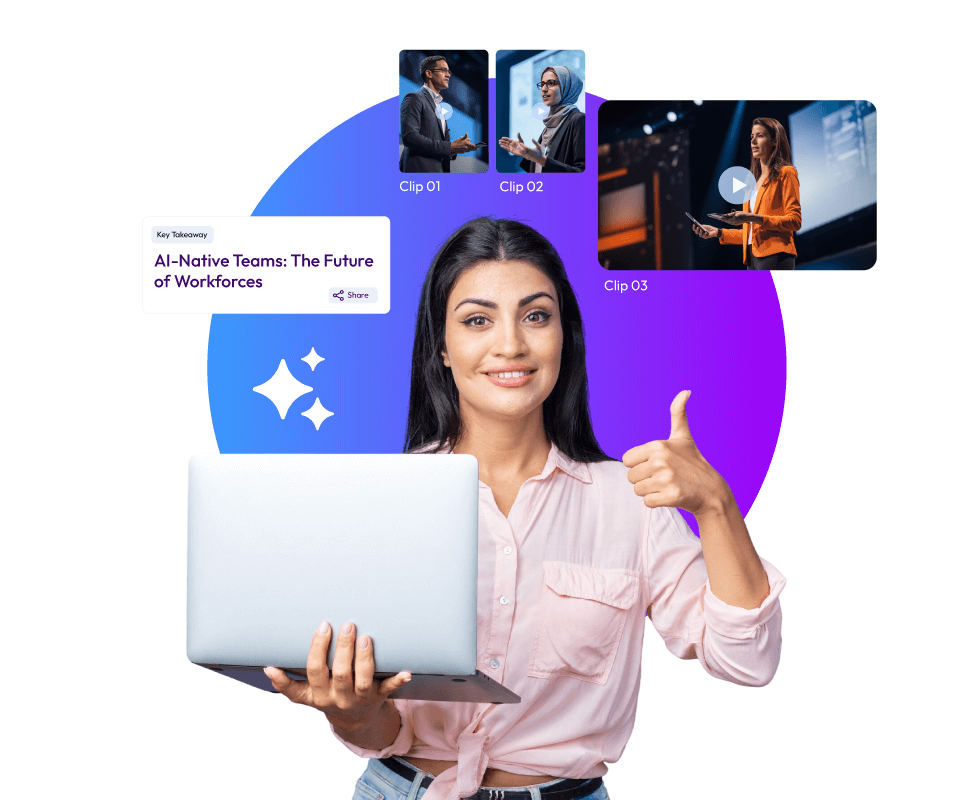
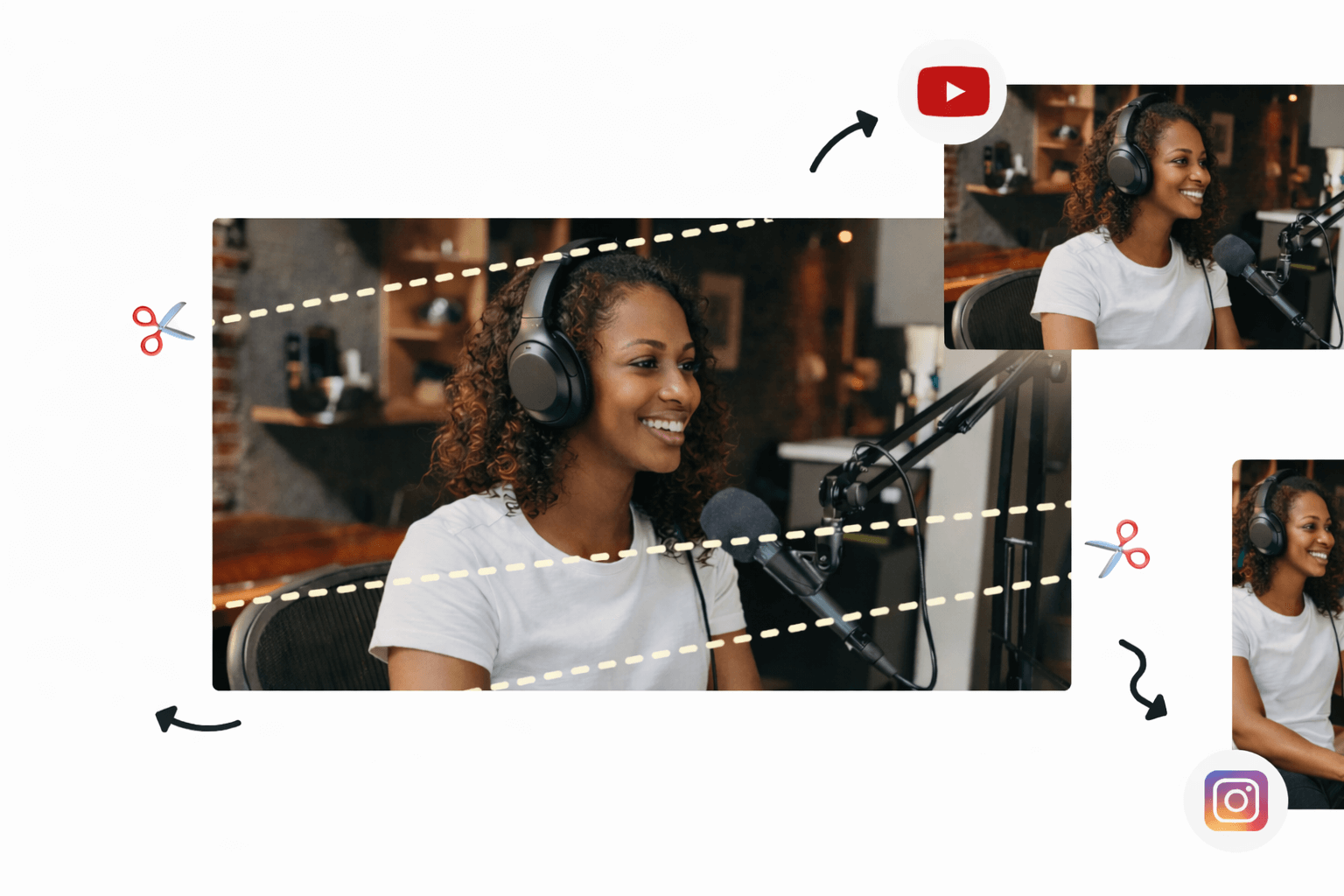
    With AI video repurposing tools, you can chop up long videos into shorter, shareable clips in minutes. These tools are pretty smart and can pick out the good parts on their own. Today's video clipping tools are not the usual trimming tools you know about. These new AI-powered tools are different. They treat your event recordings like a content goldmine. From one event recording, they can give you multiple content assets for marketing, training, and internal communications. Some of these AI video repurposing tools can also add captions and change the size of videos.
    What are AI Video Repurposing Tools

    The Top 11 AI Video Clipping Tools You Can Choose From

    One could think that all that these AI video clipping tools do is turn long videos into short clips. But, event video content is not just about making long videos short. Go through these best-in-the-business AI video repurposing tools, and you’ll know what all they are capable of:

    1. Snipin AI

    Summary:

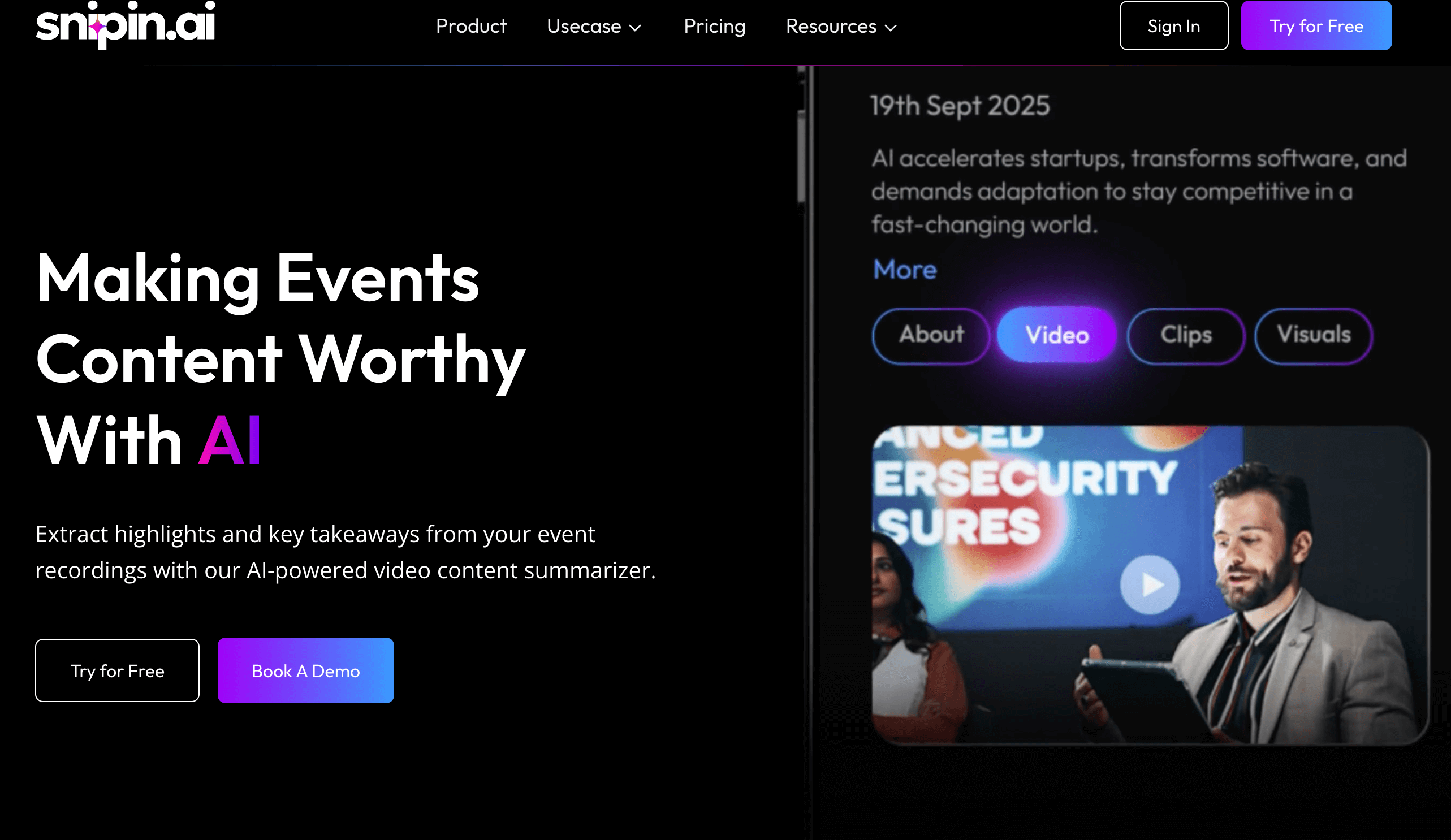
    Snipin AI is a premium AI video clipping tool. It works for multiple event types: webinars, expos, conferences, townhalls, trade shows, and podcasts. It works in the most user-friendly manner and extracts pre-sized, pre-formatted, and ready-to-share short clips from long event recordings. These clips are not randomly trimmed. They are pulled from long recordings after the AI closely reviews speakers’ expressions, audience reactions, and more.

    Strengths:

    • Snipin AI is highly user-friendly; minimal manual effort is required
    • Works equally well for all event types
    • Gives users a clean and organized content hub where all the AI-generated content is stored
    • Lets users know the likes, shares, and downloads each clip gets
    • Allows users to approve, disapprove, and regenerate the clips if they are not satisfied
    • Snipin AI clips are the one-click-share types. Again, no heavy effort is required
    • Gives event organizers a customizable microsite
    • Provides a free plan where users can process up to 120 minutes of event recordings to see what works for them!

    Limitations:

    • Depends on the internet for proper functioning
    • For event planners hosting events regularly, the subscription plan is paid, and prices vary according to their needs.
    Snipin AI Tool

    2. OpusClip

    Summary:

    OpusClip is one of the leading AI video clipping tools built for creators who need to turn long videos into short clips quickly. It uses an AI model that identifies engaging moments with high accuracy. The platform automatically generates captions, provides virality scores to predict social media performance, and reframes horizontal videos for vertical platforms.

    Strengths:

    • Achieves 95% accuracy in highlight detection across all video types
    • Automatically generates captions with 97% accuracy in multiple languages
    • Provides AI virality scores to help predict which clips will perform best

    Limitations:

    • Multi-language support is weaker compared to specialized platforms
    • No direct publishing integrations to social media platforms
    • Brand customization features are limited on lower-tier plans
    • The free plan is restricted to 60 minutes of processing monthly

    3. Vizard.ai

    Summary:

    Vizard.ai is a complete platform designed for event video content repurposing at scale. The AI identifies 8-12 clip-worthy moments from 60-minute recordings and creates complete stories with natural beginnings and endings. Vizard stands out with superior multi-language captioning in Spanish, French, German, Portuguese, and Mandarin.

    Strengths:

    • Superior multi-language captioning with customizable styling across five languages
    • One-click publishing directly to TikTok, YouTube, Instagram, and LinkedIn
    • AI creates complete story clips rather than random cuts

    Limitations:

    • Free plan limited to 60 minutes of upload time monthly
    • Advanced branding requires higher-tier paid plans
    • AI occasionally misses contextual nuances that human editors would catch

    4. CapCut

    Summary:

    CapCut is ByteDance's free AI video clipping tool that offers impressive features at zero cost. It provides AI-powered auto-captions, script generation, and AutoCut features that turn long videos into short clips. The platform includes smart cutout functions that automatically detect subjects and AI-driven filters that adapt based on mood and lighting.

    Strengths:

    • Completely free with powerful AI features at no cost
    • Auto-captions and background removal save significant editing time

    Limitations:

    • Free version exports videos with watermarks on some templates
    • Limited to 1080p resolution on the free plan with no 4K support

    5. Descript

    Summary:

    Descript excels as a podcaster's tool with its unique text-based video editing approach. It transforms how creators edit by allowing them to edit videos simply by editing the transcript text. Descript integrates pre-production, recording, and long-form editing capabilities in one place. The video highlight generator works by identifying key moments through the transcript.

    Strengths:

    • Industry-leading transcription accuracy makes text-based editing highly reliable.
    • Studio Sound feature dramatically improves poor audio quality with one click.
    • Overdub voice cloning allows quick corrections without re-recording

    Limitations:

    • Not optimized for fast social media repurposing workflows compared to dedicated clip tools
    • Recent pricing changes introduced media-minute limits and AI credit systems that can be confusing
    Short Clips. Try Snipin AI Now

    6. Runway ML

    Summary:

    The platform operates on a credit-based system where users spend credits on AI-powered video generation, editing, and effects. The platform offers text-to-video generation, advanced camera controls, and motion tracking. It integrates with creative software like Adobe products. Runway requires a stable internet connection as all processing happens in the cloud.

    Strengths:

    • Gen-4 model delivers exceptional character consistency across multiple scenes.
    • Supports 4K exports and advanced video effects with precise control

    Limitations:

    • The complex credit system makes actual costs difficult to predict for users
    • Monthly credits expire without rolling over to the next billing period
    • Not designed for standard video repurposing workflows or clip creation

    7. InVideo AI

    Summary:

    InVideo AI transforms text prompts, scripts, and blog posts into complete videos with automatically selected visuals, voiceovers, and music. The AI Script Generator helps create video scripts automatically. The platform focuses more on creating new videos from scratch than repurposing existing long-form content into clips.

    Strengths:

    • Extensive template library with thousands of customizable options for different industries
    • AI-powered script generation speeds upthe video creation process significantly.
    • Access to millions of premium stock media files included in the subscription

    Limitations:

    • More focused on creating new videos than extracting clips from existing footage
    • AI-generated videos sometimes require significant manual adjustments for quality

    8. Pictory

    Summary:

    Pictory transforms scripts, blog posts, and articles into video content automatically. The platform specializes in converting written content into videos by analyzing text and matching it with relevant visuals from its media library. Users can edit videos using text commands, making it accessible for non-editors. The platform is best for content marketers looking to repurpose written content rather than clipping existing videos.

    Strengths:

    • Converts written content into videos automatically, saving content creation time
    • Access to 10 million+ premium stock assets from major providers

    Limitations:

    • Not designed for repurposing existing video content into shorter clips
    • AI sometimes misses context when converting articles to video format

    9. VEED

    Summary:

    VEED offers browser-based video editing with AI-powered tools accessible from any device. The platform runs entirely in web browsers, requiring no software installation. It provides automatic subtitle generation in 100+ languages, AI eye contact correction, and voice cloning. The tool focuses more on general video editing than specifically repurposing long content into short clips.

    Strengths:

    • A browser-based platform requires no software downloads or installations
    • Auto-subtitle generation supports 100+ languages with decent accuracy

    Limitations:

    • Performance issues were reported with larger files, including buffering and lag
    • Not optimized for automated video repurposing workflows like dedicated AI video clipping tools

    10. SpikesStudio

    Summary:

    SpikesStudio is an AI video clipping platform designed specifically for gaming content and streamers. The platform automatically processes streams and generates highlight clips with AI trained on gaming broadcasts. The tool includes auto-captioning, animated captions, AI B-roll, and social media scheduling features. It's built for content creators who need to turn long videos into short clips optimized for platforms like TikTok, Instagram Reels, and YouTube Shorts.

    Strengths:

    • Gaming-specific AI trained on broadcast patterns for accurate highlight detection.
    • Automatic Twitch integration processes streams immediately afterthe broadcast ends.

    Limitations:

    • Gaming focus makes it less suitable for general business or marketing content.
    • The free plan provides only 30 minutes of processing yearly with watermarks.
    • Advanced features like 1080p exports and unlimited clips require a paid subscription.
    • Web-based editor limited to a 5-minute video length maximum

    11. Wisecut

    Summary:

    Wisecut uses AI and voice recognition to automatically edit videos with minimal user input. The platform analyzes dialogue to make editing decisions and creates a transcribed storyboard that lets users edit videos by editing text. Wisecut generates auto-captions in 13 languages and includes audio ducking to balance music with speech. The tool is especially effective for talking-head videos like tutorials, podcasts, and interviews, where automatic silence removal saves significant time.

    Strengths:

    • Highly automated workflow requires minimal user decisions and technical skills
    • Smart background music automatically syncs and adjusts volume with audio ducking

    Limitations:

    • Limited control over output compared to manual editing tools
    • Missing advanced features like text overlays and title screens
    • Upload and download times can be slow, especially for longer videos

    How to Know If You Need These AI Video Clipping Tools?

    To know whether you need these AI video clipping tools or not, just look at this list and see for yourself if your work involves doing anything similar:

    • Event Planner Looking to Build Your Events’ Social Profile: If your goal is to have more people see what you do and how your events look, you probably need a consistent content stream to post on social media. Simple graphics, carousels, and the same videos on loop may not help you much. Instead, you could use AI video repurposing tools to extract great content from your event recordings!
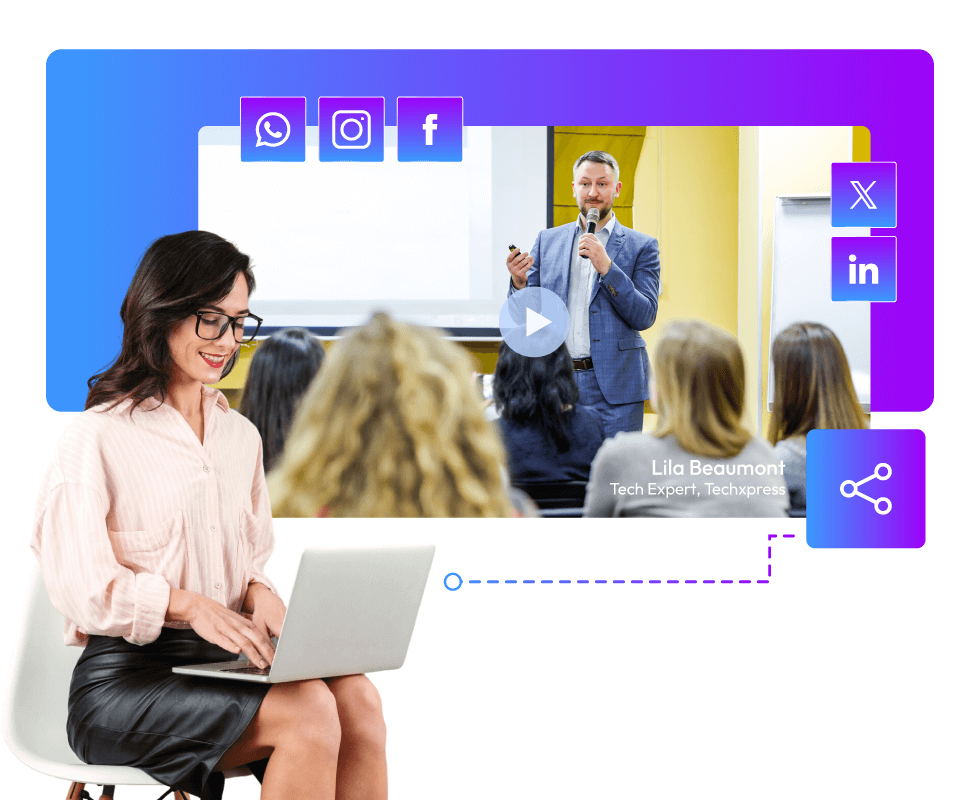
    • A Speaker Who Also Creates Content: If you are someone who is often called to events as a guest speaker or a panelist, AI video clipping tools are just as great for you. You can use these to extract short clips featuring yourself and post them on your social media. Whether you speak in a webinar or at a conference, video clipping tools make you look good in both! You can just focus on your content, and these AI video repurposing tools will take care of the content creation bit.
    • Marketing Agencies and Teams: Marketers know the true meaning of deadlines and also the rush that happens behind the scenes when content has to keep going out for an event’s high visibility. Instead of creating every reel and every session description from scratch, what if one event session recording could give you 10 reels, 20 attractive snapshots, and an accurate session summary? It’s possible with AI video repurposing tools.
    • Podcaster: Nowadays, podcasters are using podcast glimpses for virality, which ultimately leads people to watch the entire podcast. These glimpses are nothing but short clips showing the interviewer asking a loaded question or the interviewee giving a bang-on quote! To save yourself from wasting time scrubbing your 60-90 minute podcast for the best moments, why not leave it to AI video repurposing tools?

    Wrapping Up:

    AI video repurposing tools make long event recordings shareable. They prevent these huge content assets from rotting in a PC’s storage. They identify the best moments from these recordings and convert them into reel-like clips. The highlight is that these video clipping tools do all this in minutes! This way, teams save time and huge costs, too. This blog talks about some of the best players in the industry. Choosing the best one depends on your specific needs.

    FAQs

    How are these AI tools different from regular video editors?

    A regular video editor requires proper manual work. AI video clipping tools are automated. Also, a regular video editor is only mechanical. It doesn’t understand nuance like these AI tools do. They closely analyse every recording and pull the best parts based on actions, reactions, and expressions of the people in it.

    Are they free to use?

    Some AI video repurposing tools like Snipin AI offer free plans in addition to paid plans. Others offer paid plans only.

    How is Snipin AI better than Vizard.ai?

    In its free plan, Snipin AI gives users 120 minutes of event recording time to process. Vizard.ai just gives 60 minutes, 50% less.

    Which tool is most recommended for event planners looking to do a test run?

    The best tool that offers a great free plan is Snipin AI. In its free plan also, Snipin AI gives upto 120 minutes of event recordings for the trial. Besides this, it’s super easy to use and navigate. Its ease of use and excellent results are great for a successful test run!

  • 10 AI Tools Every Event Marketer Should Know in 2026

    10 AI Tools Every Event Marketer Should Know in 2026

    Post-event video summaries are the best solution to make rich event content reach everyone.

    Imagine a literature festival or a leadership conference where the best intellectual minds gather to share their knowledge with the world. These events are not just calendar dates, but incredible opportunities for people to learn and grow from the best of the best!

    But, if you really think about it, how many people are actually able to access this treasure trove of intellectual content? Just those who are present in the sessions when they are happening.

    Even if several others are in the same event, they miss out on great insights because they may not be in that one session! The same applies to attendees of all other sessions and the non-attendees as well.

    But an AI video summarizer for events can be a lifesaver. If you ditch one session for another, just watch the AI-powered post-event video summaries later to see what you missed! And for those who couldn't make it, these summaries are great for getting up to speed without feeling left out. In this blog, let's examine 10 such AI tools that can come in handy when you need to make your event content reach thousands of people.

    The Rising Importance of Post-Event Video Summaries or Micro-Content

    People's attention spans are getting shorter really quickly. Studies say people scroll past stuff in less than 8 seconds. That's why post-event video summaries or micro content have become a must-have for event marketers.

    Post-Event Video Summaries tool

    Like, short videos grab you right away. A 30-second clip from your main speaker does way better than a 45-minute recording. People watch, get into it, and share these little bits on channels like LinkedIn, Instagram, and Twitter. They're easy to watch, share, and are made for how people consume content these days.

    Quick takeaways have another job that's just as important. Not everyone can watch videos, even the short ones. A fast list of main points lets busy people look over and get the info in seconds. They can save it, send it to coworkers, or look at it later in meetings.

    Put them together, and these short bits reach your audience where they are. They keep in mind time limits while giving real worth. Events that do this see more people get involved and have a longer-lasting impact after the event itself.

    AI Video Summarizer For Events: Meaning and Key Benefits

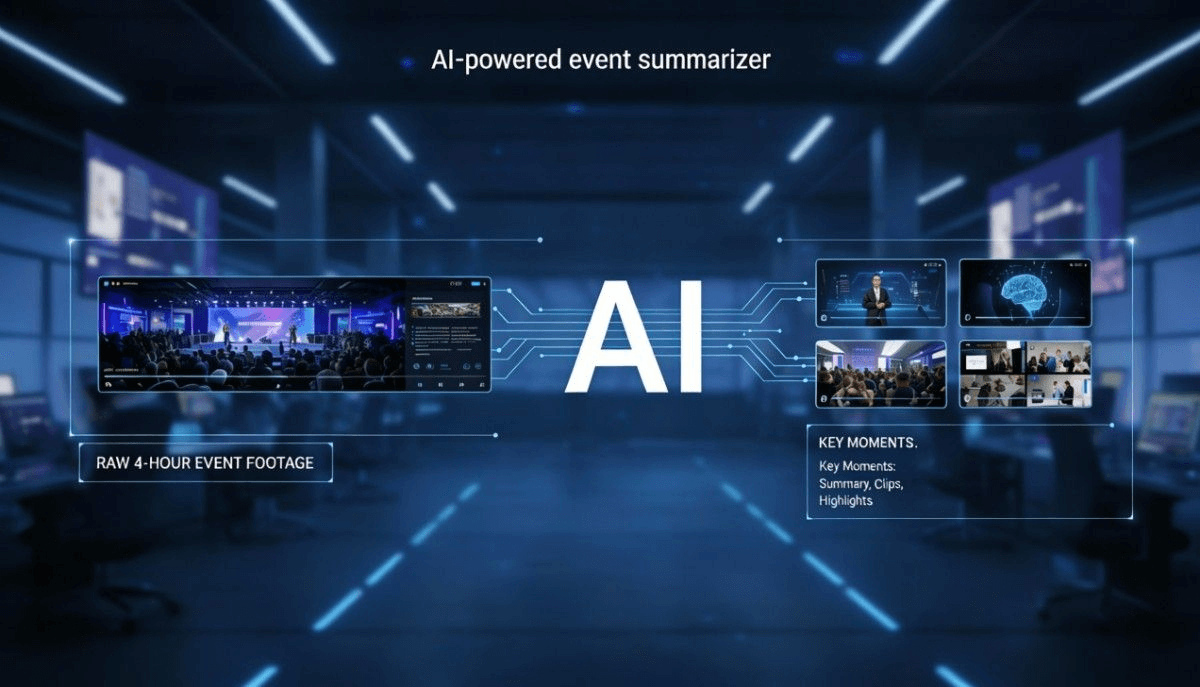
    So, your event's done, right? You've got all these recordings just sitting on your computer, never to be seen again. Your event content just fades away, and that dream of it reaching tons of people? Forget about it. But an AI video summarizer for events can totally change that. It's like a tool that reuses your event content. It watches the recordings, finds all the good parts, and makes them into watchable clips and photos. It actually puts those old recordings to work and gets you a range of marketing assets.

    Here are the key benefits of an AI event highlights generator:

    • Turns event recordings into clips and summaries.
    • Helps the brand's and the event's visibility.
    • Saves editors and marketers time.
    • Makes the event easy to watch again and share.
    • Finds the best parts of event recordings objectively.
    • Gives organizers an easy way to show off and market their event content.
    • Lets organizers easily see how well their event content is doing.
    • Lets staff focus on other important stuff.
    • Easy to learn; no special skills needed.

    10 Must-Know AI-Video Summarizers for Events

    Here are some of the best choices of AI-video summarizers for events:

    1. Snipin AI

    Snipin AI helps teams get the best stuff out of long event videos. It's like an AI that watches your videos and finds the good parts—like insights, moments, or stuff the audience will care about. People use it after conferences, webinars, and company events to change long recordings into short, shareable clips and summaries. It's meant to make reviews quicker and keep content organized.

    Here's what it's good at:

    • Finds the important stuff in long videos automatically.
    • Makes short clips and written summaries from one video.
    • Keeps all your event content in one place.
    • Lets you share on social media and within your circle.
    • Great for marketing, training, and keeping everyone in the loop.
    AI Tool for Event Marketer

    Make Your Event Content Stand Out With Snipin AI

    2. OpusClip

    OpusClip is all about turning long videos into awesome short clips for social media. You just upload recordings like webinars, interviews, or presentations, and it picks moments that will get people's attention. The clips are made to look good on phones and other devices, so posting them is easy. This tool is all about getting a lot of clips out fast, not about fancy editing.

    Here's what it does:

    • AI helps pick the best parts for short clips.
    • Adds captions and reframes automatically.
    • Has ready-made formats for social platforms.
    • Schedules your content for all platforms.
    • Easy to use and fast.

    3. Munch

    Munch looks at long videos and picks out short clips based on context and themes. Think of it as an event highlights generator, finding the best parts with clear messages or emotional moments. Marketing teams like it because they can get lots of short clips from long videos without having to watch everything.

    Here's what it can do:

    • Figures out what parts people will like.
    • Formats clips for all sorts of social media.
    • Adds captions.
    • Good for making promos.
    • Works in 10+ languages.

    4. Vizard.ai

    Vizard.ai is a great tool for quickly turning long videos into short, shareable clips. It’s awesome for recorded talks, webinars, and live streams when you're pressed for time. It spots pauses in speech and automatically makes them into short videos with captions. This is a lifesaver for content teams that need to crank out stuff and want to show off the best moments from events.

    Here’s what it can do:

    • Automatically cuts up long recordings.
    • Adds subtitles by itself.
    • Saves in different file types.
    • Works great with videos of people talking.
    • Ideal for consistent posting.

    5. Descript

    Descript allows you to edit video just like you'd edit a text file. Once you record something and the audio is turned into text, you can select parts of the text and turn them into video clips. It's super useful for summarizing event videos by picking text snippets to create short videos. It’s awesome when you need edits that are precise and desire total control.

    Here’s what it offers:

    • Edits video and audio using text.
    • Has super accurate transcription.
    • Creates clips straight from the transcript.
    • Cleans up audio by removing noise.
    • Saves short content in lots of ways.

    6. Kapwing

    Kapwing is a browser-based editor that combines basic AI assistance with manual editing tools. It supports clipping long videos into short segments while allowing users to refine timing, captions, and layout. The platform is often used by teams that want flexibility without installing software.

    Key Features

    • AI-assisted clip suggestions
    • Automatic subtitles
    • Drag-and-drop timeline editing
    • Social media-friendly export sizes
    • Works entirely in the browser

    7. VEED.io

    VEED.io offers a simple way to create short clips from longer videos. Its tools help trim footage, add captions, and adjust formatting for different platforms. The editor is designed for users who want fast results without complex workflows.

    Key Features

    • AI-powered trimming tools
    • Automatic caption generation
    • Audio cleanup options
    • Preset formats for social video
    • Quick export and sharing tools

    8. Flowjin

    Flowjin helps you make short clips from long videos, adding text to them. It's great for making post-event video summaries for LinkedIn. It can cut videos and suggest captions and posts to make publishing simpler.

    Key Features:

    • Automatically extracts clips
    • Makes captions and post text
    • Offers brand-friendly layouts
    • You can send stuff to different platforms
    • Works great for business content

    9. Taja.ai

    Taja.ai helps you reuse long videos into other content formats. It can make short clips, titles, thumbnails, and text. It's best for organized recordings like presentations and how-to guides.

    Key Features:

    • Finds the best parts automatically
    • Makes short videos and texts
    • Writes captions and titles
    • Helps you plan your content
    • Formats it for social media

    10. Framedrop

    Framedrop finds the best moments in long videos and turns them into short clips super quickly. People use it when they need fast post-event video summaries so they can post them right away.

    Key Features:

    • Finds highlights fast.
    • Makes clips in different formats.
    • Writes summaries.
    • Made for posting things super quick.
    • Good for when you have a lot of volume.

    The Future of AI Event Content Repurposing

    Event tech is changing fast. Soon, it'll even suggest custom follow-ups based on what people watched or liked. Content will change on its own to fit how people like to learn.

    AI and event planning? Great mix. You get more from each event, but don't work harder. Events using these tools now are seeing better results. People who attend are happier. Staff gets stuff done faster and easier. Organizers still doing things the old way are getting left behind.

    Summary:

    An event highlights generator helps you get awesome content from your event recordings, which would otherwise just sit there on your computer. For example, Snipin AI can automatically find the best parts of your event videos and make them into shareable video clips.

    This kind of micro content is trending these days for audience engagement and wider reach. This blog discusses some of the top AI tools that generate post-event video summaries. All these tools can come in handy when event marketers want to make their event content reach people beyond the venue.

  • Top 11 AI Tools for Event Session Summaries, Clips, and Highlights

    Top 11 AI Tools for Event Session Summaries, Clips, and Highlights

    Events generate a huge amount of content. Think keynote sessions, panel discussions, workshops, and fireside chats. Every minute is packed with value. But let’s be honest. Most people don’t have the time to watch full-length recordings after the event. That’s where AI comes in.

    Today, AI-powered tools can summarize sessions automatically. They can pull out highlights and create short clips. These clips are easy to watch, share, and reuse. If you are an event organizer, marketer, content manager, or speaker, this matters. Using an event video summarizer tool saves time. It also helps you get more value from every session.

    In this article, we explore the top AI tools for event session summaries, clips, and highlights. You’ll also see how these tools work as an event content summarizer and an AI event snippets tool. How they turn long event videos into short, impactful content. Let’s get started.

    Why AI Summarization Tools Are a Game-Changer for Event Content

    Let's first know why AI-powered summarization and clipping tools matter. Here are some benefits after an event:

    • Share session highlights with attendees.
    • Repurpose content for social media.
    • Create short recap videos.
    • Help people catch up on missed sessions.
    • Build post-event engagement.

    Doing all this manually takes hours. Sometimes, it takes days. An AI-powered event video summarizer tool handles most of this work for you. It goes through sessions and understands context. It picks key moments. Then it turns long videos into summaries, clips, and highlights. That’s exactly what the tools below are built to do.

    Top Event Video Clipping Tools Powered by AI

    Top Event Video Summarization Tools

    Here are some of the best AI-powered event video summarization tools.

    1. Snipin AI

    Snipin AI is the most popular AI-powered event video summarization tool. It helps organizers create short, meaningful highlights from long videos. This makes it a strong AI event snippets tool. It supports all sorts of events, conferences, webinars, and virtual events. It is built with a clear purpose.

    You upload your event session video. Snipin AI finds the most engaging moments. It then turns them into short, shareable clips. What makes Snipin AI stand out is how simple it feels. You don’t need advanced video editing skills. The tool does the work for you. It delivers ready-to-share highlights and clips.

    It eliminates the complex process. So, it is a powerful solution for event teams that want fast clips and summaries. Snipin AI works as both an event content summarizer and a clipping tool.

    2. Descript

    Descript is a popular tool for event video content. It fits perfectly into event content workflows. It transcribes your event sessions. Once the transcript is ready, you can easily summarize sessions. You can remove filler words. Then, it helps you highlight key sections. This makes it a great event video summarizer tool for long-format content.

    What event organizers love about Descript is the control it offers. It can edit a video by editing text, which feels very natural. The short highlight clips from long recordings can be created with ease.

    3. SnapSight

    SnapSight focuses on turning long videos into short highlights. It is especially useful for spotting key moments in event sessions. These include visual peaks and strong conversational moments.

    SnapSight uses AI to detect the best moments. It detects when speakers emphasize key ideas. The moments when audience engagement rises. The moments when important topics are discussed. All these moments can be turned into clips automatically.

    As an AI event snippets tool, SnapSight works well for event content creation. You can quickly generate multiple highlight clips from a single session. You can reuse them across platforms. For teams that want fast results with minimal effort, SnapSight fits nicely into the workflow.

    4. Voxo

    Voxo is designed to make content easier to reuse. It combines transcription, summarization, and repurposing in one platform. For events, Voxo works as a reliable event content summarizer. It converts sessions into clear text summaries. It highlights key talking points. Also, it creates short clips from the recording.

    One major benefit is clarity. The summaries are easy to read and understand. This makes Voxo ideal for attendees who want quick takeaways. If written summaries matter as much as video clips, Voxo is worth considering.

    5. Otter AI

    Otter AI is best known for meeting transcription. But it also works very well for event sessions. Otter AI records sessions in real time.

    It transcribes them accurately. It then creates structured summaries. This makes it a strong event video summarizer tool for conferences and panels.

    After the event, Otter AI helps. You can create session summaries. Identify key points. Extract quotes. Share searchable transcripts. Otter AI focuses less on flashy clips. Instead, it shines as an event content summarizer. No important insight gets missed. It’s ideal for content-heavy and knowledge-driven events.

    Use AI Clipping Tool

    6. ITventus

    ITventus provides an AI summary for events. It is built for event-focused AI solutions. It helps with summarization and content insights. As an event content summarizer, ITventus turns long sessions into clear summaries. It also supports highlight extraction. This makes post-event content creation much easier.

    ITventus works well for conferences and corporate events. It is especially useful when structured reporting matters. If you manage many sessions across several days, ITventus can save time.

    7. SummarizeX

    SummarizeX does exactly what the name suggests. It summarizes content quickly and accurately. For events, it works as both an event video summarizer tool and an event content summarizer. You can upload recordings or transcripts. You get clean summaries in minutes.

    The platform focuses on simplicity. There are no complicated dashboards or advanced editing requirements. You upload, process, and download summaries. This makes SummarizeX a great option for teams that want fast results without learning new tools.

    8. OpusClip

    OpusClip is built for turning long videos into short, viral-ready clips. It is especially popular for social media content. For event sessions, OpusClip acts as a strong AI event snippets tool. It finds engaging moments automatically. It adds captions and formats clips. The clips can be shared on different platforms.

    Event marketers love this approach. It removes the guesswork. You don’t have to scan through hours of footage. The AI highlights the best moments for you. If your goal is to maximize post-event visibility and reach, OpusClip is a powerful addition to your content stack.

    9. Vizard

    Vizard is another AI-powered video repurposing tool. It works well for event content. It takes long-form videos and creates short clips automatically. You can also add subtitles and optimized layouts. This makes it a useful event video summarizer tool for events.

    Vizard is helpful for branding. The branding is consistent across event highlights. You can apply templates, colors, and styles to every clip. Therefore, everything looks professional. Vizard is an AI event snippets tool. It can help you turn sessions into shareable stories. No manual editing is needed.

    10. Wisecut

    Wisecut focuses on smart editing and storytelling. For event sessions, it removes long pauses. It highlights key moments. It generates short summaries. This makes Wisecut an effective event content summarizer.

    One big advantage is how natural the output feels. The videos don’t look overly edited or robotic. Instead, they feel smooth and engaging. Wisecut works especially well for interviews, fireside chats, or casual talks. It helps create polished highlights quickly.

    11. Animoto

    Animoto is slightly different from the others, but it still plays an important role in event content creation.

    While Animoto is known for video creation, it can also be used to turn session summaries and highlights into engaging recap videos. When paired with an event video summarizer tool, Animoto helps bring summaries to life.

    You can combine short clips, quotes, and key takeaways into a single highlight reel. This works well for post-event wrap-up videos and promotional content. Animoto is ideal for teams that want visual storytelling without complex editing software.

    How to Choose the Right AI Tool for Your Event

    Choosing the right AI video summarizer is important. Sure, it depends on your event goals. There are so many options available. So, ask yourself:

    • Do I need written summaries or video highlights?
    • Is social media content a priority?
    • Do I want automation or manual control?
    • How many sessions do I need to process?

    Final Thoughts

    Event content doesn’t have to end when the event does. You can turn hours of sessions into minutes of impactful content. Thanks to the right event video summarizer tool. AI makes it easier to capture insights. It helps create highlights. Most importantly, it extends the life of the event after the session ends.

    These tools bring something unique to the table. Want quick summaries, engaging clips, or polished recap videos? There is an AI-powered solution that fits your needs.

    In today’s content-driven event world, this technology matters. Using an event content summarizer and an AI event snippets tool is no longer optional. It’s quickly becoming essential.