Category: AI Tool

Explore how AI turns long videos into short, meaningful summaries and instant highlights.

  • Turn Long Videos into Viral Shorts, Reels & Clips Using AI

    Turn Long Videos into Viral Shorts, Reels & Clips Using AI

    Creating content takes hours of effort. You spend hours planning an event or a webinar recording. You edit it, polish it, and finally hit publish. It feels great. You pour a celebratory coffee and wait for the views to roll in. But then, reality hits.

    Some of your loyal audience watch the whole thing. That's amazing. But a massive chunk of your potential audience? They are scrolling right past it. Why? They are just busy. In today’s digital world, attention spans are shorter than ever. People are used to getting bite-sized entertainment. Sixty-second chunks on Instagram Reels or YouTube Shorts.

    You might leave money and a huge audience on the table. If you are only posting long-form content. This is where many creators get discouraged. The thought of taking that one-hour video and manually chopping it up into ten tiny pieces sounds like a nightmare. Who has the time to re-watch their own content, identify the best moments, crop them vertically, add captions, and then schedule them? Almost nobody.

    But what if I told you there was a way to take your existing library of long content and turn it into a month’s worth of engaging social media posts in just a few minutes? That's where the AI video clipping tool comes in. It’s time to work smarter, not harder, and finally get the recognition your content deserves. Here is your guide on how to turn long videos into short videos that actually get watched.

    What Is an AI Video Clipping Tool?

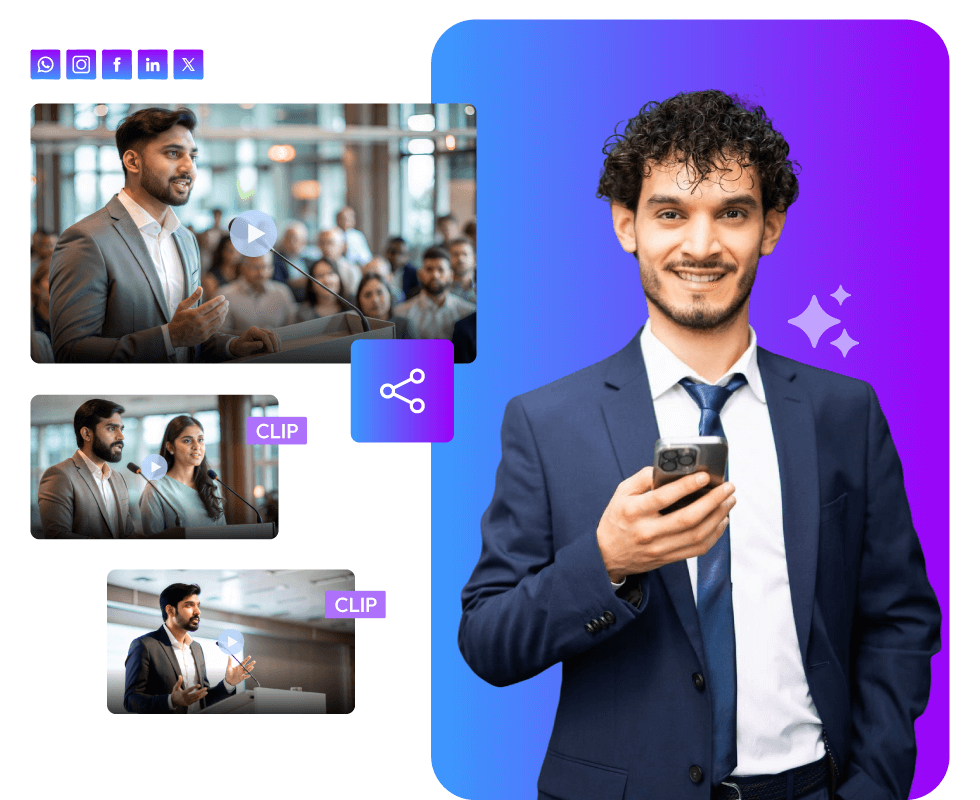
    An AI video clipping tool uses artificial intelligence. It analyzes your long video. It understands speech, context, emotions, and key moments. AI does the work for you. Rather than manually scrubbing through footage. It automatically:

    • Finds highlights.
    • Identifies impactful quotes.
    • Detects high-engagement moments.
    • Cuts them into short clips.

    This makes it easier to create viral short videos in minutes, not hours.

    Why Long Videos and Recordings Are a Goldmine of Short Clips

    Before we dive into the "how," let’s talk about the "why." If you have been creating content for any length of time, you are sitting on a digital goldmine. Think about all those event recordings. Those deep-dive webinar series. The live streams you did last year.
    Long Videos and Recordings

    Currently, they are probably collecting digital dust in an archive somewhere. But hidden inside those long videos are dozens of golden nuggets. There’s that hilarious joke you told at the 15-minute mark. There’s that incredibly smart insight your guest shared at the 40-minute mark. There’s that controversial take that would definitely start a debate in the comments section.

    These moments are perfect for social media platforms. The problem is that they are buried inside a giant file that nobody has time to watch. The goal of modern content marketing isn't just to create new stuff constantly. It's to squeeze every last drop of value out of the stuff you’ve already made. This is called AI social media video repurposing. It is the secret weapon of top creators.

    When you repurpose content, you aren't being lazy. You are being efficient. You are taking one big idea and serving it up in many different ways to suit different appetites. Some people want the full meal (your long video). But most people just want a snack (a Reel or Shorts). If you want to grow today, you must turn long videos into short videos.

    Enter the AI Video Clipping Tool: Your New Best Friend

    So, how do we find those golden nuggets without spending hours re-watching our old footage? In the "old days", you had to hire a video editor. You’d send them the file with timestamps saying, "Cut from 12:02 to 13:15." It was expensive and slow. Today, we have Artificial Intelligence.

    We have an AI video clipping tool. It acts like a super-smart assistant editor. It doesn't just look at the video; it listens to it. These tools use advanced technology to understand the context. The context of what is being said in the video. That's how they identify the most engaging parts. The parts are based on things like topic changes, increased excitement, or key phrases.

    The AI says, "Hey, here are ten potentially viral moments from your hour-long video. Which ones do you like?" Rather than scrubbing through a timeline trying to find a good breaking point. It's an absolute game-changer. Therefore, the heavy lifting goes out of the editing process.

    Step-by-Step: How to Create Viral Short Videos Fast

    Sure, every tool is different. The general process to create reels from long videos using AI is similar. Even more, it's surprisingly easy. You don't need to be a tech wizard. If you can upload a file, you can do this.
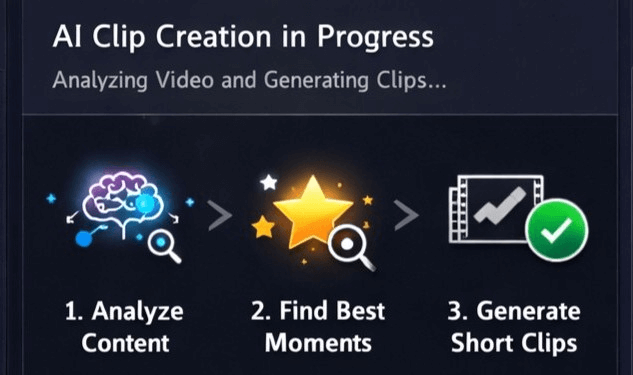
    Create Viral Short Videos Fast

    Step 1: The Upload

    You start by uploading the video. You take your long-form video. Maybe a video recording of an event or a webinar. You upload it to the AI video clipping tool.

    Step 2: The Video Analysis and Processing

    This is where you can grab a coffee. The AI tool starts processing your video. It transcribes everything that’s said. It analyzes the pacing. It looks for the hooks. This might take a few minutes. Often depends on the video length. But it’s faster than you doing it manually.

    Step 3: Reviewing the Clips

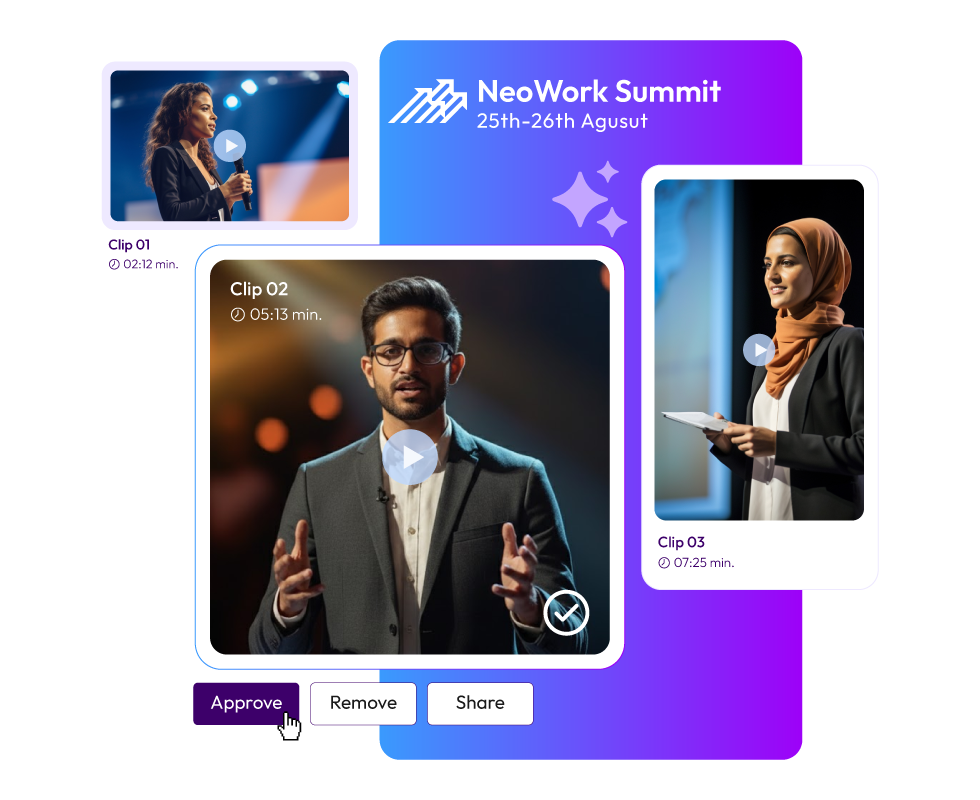
    The tool provides you with a dashboard full of potential short clips. After the processing is done. The tools could give you a headline for every segment. You can watch them quickly. You get a wide range of clips. Maybe five of them are okay, three are good, and two are absolutely fantastic. That's when you need to review. You pick the best ones.

    Step 4: Adding the Final Touch

    This is where you take a raw clip and turn it into something meant for social media. You want to create viral short videos, right? That means they need to look the part. The AI tool will automatically crop the video into a vertical format. A format that's perfect for phones. It will keep the speaker centered in the frame.

    Next, captions. AI social media video repurposing relies on captions. Why? Because something like 80% of people watch social media videos on mute. Especially while they are commuting, waiting in line, or hiding in the bathroom at work. If your video doesn’t have captions, they will scroll past it.

    The AI tool generates these captions automatically. You just need to quickly read through them. You can also choose cool fonts and colors that match your brand.

    Step 5: Export the Clips

    Once you’re happy with your clips, you hit export. Suddenly, that one long video has transformed into five ready-to-post Reels, TikToks, and YouTube Shorts. You can download them to your device.

    Tips to Make Your Clips and Reels Viral

    Okay, a quick reality check. An AI video clipping tool is incredible at finding the clips. It also does the technical work. Virality comes from human connection. The AI gives you the raw materials. But you need to ensure the final product connects with people. Keep the following things in mind when reviewing the clips. The goal is to create the best short videos.

    1. The Hook is Everything: The first three seconds are crucial. It can decide if your video flies or dies. The AI is good at finding interesting starting points. But make sure the starting sentences grab attention. Does it ask a question? Does it make a bold statement? Does it promise a solution?

    2. One Idea Per Video: Short videos need to be focused. Don't try to cram three different topics into a 60-second reel. A good clip focuses on one single, powerful idea. The AI could select a two-minute clip, covering two topics. If it does, split them out. Split into two separate videos.

    3. Emotion Wins: People share engaging videos. It made them feel something. Did it make them laugh? Did it make them angry? Did it make them say, "Oh wow, I never thought of it like that!" Prioritize emotion over dry facts when choosing clips.

    4. The Call to Action (CTA): What do you want people to do after? Don't just let the video end abruptly. You can add a simple text overlay at the end. It could say, "Watch more related reels" or "Follow for more tips". That's how short clips can drive traffic back to your content.

    Benefits the AI Video Clipping Tool Brings to the Table

    Here are some of the top benefits.
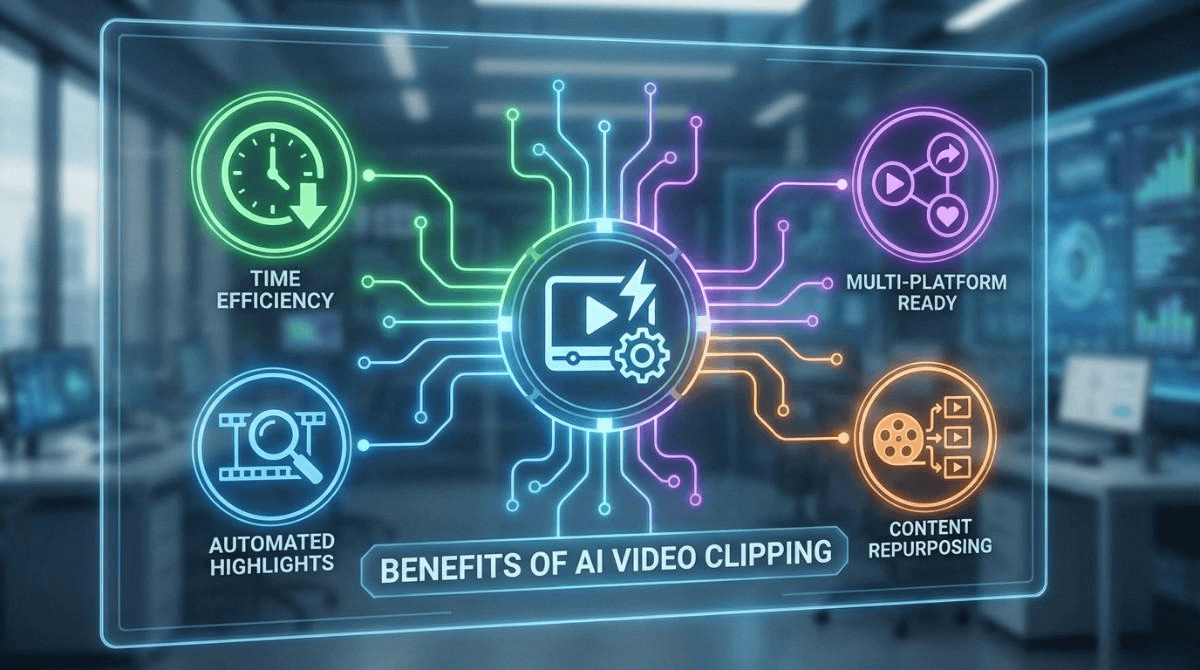
    Benefits the AI Video Clipping Tool

    From One Long Video to Dozens of Clips

    You record the hours of the event. Normally, you upload it once. Then move on. With AI:

    • You extract 20-30 short clips.
    • Each clip targets a different topic.
    • Each clip reaches a new audience.

    This is the power of AI. You turn long videos into short videos. That keeps working for you.

    AI Helps Maintain Brand Consistency

    Good AI tools do more than clip videos. They help with:

    • Caption styling.
    • Font consistency.
    • Branding elements.

    This ensures every clip looks professional. Your audience recognizes your content instantly. This consistency builds trust over time.

    Short Videos Drive More Engagement

    Short videos outperform long content on social media. They get more views, shares, and comments. People are more likely to watch short videos. A 30-second clip rather than a 30-minute video. AI helps you focus on moments that matter. This increases engagement without extra effort.

    Turning Educational Content into Viral Shorts

    Educational videos do not have to be boring. AI finds:

    • Clear explanations.
    • Strong statements.
    • Memorable insights.

    These moments make excellent short videos. This is how experts grow authority online. They share value in seconds.

    AI Reduces Creative Burnout

    Creating content constantly is exhausting. AI helps by:

    • Reusing existing content.
    • Reducing editing workload.
    • Keeping content flowing.

    You stay consistent without burning out. That is a huge advantage for long-term growth.

    The Massive Benefits of Repurposing

    Using AI video clipping tools isn't just about saving time. It’s about fundamentally changing your content strategy for the better.

    • Consistency Becomes Easy: The social media algorithms love consistency. They want you to feed them daily. Before, that was impossible. Now, one video recorded can provide you with daily clips. The videos for the rest of the week. So, you create the content engine. The best part is, without even burning out.
    • Reaching New Audiences: There are millions of people who like watching shorts. It can be an Instagram or a YouTube. So, you don't exist if you aren't creating short videos. If you turn long videos into short videos. You are likely to meet people where they are. You are giving them a low-risk way to sample your content. There is a good chance they would check out the main video.
    • Better ROI on Your Effort: Think about how much energy it took to create that original long video. It’s painful to see it get a few hundred views. By generating reels from long videos using AI, you are extending the lifespan of that hard work. So, you can extend the lifespan of the video. Thanks to an AI tool for generating reels from long videos. You can get the weeks of value out of a single hour of effort.
    Turn Long Videos into Viral Shorts With Snipin AI

    Final Thoughts

    The digital landscape has changed. The days of simply posting a long video and hoping for the best are gone. You have to adapt to how people are consuming content today. If you want your message to be heard.

    The good news is that adapting has never been easier. You don't need a budget for a professional editor. You don't need dozens of hours of free time. You just need your existing content and the right tools. Don't let your best ideas stay buried in long videos. Nobody has time to watch. Use an AI video clipping tool to uncover video potential.

    It’s time to turn long videos into short videos. And start getting the attention you deserve. Your audience is waiting to engage with your reels. Go make it easy for them.

    FAQs

    How long does the process actually take?

    It’s incredibly fast compared to manual editing. Traditional cutting takes hours. Whereas an AI video clipping tool can analyze an hour-long video in under minutes. You simply upload your file. Wait for the AI to find the best moments. And, spend a few minutes polishing captions before posting.

    Does the AI really know which moments will go viral?

    AI identifies high-impact segments based on speech patterns and keywords. But your human touch still matters. Use the tool to turn long videos into short videos quickly. Then, review the hooks to ensure they are catchy. You always have the final control over which clips get published.

    Can I post these clips to multiple social platforms?

    Yes! This is the core of AI social media video repurposing. The AI content repurposing tool formats your clips for social media. You can use it as reels and shorts. They automatically handle the vertical cropping and add eye-catching captions. This ensures your content looks professional and native on every single platform with almost zero extra effort.

  • Why Every Event Organizer Needs an AI Snippet Tool in 2026

    Why Every Event Organizer Needs an AI Snippet Tool in 2026

    Planning events is one thing, and making sure the content lives beyond the event is another. Most organizers know the effort it takes to run a successful event. But what happens after the lights go off and the stage is cleared? The real challenge begins. You have hours of video, dozens of moments, and a team wondering how to turn all that into something useful. That is where an AI snippet tool steps in.

    This tool is not just software. It is a helper that works fast. It watches your event recordings and pulls out the best parts. It does not need breaks. It does not miss anything. It finds the highlights, the reactions, the key takeaways. And it does all this in minutes.

    Why Events Need Smarter Content Tools

    Events are full of value. But most of that value gets lost. People speak on stage. Audiences react. Ideas are shared. But if you do not capture it right, it fades. That is why organizers now look for something better. Something that can convert long event videos to short clips without wasting time.

    An AI video snippet tool for events does exactly that. It watches the full video. It finds the moments that matter. Then it turns those into short clips. These clips are easy to share. They work well on social media. They help people remember your event. And they help others see what they missed.

    What Is an AI Snippet Tool?

    What Is an AI Snippet Tool?

    An AI snippet tool means AI-based real-time content summarization. It is not just about cutting videos. It is about understanding them. The tool looks at your event footage. It finds the parts that people care about. Then it creates summaries, clips, and even visual highlights. You do not need to sit for hours watching the video. You do not need to guess which part is good. The tool does it for you. It is like having a smart assistant that knows what your audience wants.

    Features That Make a Difference

    The best AI event content tool does more than just clip videos. It gives you a full set of features that help you manage, publish, and track your content.

    • Session Summaries: Short write-ups that explain what happened in each session.
    • Content Hub: A place where all your clips, summaries, and visuals are stored.
    • AI Snippet Detection: Finds moments that drive engagement.
    • Publishing Control: Approve, reject, or edit clips before they go live.
    • One-Click Export: Share clips instantly to major platforms.
    • Built-In Analytics: Track views, likes, and performance insights.

    Top Reasons to Consider the AI Snippet Tool in 2026

    Here are a few points that will help you understand why every event organizer needs an AI snippet tool in 2026.

    #1. Saving Time and Money

    Manual editing takes time and costs money. You need editors, tools, and hours of watching videos to pick the best parts. That is slow and expensive. An event content repurposing tool, such as Dreamcast’s Snipin AI, changes that. It does the work in minutes. You upload the video. The tool analyzes it. Then it gives you clips, summaries, and highlights. No long wait. No extra cost.

    Your team can focus on promotion, sponsor relations, or planning the next event. The tool handles the content.

    #2. Better Reach After the Event

    Events are not just about the day they happen. They are about what follows. You want people to remember, share, and talk about it. Short clips help with that. They are easy to watch and easy to share. They perform well on social media. An event video summarizer finds the important moments and turns them into content that spreads.

    No need to guess. No need to edit for hours. The tool provides everything.

    #3. Works for All Types of Events

    Whether it is a conference, webinar, town hall, or trade show, the tool fits right in. It does not matter if the event is big or small, online or offline.

    An AI-based video summarizer like Dreamcast’s Snipin AI analyzes the video, finds the good parts, and gives you clips and summaries. Perfect for marketing, attendee engagement, and social sharing.

    Works well for:

    • Conferences
    • Townhalls
    • Webinars
    • Trade shows
    • Exhibitions
    • Festivals

    #4. Easy to Use

    You do not need editing skills or technical knowledge. The tool is super easy. Upload the video and let it work.

    You receive:

    • Highlights
    • Summaries
    • Short clips
    • Visual moments

    You can export, publish, and track performance with ease.

    #5. Helps You Stay Consistent Across Channels

    When you use an AI event content tool, your messaging stays consistent. Whether you post on LinkedIn, Instagram, or your own site, the clips carry the same tone and look. You do not need to re-edit for each platform. The tool gives you content that fits everywhere. That means your audience sees the same message, no matter where they find you.

    Consistency builds trust. It helps people recognize your brand. It makes your event feel polished and professional. And it saves your team from doing the same work twice.

    #6. Speeds Up Post-Event Marketing

    The days right after an event are important. That is when people are still thinking about it. That is when they are most likely to engage. If you wait too long to post content, you lose that momentum.

    An AI video snippet tool for events helps you move fast. You get clips within minutes. You can post them the same day. You can send them to attendees. You can share them with sponsors. You do not need to wait for editors or approvals. The tool gives you what you need when you need it.

    #7. Turns One Event Into Many Pieces of Content

    A single event can give you dozens of clips. Each session, each speaker, each moment can become its own post. An event content repurposing tool helps you break down the full video into smaller parts. You can use those parts for weeks or even months. This means your event keeps working for you. It keeps bringing in views. It keeps driving engagement. You do not need to plan new content every week. You just use what you already have.

    In the End

    Events are full of value, but that value needs to be captured, shared, and preserved.

    An AI snippet tool helps you do that. It watches your video, finds the best parts, and delivers clips, summaries, and highlights. You save time, save money, and expand your reach.

    For event organizers in 2026, this tool is not optional. It is essential. Use it to convert long event videos to short clips and create content that works long after the event ends.

    Your audience will thank you. Your team will thank you. And your sponsors will see the results.

    FAQs

    What is an AI snippet tool?

    An AI snippet tool is a smart tool that analyzes your event videos and pulls out the best parts. It uses real-time content summarization to create short clips, highlights, and summaries from long recordings. You do not need to edit manually. The tool does it for you.

    How does an AI video snippet tool for events work?

    You upload your event video. The tool analyzes it using AI. It finds key moments, speaker highlights, audience reactions, and important points. Then it turns those into short clips that are ready to share. You can export them to social media or use them in your post-event marketing.

    Can I use this tool for different types of events?

    Yes. The tool works for conferences, webinars, townhalls, trade shows, exhibitions, and festivals. It does not matter if your event is online or offline. The tool watches the video and gives you usable content.

    What kind of content does the AI event content tool create?

    You get:

    • Short video clips
    • Session summaries
    • Visual highlights
    • Export options for social media

    Everything is created automatically. You just choose what to publish.

  • Introducing Snipin AI: AI-Based Event Summarization and Clipping

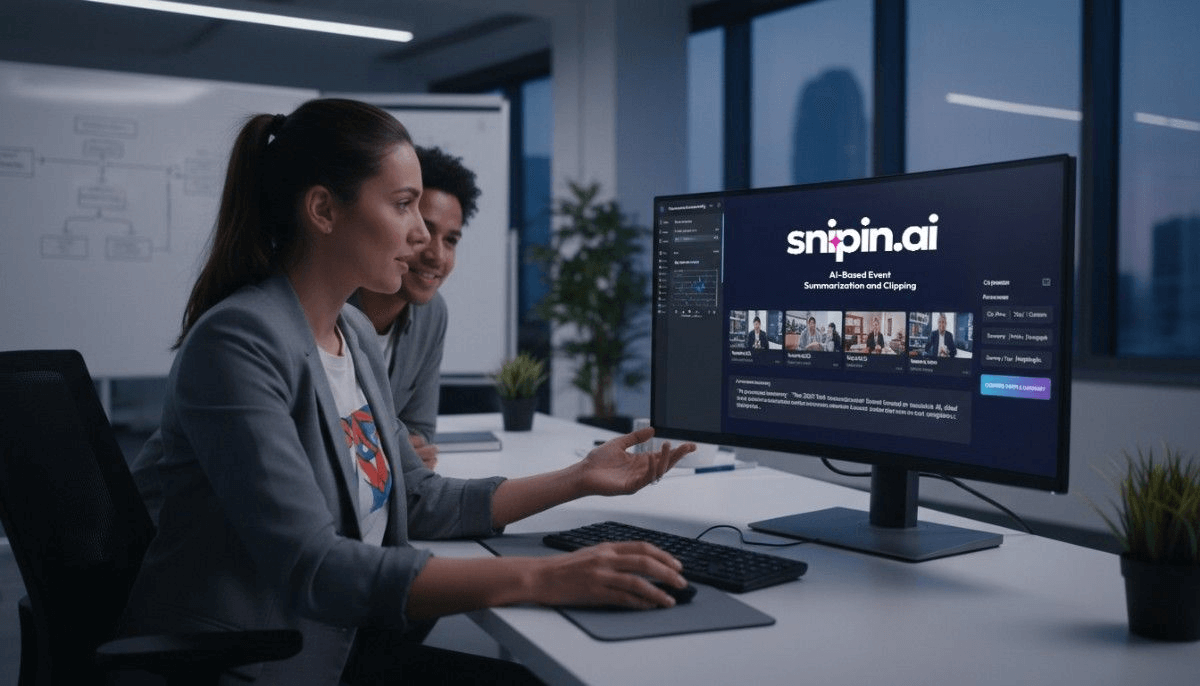
    Introducing Snipin AI: AI-Based Event Summarization and Clipping

    An event requires a lot of effort to be successful. There are several things to take care of: finding speakers, setting up the venue, and streaming sessions.

    But what happens once the event is over? The chances are, hours of event recordings just sit in folders. The results? Every great discussion, powerful insight, and memorable moment stays in the long video files that no one has time to rewatch.

    That’s where Snipin AI comes in. It's an AI-powered content repurposing tool for events that turns long event videos into short clips and summaries.

    We built Snipin AI because we believe your event content deserves more than to be forgotten. It deserves to be seen, shared, and celebrated instantly.

    Meet Snipin AI: Your AI-Powered Event Summarizing Partner

    Snipin AI is an AI-powered tool designed to make post-event content creation effortless.

    Meet Snipin AI

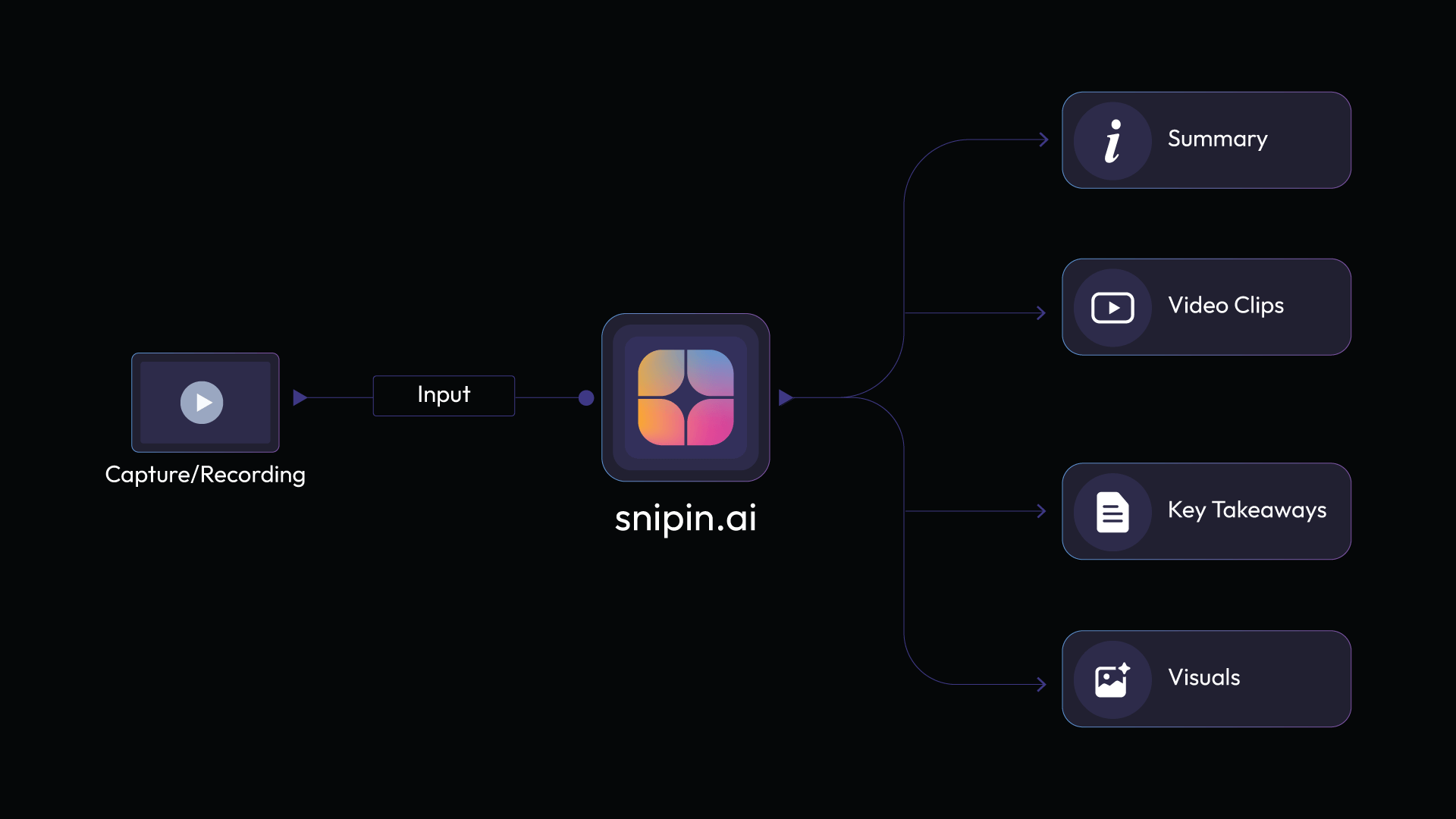
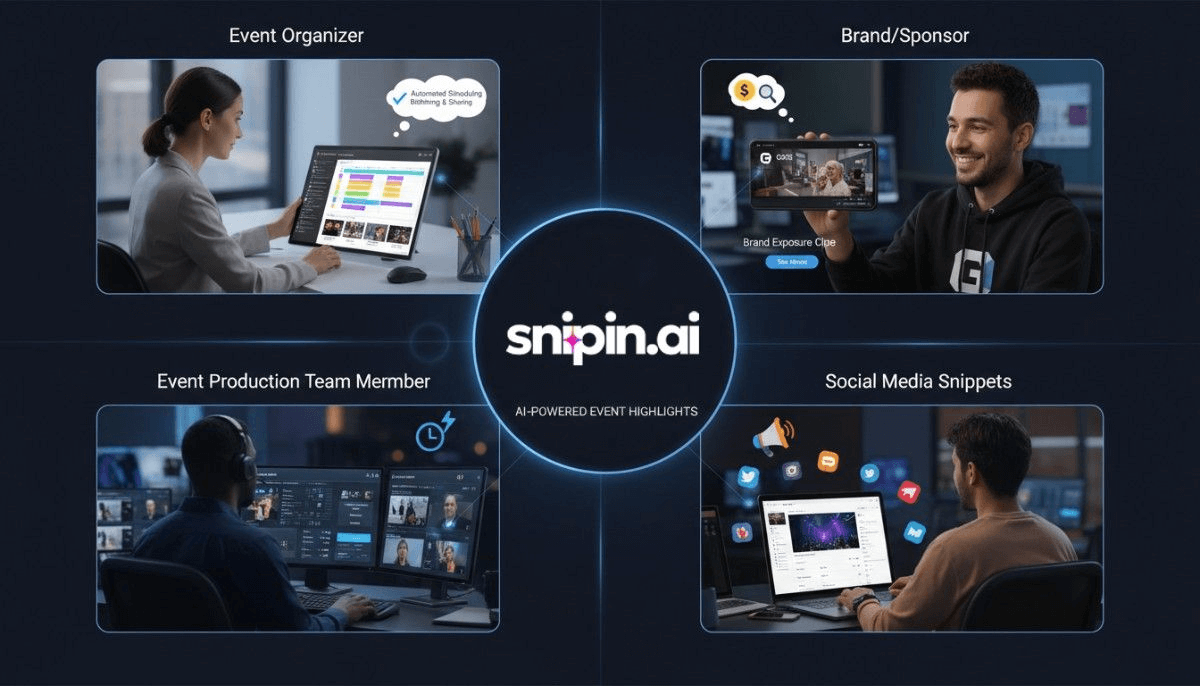
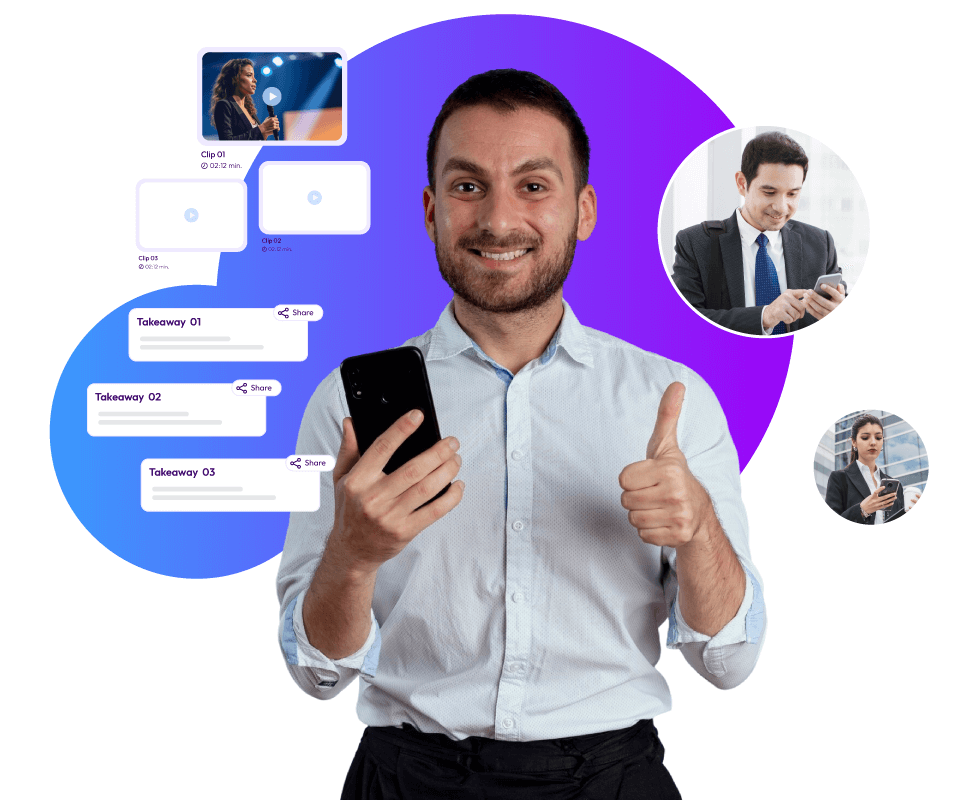
    You simply upload your event session recording. Snipin AI automatically finds the most engaging parts, the moments that matter. It then turns those into short video clips, session takeaways, and summaries that you can share right away.

    No long edits. No manual cutting. No waiting weeks for an editor to finish. Just instant, high-quality event content ready to post.

    Why Snipin AI Is Developed (Why Organizers Need It)

    We’ve worked with countless event organizers. We kept hearing the same problems over and over again:

    • “We have amazing content, but no time to edit it.”
    • “Our event ends, and all that footage just sits unused.”
    • “We want to keep the engagement going, but we don’t know how.”

    We realized something needed to change. Events generate hours of valuable content. Yet most of it never reaches the audience again. That’s a huge missed opportunity.

    Snipin AI is fixing these problems once and for all. Just to clip out event footage, the event marketing and organizing team doesn't need a full production team. Snipin AI will do it instantly. Automate creating clips and summaries in minutes.

    Extract event insights and clips

    What Snipin AI Can Do

    Here’s how Snipin AI turns your event recordings into shareable content:

    Snipin AI turns your event recordings

    1. Automatic Discovery of Engaging Moments

    Snipin AI automatically finds the most engaging moments from the uploaded event recordings. It detects applause, speaker emphasis, and emotional highlights to create short, engaging clips.

    2. Session Takeaways and Clips

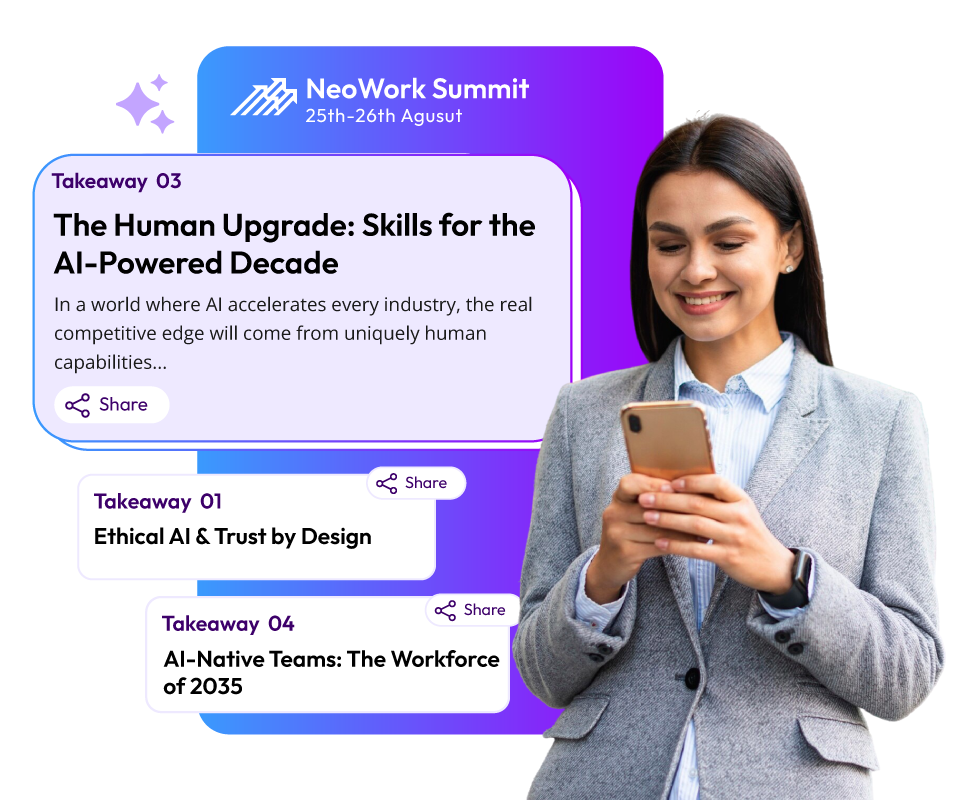
    Snipin AI doesn’t just stop at videos. It also delivers session summaries and key takeaways. So, creating quick recaps and post-event blog updates becomes simpler.

    3. Analytics Dashboard

    Want to know how your content performs? Snipin AI provides a dedicated analytics dashboard. Measuring the engagement of the content becomes easier with analytics. Analyzing how your clips are doing and well-performing content helps with future events.

    4. One-Click Sharing

    Once your clips and summaries are ready, you can post them instantly on your social media platforms. LinkedIn, Instagram, and YouTube, all with just one click.

    5. Content Library

    For all the sessions, clips, and highlights, Snipin AI creates one event library where everything lives. Every event can build its own content archive by turning event recordings into a lasting digital library.

    The Problems Snipin AI Solves

    We all know, post-event content is often a pain. Here are a few problems Snipin AI helps solve:

    • Great events end, but the content goes in vain.
    • Event footage stays in drives for months until it's repurposed.
    • Once the livestream ends, audiences lose interest.
    • Editing long videos into short clips takes weeks.
    • Sharing event moments feels complicated.

    With Snipin AI event summarization, all these problems disappear. It brings your event content to life instantly. No editing headaches, no wasted time, and no lost engagement.

    Why Event Organizers Love Snipin AI

    Here’s what makes Snipin AI different from traditional editing tools:

    Event Organizers Love Snipin AI

    • It uses AI to do the hard work for you.
    • It’s made specifically for events, not generic video editing.
    • It helps you keep your event alive long after it ends.

    Imagine being able to share your best event moments the very next day, inspiring your community, boosting engagement, and getting more value from your sessions. That’s what Snipin AI makes possible.

    How Snipin AI Works

    Here's how an AI-based event summarization tool like Snipin AI works:

    Step 1: Upload Your Recording – Drop your event session video into Snipin AI.

    Step 2: AI Finds the Highlights – The tool automatically identifies key moments and creates short clips.

    Step 3: Get Summaries and Clips – Let Snipin AI create quick AI-generated summaries, short clips, and takeaways for each session.

    Step 4: Share Instantly – With one click, share your clips across platforms.

    Step 5: Track Results – See how your content performs in real time.

    So, how quickly is the process? Just a few steps. Your event goes from footage that no one likes watching to content that everyone loves sharing.

    Who Snipin AI Is For

    Snipin AI is an event content repurposing tool designed for the people behind events who want to automate their post-event clips and content. And guess what? It's all done through AI, no manual effort.

    event content repurposing

    From running conferences to webinars and brand sessions, Snipin AI fits for every event type.

    Here’s who can use Snipin AI:

    Event Organizers Who Want to Keep Engagement Alive

    Engagement is key to every event. However, with the end of an event, engagement ends as well. Snipin AI exactly solves that. It is providing a way for event teams to keep engagement alive forever simply by turning event sessions into bite-sized highlights, clips, and takeaways. As a result, we can now keep the audience talking about the event.

    Marketers Looking to Create More Content Without More Effort

    Every event is a goldmine of media and clips. Manual editing takes time. Snipin AI gives marketers a shortcut. It takes minutes to automatically create quality clips, summaries, and takeaways without any effort.

    Agencies and Brands That Host Webinars or Conferences Regularly

    Snipin AI saves you hours of work for brands that host frequent events or webinars. Instead of letting those recordings sit in the corner, they can be turned into branded clips and summaries. Further, all that content can find its way to clients, followers, or partners with quick sharing.

    Teams That Want to Make Their Recorded Sessions Easily Accessible and Shareable

    Snipin AI acts like your own event library. Team can store, organize, and repurpose every session in one place. It makes revisiting key discussions easier anytime.

    The Future of Event Content Starts Here

    Events are no longer just one-time experiences. They’re becoming content powerhouses.

    Thanks to the AI clipping tools like Snipin AI. It's now possible to extend the life of your event and reach new audiences.

    Every keynote, every Q&A, every speaker moment, all can be turned into meaningful micro content that your audience actually wants to watch.

    So instead of letting your recordings collect dust, turn them into highlights that inspire and engage.

    In a Nutshell

    With Snipin AI, you don’t need editing skills or hours of time. You just need your event recording and a few clicks.

    Let AI do the rest. Turn your event sessions into short, scroll-stopping videos. Create summaries and takeaways that spark conversations. Share your best moments across platforms effortlessly.

    That’s what Snipin AI is all about. Helping event organizers save time, increase reach, and make every moment count. Your event deserves to live beyond the stage. Let Snipin AI make that happen.

  • AI Event Summarization: The Best Way To Save Time And Generate Post-Event Recaps

    AI Event Summarization: The Best Way To Save Time And Generate Post-Event Recaps

    Just wrapped up a 5-day conference and staring down 15 hours of summary work? Creating recaps after events is tough, esp

    ecially when you are busy. Your note-takers can’t just pull summaries out of thin air. They have to go back, watch recordings, read through what was said, and pick out what’s actually important.

    What's the problem? It eats up time, easily a week or two. By then, people who attended might not even be thinking about your event anymore, or at least not as much. People probably won’t be that interested in your recaps after that long. But here's an idea: AI can come to the rescue. An AI event content summarizer can do all that work for you, automatically, and give you the results super fast. Plus, AI can also become your event video summarizer. If you are someone looking to save long edit hours in post-event recap work, this blog is for you! Dive in!

    Why You Can’t Skip Post-Event Recaps?

    When a task requires so much hard work, it's natural to think of skipping it. But we know, and you know, that it's not possible. Still, let's remind you once again about the importance of post-event recaps and why summarization matters in the first place:

    Capturing Highlights: Summarization recaps discussions, insights, and decisions for internal and external audiences. Those who didn't make it to the event can also know what it was all about.

    Engagement Continuity: Post-event content helps keep attendees connected. One-time participants become long-term community members when they continue to engage with the event long after it's over.

    Brand Visibility: Post-event video summaries or content summaries can be easily used for newsletters, social media, and marketing. Long event recordings don't help there.

    These reasons make it pretty clear that post-event video summaries or content summaries are a must-do task. However, can we continue doing them manually, or do we need to change our ways? Let’s understand that by going through some of the hidden costs of manual summarization methods.

    Manual Summarization And Its Downside: Does It Cost You More Than You Think?

    Event Industry News says that almost half of the event business worldwide is using AI for things like making content. So, can you really afford to skip out on AI like event content summarizer tools? Think about post-event summaries. They take a bunch of people and a lot of time. Do you want to keep ignoring AI tools, or to be precise, event video summarizer tools that could do the same job way faster? Here's why doing summaries by hand might make you fall behind:

    post-event summaries

    • Takes Too Long: Once the event is over, the work really starts. Teams have to dig through all sorts of notes, trying to remember what was said. Writing it all out takes forever, which slows things down when people really want updates.
    • Not Always Right: Notes taken by hand can mess up what was actually said. Technical stuff gets lost, speakers get mixed up, and the final report isn't always correct. Meanwhile, other organizers who use event content summarizer tools use real data to make choices, while you are trying to make sense of the notes.
    • Poor Scalability: When events get bigger, doing summaries by hand gets tough. Lots of sessions, speakers, and recordings can overwhelm staff. It’s almost impossible to give everyone quick, good summaries without exhausting your team.

    Using AI Event Video Summarization Tool: What Does It Mean And Why Is It Better?

    Using AI Event Video Summarization Tool

    A Fortune 500 tech company found that most people (78%) checked out AI-created summaries within 48 hours after events. This is way different from the 23% who read notes taken by hand. Sales teams using those AI summaries? They made way more follow-up calls. 240% more! Because they remembered what was said. So, what does this all mean? Let's break down how AI summaries after events give you more ROI:

    Saves Many Human Hours

    When teams depend on manual note-taking, significant human hours are spent on observing the event, jotting down highlights, and compiling them later. All this takes hours and even days. Now, imagine having an event summarizer tool powered by AI at your disposal. You run your event recording through it, and it generates crisp clips and consumable takeaways from it within minutes! Hard to believe? Well, Dreamcast’s AI event snippets tool called Snipin AI does just that! It saves your staff from spending hours extracting insights from your events. According to studies, attendees retain less than 10% of the event content after it's over. Considering this, can you afford a further delay in sending them post-event recaps? Even if they receive these recaps after a week or two, they'll probably delete them and move on! So, you need a smart event video summarizer tool now! Snipin AI provides a two-in-one offer: It acts as your event content summarizer tool, too.

    Consumable Content with Snipin AI

    Redirects Crucial Resources To Larger Growth

    When you use an advanced AI event summary tool like Snipin AI to sum up event videos, your team isn't stuck doing boring, manual work anymore. They can actually focus on tasks that help the company grow, like connecting with the people who come to your events and sponsors. They can also spend more time making cool content and thinking up ways to get people involved. A good event video summarizer, like Dreamcast’s Snipin AI, lets you use your resources for things that actually make money. If you think an event content summarizer just gives you transcripts and can't be as good as a human, think again. It actually processes video and text in a smart way. For example, Snipin AI pulls out the best insights from your event that are correct, organized, and easy to understand. One good outcome of using an event content summarizer is that you can make decisions faster. These summaries and recaps are useful when you want to make your marketing better, create content to follow up with people, or improve your future events.

    Instant Sharing And Wider Reach

    Instant Sharing And Wider Reach

    The most important thing is instant sharing. You can share hand-written recaps, too, but for that, you'll need a week or two. But an event video summarizer tool like Snipin AI can give you quick summaries in minutes! Instead of waiting days, your team can share short post-event video summaries and takeaways the same day! Just upload the recordings, and Snipin AI creates content that's easy to share. The result is that more people get interested, and your content gets out there more. Since short summaries are easier to take in, people are more likely to take notice and engage with your event. A decent event video summarizer tool lets you reuse your whole event in a way that’s easy to share. Using a tool like this makes things faster, improves your content, and gets it to more people. When you share video summaries right after an event, you keep the excitement going and spread your message even after it's finished.

    Actionable Insights

    An event video summarizer doesn't just make videos shorter; it shows you what your audience is interested in. Tools like Dreamcast's Snipin AI let teams turn long event recordings into short, shareable clips. Then, they can quickly see which moments get the most views, likes, downloads, and shares. This gives you fast feedback, which can help you make smarter marketing choices. For example, HubSpot said in one of its 2024 reports that short videos get much more response than long ones, making video summaries very useful after an event. You can use a summarizer to find the best parts and reuse them in ads, on social media, or for training. Basically, these summarizer tools and analytics turn raw video into an easy-to-understand plan. This way, everyone can see what happened at the event and how people are reacting to it.

    Long Lasting Impact

    Using an AI event summarization tool to extract video highlights from your events helps keep the memory alive. Instead of letting long recordings gather dust, you can turn them into short, watchable post-event video summaries. This gives your team a useful archive they can use repeatedly. Think of it as building a collection of event highlights that new team members can learn from, sponsors can see, and attendees can rewatch. This way, your event has a lasting impact, making it simpler to train new staff, recall key points, and align event outcomes with your company's goals. Using Dreamcast’s Snipin AI, you can create your very own content library that you can go back to whenever you like!

    Long Lasting Impact

    Final Thoughts:

    So, your event's done. What's next? Usually, you just start planning the next one. Your audience? They likely forget all about it. Ever think about how quickly all that hard work just fades away after the event? People come, enjoy themselves, and then leave, and that's it. Maybe you send a thank-you email, but it doesn't really keep the event alive in their minds. And that whole event recording? It just sits there. You can't really share it or use it again. That's where AI-driven event video summarizer tools or event content summarizer tools come in handy. These tools chop up your event recordings into short, shareable clips. This saves you time and effort, and it keeps the buzz from the event going. You can use these short clips and key takeaways to reach more people and get better results down the road. Since everyone's got a short attention span these days, a video summarizer makes sure your event keeps working for you, even after it's over.