Author: Mohi

  • Why AI Video Summarizer for Podcasts Is Better Than Manual Work

    Why AI Video Summarizer for Podcasts Is Better Than Manual Work

    People love podcasts for various reasons. One is that they get to listen to their favorite artists, celebrities, and other personalities take a deep dive into interesting topics for a good stretch of time. But, while fans and followers take out the time to watch the entire podcast, many can't. To expand their reach, podcasters have also begun converting their podcast recordings into clips and posting them on social media.

    These clips typically feature the speaker delivering something powerful or impactful. Some reveal a jaw-dropping insight, and some just show a funny interaction. Essentially, these clips aim to capture people's attention and direct them to the full episode.

    But how do these clips get made? Manual editing, right? If you are a podcaster, you know how time-consuming that can be! In this blog, let's explore the wonders of AI podcast content repurposing.

    Why Convert Podcast Recordings into Clips At All?

    So, you've taped a whole podcast episode, which is awesome! But the tricky part is, most people won't tune in right away. That's why turning your podcast recordings into clips is a smart move. They quickly grab people's eyes and pull them towards your full show.
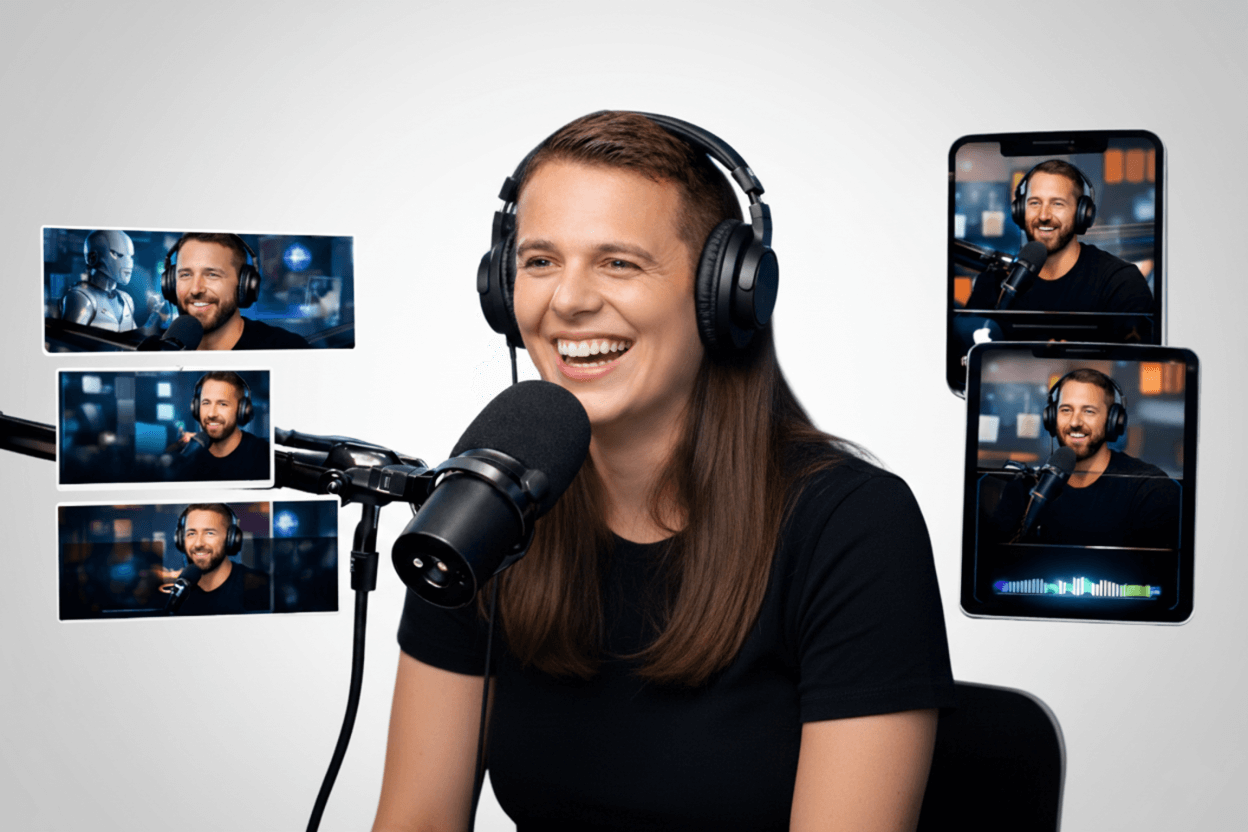
    Convert Podcast Recordings into Clips

    Here's why clips are so great:

    1. Short and Scroll-Friendly

    No one's got an hour to kill watching just one thing while scrolling through social media. They have a few seconds per reel. A quick clip fits right into that speedy way of watching content.

    • Clips give you one clear idea
    • They don't need much of your time
    • You can watch them while doing other things
    • Short clips do great on fast platforms

    2. Clips Work With What the Algorithm Wants

    A one-minute clip gets finished, but people might stop a 40-minute show halfway. That's how social media works. The algorithm runs everything, and if you want it to push your podcast on people's feeds, you have to turn your podcast recordings into clips that are algorithm-friendly.

    • When people watch your videos fully, it's better for your reach
    • Algorithms show content that keeps people watching
    • More views mean more people will see your content
    • When you turn podcasts into clips, you're playing the game right to get seen.

    3. They Make for a Great Hook

    Big episodes can scare people off. They wonder if they have the time, or if it's worth it. Clips skip all of that.

    • No need to check your schedule
    • No need to wonder if it’s good
    • You can decide to watch it instantly
    • The easier you make it for people, the more they'll watch

    4. Each Clip has a Single Focus

    Full shows talk about lots of things. Clips focus on just one thing: one idea, one joke. This makes them stay in people's heads longer.

    • Clips extract the podcast highlight.
    • They tell a fact that will shock people
    • They share something exciting
    • Single ideas are easier to remember than many ideas

    5. Clips Can Be Used On Any Platform

    You can't just put a whole show everywhere. But clips are easy to share. They fit different formats and audiences.

    • Vertical for TikTok
    • Square for Instagram
    • Wide for YouTube
    • Short for LinkedIn
    • One clip becomes content for all platforms.

    What is AI Podcast Content Repurposing?

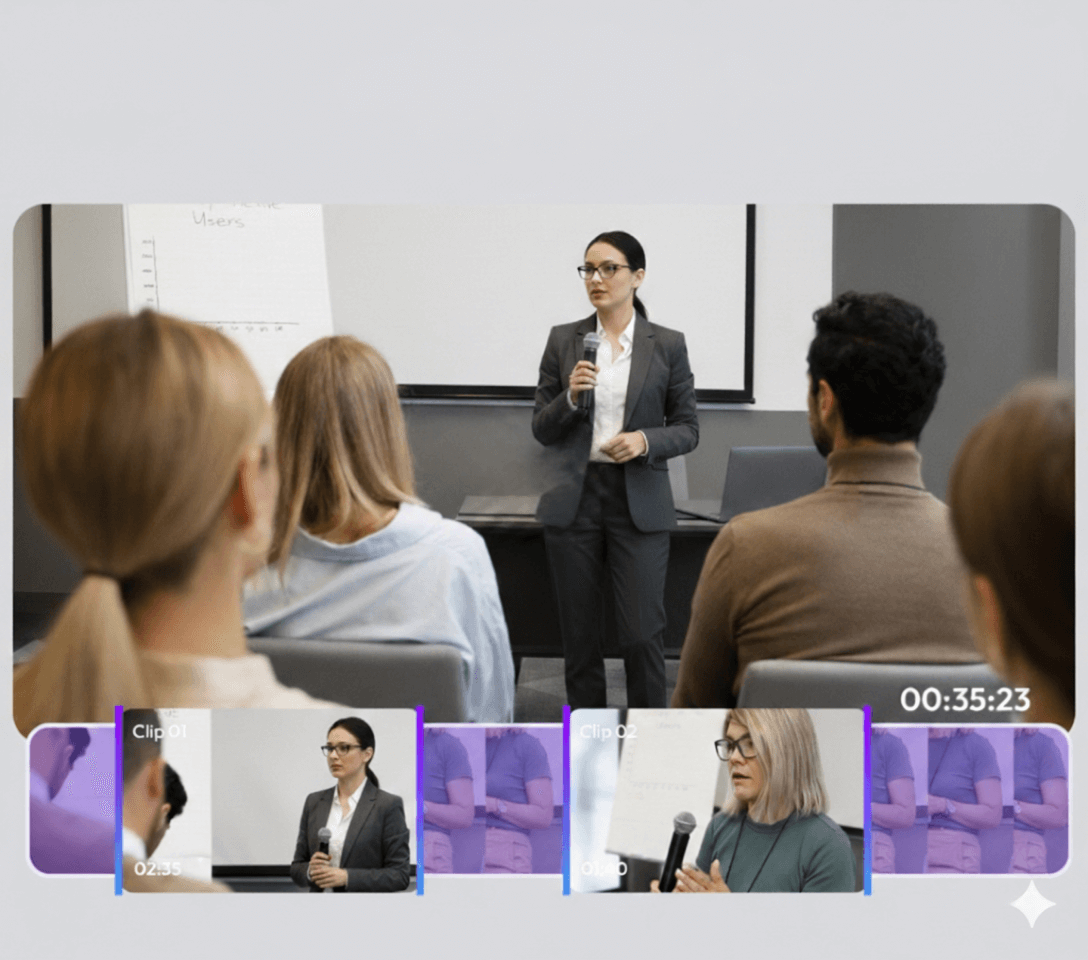
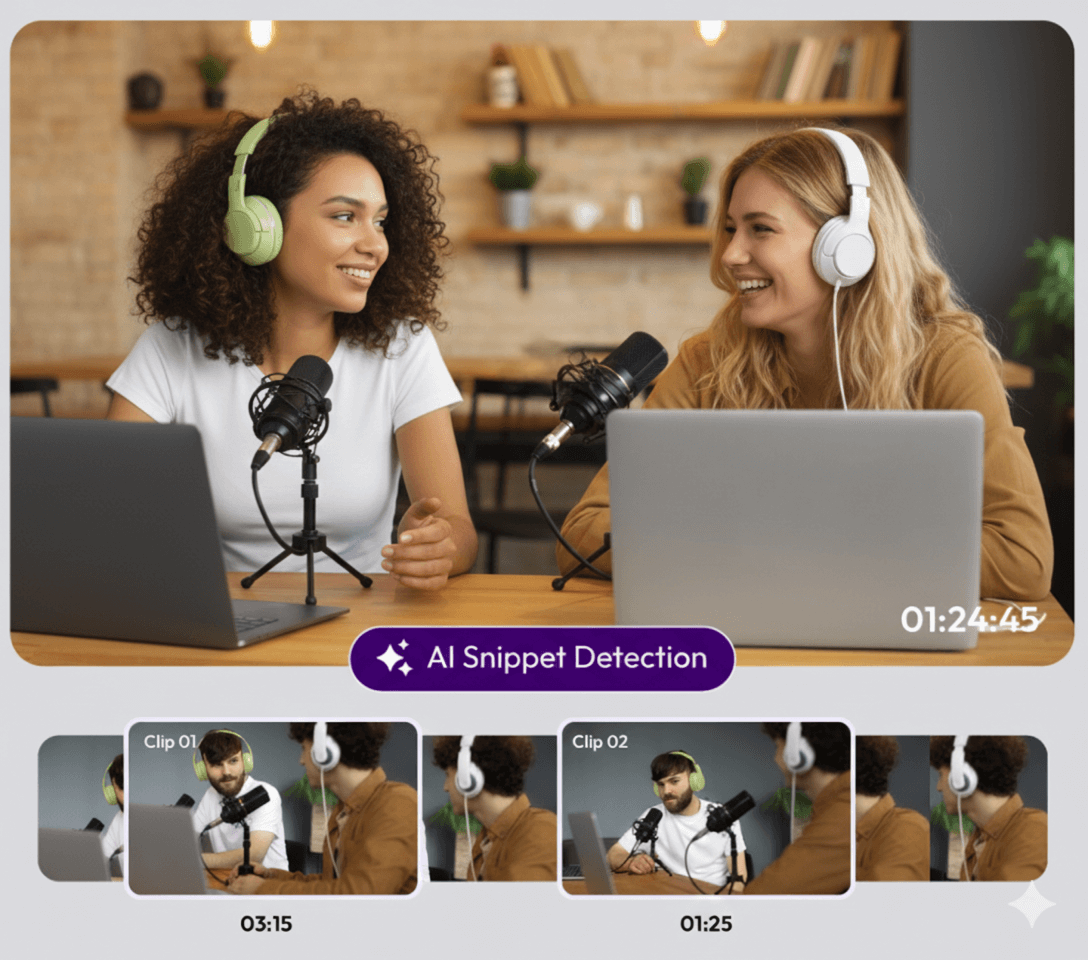
    In AI podcast content repurposing, an AI video summarizer for podcasts like Snipin AI plays the editor's role. It looks at podcast recordings, finds the best bits, and turns them into podcast clips for social media. They are formatted and sized in a way that's appropriate for social media posting. Snipin AI watches speakers' movements, expressions, and emphasis. This way, it detects the noteworthy moments in a full-length recording and generates podcast engagement clips, just within a few minutes.

    This is not where it ends. Snipin AI gives you text-based podcast takeaways and summaries, too. You can easily use them as captions or blog-related snippets. Overall, an AI video summarizer for podcasts automates the most time-consuming tasks of the editing process. By doing so, it buys your editing and marketing team enough time to focus on the overall social media strategy. Your editors can polish the raw material they get through the podcast content repurposing tool. If they want, they can post it as it is, too. But, at the end of the day, a major chunk of their time gets saved because they don't have to watch and edit the podcast recordings from scratch.

    Why Choose AI Podcast Content Repurposing over Manual Editing?

    AI podcast content repurposing eases your manual editing work. For better clarity, let's look at the key problems that AI solves and makes getting podcast clips a cakewalk:
    AI Podcast Content Repurposing

    1. Time Saving:

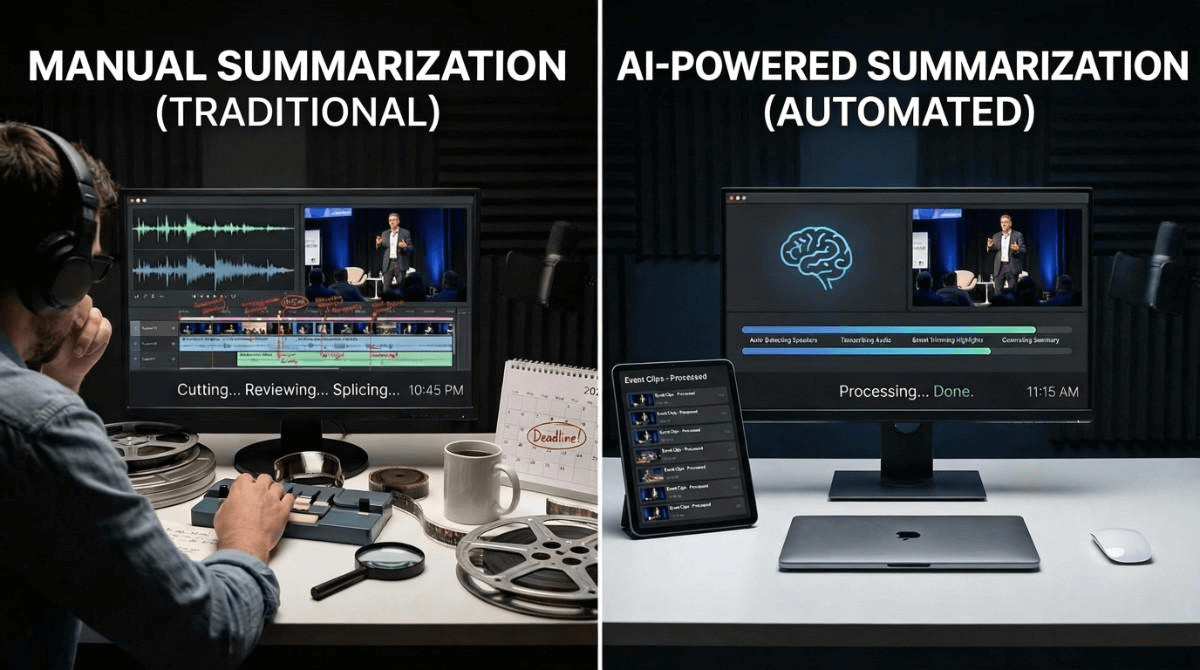
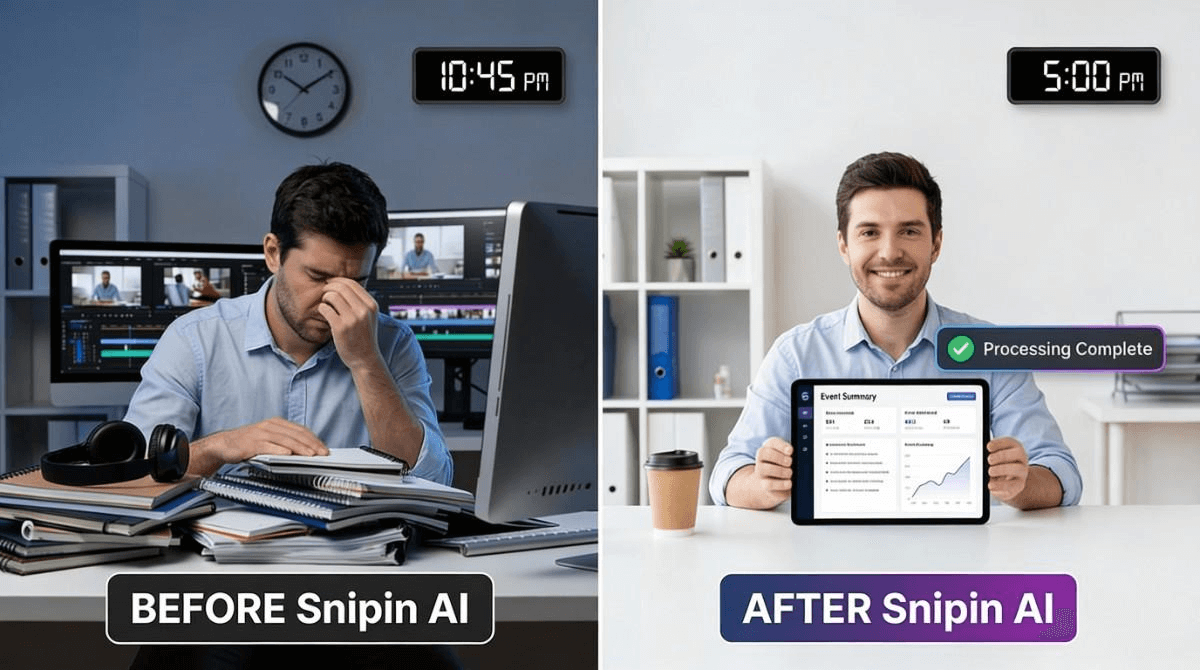
    Conventional manual summarization takes forever. Editors have to watch the whole podcast a few times to find the best bits. It's not that they cannot do that; it's just that the time-intensive nature of this task makes it really exhausting. But, tools such as Snipin AI can quickly carry out AI podcast content repurposing in minutes.

    2. High Volume of Content:

    The social media algorithm hardly allows any long breaks. To get a good reach, you have to keep posting consistently. Now, imagine if one podcast takes your editor a whole day or two to come up with short clips, how much time would manually summarizing 2-3 podcasts take?!

    Either you will have to spend a handsome amount on your super editor, or you'll have to hire more hands to help. Both options cost you resources and money. On the contrary, Snipin AI scales like anything. It doesn't matter whether you put a single recording into it or 4-5 recordings. You will get your podcast clips on the same day!
    Podcast Clips With Snipin AI

    3. Quality and Objectivity:

    Humans get tired. AI doesn't. Not just this. Humans tend to lose focus due to exhaustion. They also tend to get biased while judging what content is impactful and what isn't. AI is far more objective in this aspect, too. This comparison doesn't dismiss the importance of the human touch. It simply brings out the point of higher efficiency when editing is AI-powered.

    An AI video summarizer for podcasts can deal with a high volume of content without getting tired. What's even better is that it can process this content in record time and turn your podcast recordings into clips.

    AI Podcast Content Repurposing Powered by Snipin AI: Key Features

    You spend hours watching your podcast episode over and over. You try to remember which parts were good. You cut, add text, and fix the format. Then repeat for every platform. Snipin AI does this work in minutes. It's an AI video summarizer for podcasts that finds and creates clips while you do something else. Here's why it beats doing everything manually:

    1. Gives you an organized content library

    You don't need to worry about storing and organizing your podcast clips. Snipin AI keeps them in a well-organized and easily accessible content hub. watches it for you. It’s customizable and shareable as well.

    2. Fast enough to keep up with your schedule

    Upload your recording. Come back in a few minutes. Your podcast engagement clips are done. This podcast content repurposing tool works faster than any person could. Your content is ready to post while people still care about the topic.

    3. Handles complex conversations easily

    Ever try editing an episode with three guests talking over each other? It's a headache. Snipin AI figures out who's speaking and when. It sorts everything by person and topic. No more confusion about who said what.

    4. Gives you way more than just video clips

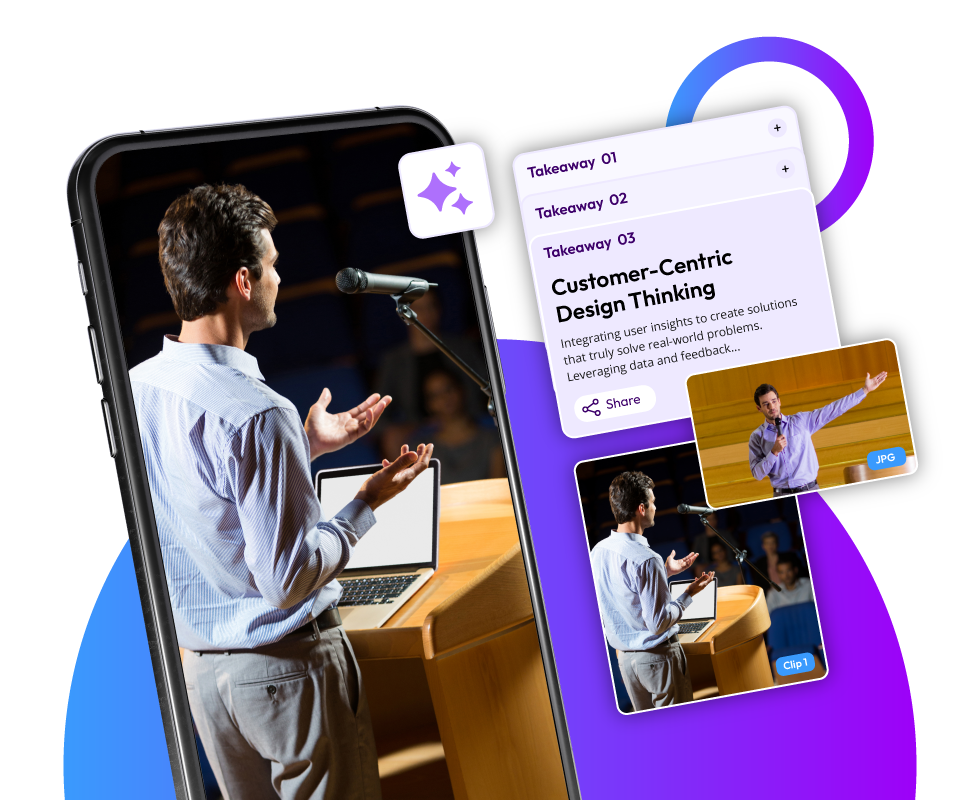
    Most people think that an AI video summarizer for podcasts only helps convert podcasts into short videos. Not true for Snipin AI. Using Snipin, you also get written summaries of your episode. Lists of key points. Quotes ready to post. Attention-grabbing stills for thumbnails and cover images. One upload gives you content for your entire week.

    5. Your whole team can work together

    Manual editing usually means one person stuck doing everything. Here, everyone can log in. Your producer checks the clips. Your social media person picks favorites. Your co-host approves what goes out. No more sending files back and forth. Plus, you get to control the access at any point.

    6. Keeps your look consistent

    Adding your logo and colors to every clip manually takes forever. This AI video summarizer for podcasts remembers your branding. It also gives you a webpage where all your podcast clips for social media stay organized. Everything looks professional without extra effort.

    7. Shows you what people actually watch

    When you edit manually, you're guessing what works. This AI podcast content repurposing tool tracks your numbers. You see which clips get watched most. Which ones get shared? That tells you what your listeners really want to hear more of.

    Wrapping Up:

    When you convert podcasts into short videos, you make long podcast recordings more watchable and shareable. But doing that manually is time-consuming. What’s much better is a podcast content repurposing tool. And, not just any tool, but an AI tool like Snipin AI. Such a tool automates the tedious aspects of a manual editing process. It saves time and cost, maintains quality and objectivity, and scales with the content volume. So, if you want to utilize your team’s time better, use an AI video summarizer for podcasts. The tool handles about 80 to 90 percent of the boring stuff. Trimming. Formatting. Finding moments. Adding captions. Your editor can focus on making things better instead of just making things work. You turn podcast recordings into clips faster and get better results with less stress.

    FAQs

    Why convert podcast recordings into clips?

    Short clips draw more interest and create more buzz. They focus on one or two key ideas that have a better potential of hooking people into watching the entire podcast. Plus, short clips are easily shareable.

    How does AI podcast content repurposing cut costs?

    When there's a high volume of content to be processed, you have to pay your editors by the hour or hire more of them. AI doesn't need that. It can easily handle high content volume and give you the same output.

    Does Snipin AI generate only short clips from long podcast recordings?

    No. It also generates takeaways, summaries, and snapshots of the podcast.

    Can these podcast engagement clips be downloaded?

    Yes. You can easily download and share the podcast clips.
  • How AI Conference Video Highlights Improve Internal and External Engagement

    How AI Conference Video Highlights Improve Internal and External Engagement

    Your conference lineup looks amazing, but are you relying on event recordings to preserve it for future use? If yes, you would be disappointed to know that you are relegating them to oblivion. Do you really think anyone, including your team, will ever have the time to rewatch these hours-long recordings? Or, would they be easy to share if your audience or other stakeholders ask for a recap? No matter how much you try to avoid it, you will have to ask your editing team to trim these recordings and make them shareable. On the other hand, AI conference video highlights are incredible. They are easily shareable and marketable too! In this blog, let's explore how a conference video highlight generator like Snipin AI repurposes your event recordings in a way that you never thought possible. Sounds intriguing? Then, dive right in!

    What are AI Conference Video Highlights?

    Think about what a typical conference recording mostly looks like. It starts with that slight camera motion, only showing the venue and the crowd for the first 15 minutes. Then, you hear a crackle of the microphone and maybe some light background music. The host walks up to the stage, riffles through his or her paper deck, adjusts the microphone, and starts speaking. Till this point, 20-25 minutes have gone by. When you watch something like this, can you sit still without fidgeting or losing interest? If your answer is no, you have spotted the exact issue with long event recordings. AI conference video highlights are just the opposite.

    AI Conference Video Highlights

    In the present context, we are talking about AI-generated highlights. Snipin AI, our conference video highlight generator, turns your raw conference footage into quick video highlights and text-based takeaways. So, instead of revisiting the event in a time-consuming manner, you can do the same much more quickly. Just like you watch reels or shorts. The best part is that all of this work is automated.

    How do AI Conference Video Highlights beat Long Event Recordings?

    Conferences are long events. They often have multiple sessions and last for days. Even if it’s a single-day conference, there are several items packed into the event’s agenda. In practical terms, event recordings capture all the happenings as they happen in real-time. They are accurate and complete. But, are they engaging? Are they shareable? Are they easily consumable? No. But, AI conference video highlights are all these things and much more. Before we discuss this in detail, let’s understand why long recordings are not so useful:

    A Flood of Information

    An event recording captures the conference in one go. Imagine the volume of information it has! Skipping the unnecessary parts is an option, but scrubbing also requires effort! Besides, you can't consume the content of multiple sessions in one go without getting a headache. It's too much to understand and learn from. With all these factors, can long recordings improve post-event engagement for your conference? Clearly not.

    Missing Content and Nuance

    Attending a conference live is more engaging for a few key reasons. You closely observe the speakers' body language, expressions, and gestures. The room has a vibe that you feel. Your co-attendees' reactions and interactions also make you one with the event's environment.

    Basically, all your senses are active. All that is lost when you watch an event recording. That quote, said by the chief guest, which gathered a huge round of applause, sounds bland in the recording. The group activity that one of the speakers conducted was so much fun in person, but in the recording, you can barely make sense of what's happening.

    The best way to explain all this is that while watching conference recordings, you become a mute spectator instead of an active participant.

    Buried Insights

    As per one of Infosys BPM's articles, people's video-watching attention span has dropped to around 47 seconds. This was a psychologist's observation in 2023! Now, we are a few years ahead and talking about event recordings that are hours long! It's a stretch to assume that people will sit through these recordings. As a result, they lose out on key insights and learnings. But the problem is not a lack of patience on their end. It's simply the fact that event recordings are not designed in a way that brings key moments to the forefront. So, what options do you have? We'll cover that in the next section.

    The Merits of AI Conference Video Highlights

    AI Conference video highlights are just the opposite of what you read about event recordings. These short-form content assets improve your post-event engagement and save you a lot of time. Let’s look at some of the major benefits of AI conference video highlights:

    Long Event Recordings

    Clean and Crisp Event Video Highlights for Marketing

    Highlights are to the point. They are called highlights for a reason. The focus is on the conference high points. You don't have to wait forever to reach the point where the keynote speaker made a brilliant observation. Likewise, no need to go back and forth on the video timeline to get to that data reveal that made the audience gasp. The conference content repurposing AI automatically pulls these standout moments that boost engagement. With AI conference video highlights, you don't have to skim for relevant information. It automatically comes to you cleanly and crisply.

    Great Marketing Assets

    In a conventional workflow, you most probably ask your marketing team to review hours of recordings to pull out short and social-media-friendly edits from them. This method works, but at a huge cost. It takes a lot of time and costs you a lot of money, especially if you work with freelance editors. The higher the volume of recordings, or the longer their duration, the higher the per-hour editing cost. At the same time, a conference content repurposing AI like Snipin AI does all this work in just a few minutes, and at a one-time cost! Don't wish to pay even that? There are free plan options too!

    Just a few clicks and your conference's short video clips are ready to post on social media. If you want to share these in internal groups, with employees and stakeholders, equally good! Your investors, sponsors, and partners get to see the proof of your successful conference within hours of its winding up!

    In every sense, AI conference video highlights are excellent for internal and external marketing strategies. And, if you're wondering what the use of marketing assets is if you can't track their performance, don't worry. Snipin AI lets you see the number of views, downloads, and likes your content got!

    Easy Resources for Internal Training and Learning

    AI conference video highlights can be a powerful tool for internal training and learning. Instead of asking teams to watch a full two-hour session, they can learn from short clips that show the exact moment a leader explains a smart idea.

    For example, you host a sales and marketing conference, and there's a session on persuasion techniques. There is a high chance that you'll get crisp video clips on each technique by using the conference video highlight generator. This way, your sales team can replay these quick clips to learn better.

    A conference video highlight generator helps teams save time and focus better. With conference content repurposing AI, learning becomes easy and repeatable. These clips also improve post-event engagement across departments.

    Multiple Content Assets from a Single Recording

    Your conference is full of ideas worth sharing. The real win is using a conference video highlight generator like Snipin AI to turn those ideas into content people will actually use. It can pull out conference video snippets for social media, clean snapshots for brochures, or clear session takeaways for your website. For example, your marketing team can quickly post key insights without rewatching long recordings. Everything comes from one original video, saving time and effort. In simple terms, this conference content repurposing AI helps you get more value from a single conference recording. And yes, it really is that cool.

    Conference Video Highlights Generator

    How Does a Conference Video Highlights Generator Work?

    Upload Your Conference Video

    First, put your whole conference video into Snipin AI. This could be anything from a big speech to a group talk or a long training. Snipin AI starts checking it out right away.

    Let Snipin AI Find the Good Stuff

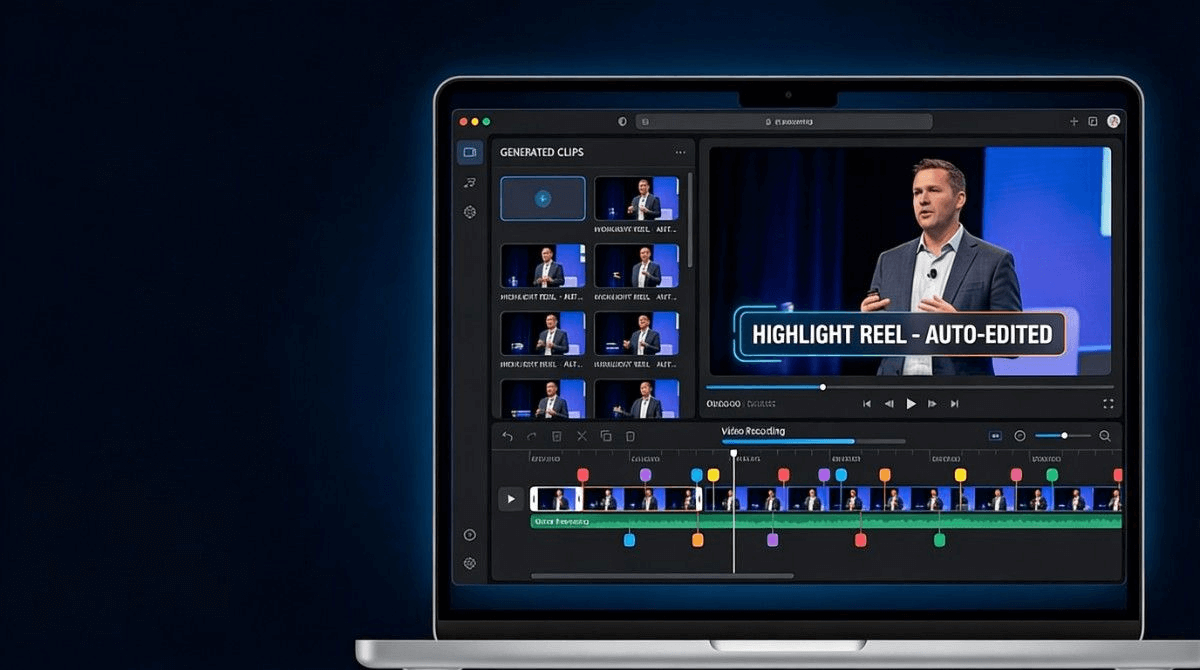
    Next, let Snipin AI do its thing. It checks the video for key moments, like good ideas, impactful explanations, speaker moments, and people's reactions. Instead of watching hours of video, you get the best event video highlights for marketing right away.

    Look at the AI's Video Picks

    Now, look at the video parts Snipin AI picked. You'll see short clips, summaries, and main points. You can keep what you want or reject what you don't. The AI gets you started, and you make the final choices.

    Share It Around

    When you're happy with the clips, share them where you want. Post pieces on social media, add insights to your conference page, or use them for training inside the company. Sharing is quick.

    See How Your Video Clips Do

    Snipin AI lets you see how your conference clips are doing on social media. You can watch views, likes, comments, and shares without problems.

    Pro-Feature: A Customizable Microsite of your AI Conference Video Highlights

    Snipin AI works just like an experienced editor: someone who not only edits but also organizes and stores the edited content in a usable manner. Snipin AI creates a centralized content hub of your AI content video highlights, moments, and takeaways. This microsite in itself is a shareable marketing asset, a great way to improve post-event marketing. You can brand and customize it as you like. This content library mirrors the hard work you put into your conference content and in designing its lineup. Instead of a dull recording that mixes everything up, you have a smart microsite that gives your conference content a refreshing and premium look.

    Wrapping Up:

    Your conference could have the best sessions and speakers, but their impact stays limited if there's no post-event engagement. This is why marketing teams are tasked with marketing the conference content in the best possible manner. But what options do they have? Just handwritten notes of session highlights and the good old event recordings. None of these is easy to convert into marketing material, at least without heavy editing. A conference video highlight generator, like Snipin AI, changes that. It turns raw event footage into event video highlights for marketing. These highlights are bite-sized video content that is highly shareable and watchable. So, if you too want your conference to leave a lasting impact, use Snipin AI.

    FAQs

    Q1. Why are conference recordings not enough for post-event engagement?

    Event recordings are hard to watch. They are lengthy and unfiltered. Anyone watching them will have to constantly navigate timelines and skip unnecessary portions. Overall, they take up a lot of time and aren't engaging at all.

    Q2. How are AI-generated post-conference highlights better?

    Highlights draw the essence of the event. Advanced AI like Snipin AI pulls the best highlights from conferences, which are formatted to engage people. They are short and easily shareable. All the standout moments and impactful insights are already captured in these highlights.

    Q3. Is manual tagging needed after uploading conference recordings to Snipin AI?

    No. Snipin AI does all the work itself. It detects the conference's high points by reading emphasis, reactions, and gestures.

    Q4. What is a microsite?

    A microsite is a content library that has all your AI conference video highlights and takeaways in one place. It's shareable and customizable.

  • 10 AI Tools Every Event Marketer Should Know in 2026

    10 AI Tools Every Event Marketer Should Know in 2026

    Post-event video summaries are the best solution to make rich event content reach everyone.

    Imagine a literature festival or a leadership conference where the best intellectual minds gather to share their knowledge with the world. These events are not just calendar dates, but incredible opportunities for people to learn and grow from the best of the best!

    But, if you really think about it, how many people are actually able to access this treasure trove of intellectual content? Just those who are present in the sessions when they are happening.

    Even if several others are in the same event, they miss out on great insights because they may not be in that one session! The same applies to attendees of all other sessions and the non-attendees as well.

    But an AI video summarizer for events can be a lifesaver. If you ditch one session for another, just watch the AI-powered post-event video summaries later to see what you missed! And for those who couldn't make it, these summaries are great for getting up to speed without feeling left out. In this blog, let's examine 10 such AI tools that can come in handy when you need to make your event content reach thousands of people.

    The Rising Importance of Post-Event Video Summaries or Micro-Content

    People's attention spans are getting shorter really quickly. Studies say people scroll past stuff in less than 8 seconds. That's why post-event video summaries or micro content have become a must-have for event marketers.

    Post-Event Video Summaries tool

    Like, short videos grab you right away. A 30-second clip from your main speaker does way better than a 45-minute recording. People watch, get into it, and share these little bits on channels like LinkedIn, Instagram, and Twitter. They're easy to watch, share, and are made for how people consume content these days.

    Quick takeaways have another job that's just as important. Not everyone can watch videos, even the short ones. A fast list of main points lets busy people look over and get the info in seconds. They can save it, send it to coworkers, or look at it later in meetings.

    Put them together, and these short bits reach your audience where they are. They keep in mind time limits while giving real worth. Events that do this see more people get involved and have a longer-lasting impact after the event itself.

    AI Video Summarizer For Events: Meaning and Key Benefits

    So, your event's done, right? You've got all these recordings just sitting on your computer, never to be seen again. Your event content just fades away, and that dream of it reaching tons of people? Forget about it. But an AI video summarizer for events can totally change that. It's like a tool that reuses your event content. It watches the recordings, finds all the good parts, and makes them into watchable clips and photos. It actually puts those old recordings to work and gets you a range of marketing assets.

    Here are the key benefits of an AI event highlights generator:

    • Turns event recordings into clips and summaries.
    • Helps the brand's and the event's visibility.
    • Saves editors and marketers time.
    • Makes the event easy to watch again and share.
    • Finds the best parts of event recordings objectively.
    • Gives organizers an easy way to show off and market their event content.
    • Lets organizers easily see how well their event content is doing.
    • Lets staff focus on other important stuff.
    • Easy to learn; no special skills needed.

    10 Must-Know AI-Video Summarizers for Events

    Here are some of the best choices of AI-video summarizers for events:

    1. Snipin AI

    Snipin AI helps teams get the best stuff out of long event videos. It's like an AI that watches your videos and finds the good parts—like insights, moments, or stuff the audience will care about. People use it after conferences, webinars, and company events to change long recordings into short, shareable clips and summaries. It's meant to make reviews quicker and keep content organized.

    Here's what it's good at:

    • Finds the important stuff in long videos automatically.
    • Makes short clips and written summaries from one video.
    • Keeps all your event content in one place.
    • Lets you share on social media and within your circle.
    • Great for marketing, training, and keeping everyone in the loop.
    AI Tool for Event Marketer

    Make Your Event Content Stand Out With Snipin AI

    2. OpusClip

    OpusClip is all about turning long videos into awesome short clips for social media. You just upload recordings like webinars, interviews, or presentations, and it picks moments that will get people's attention. The clips are made to look good on phones and other devices, so posting them is easy. This tool is all about getting a lot of clips out fast, not about fancy editing.

    Here's what it does:

    • AI helps pick the best parts for short clips.
    • Adds captions and reframes automatically.
    • Has ready-made formats for social platforms.
    • Schedules your content for all platforms.
    • Easy to use and fast.

    3. Munch

    Munch looks at long videos and picks out short clips based on context and themes. Think of it as an event highlights generator, finding the best parts with clear messages or emotional moments. Marketing teams like it because they can get lots of short clips from long videos without having to watch everything.

    Here's what it can do:

    • Figures out what parts people will like.
    • Formats clips for all sorts of social media.
    • Adds captions.
    • Good for making promos.
    • Works in 10+ languages.

    4. Vizard.ai

    Vizard.ai is a great tool for quickly turning long videos into short, shareable clips. It’s awesome for recorded talks, webinars, and live streams when you're pressed for time. It spots pauses in speech and automatically makes them into short videos with captions. This is a lifesaver for content teams that need to crank out stuff and want to show off the best moments from events.

    Here’s what it can do:

    • Automatically cuts up long recordings.
    • Adds subtitles by itself.
    • Saves in different file types.
    • Works great with videos of people talking.
    • Ideal for consistent posting.

    5. Descript

    Descript allows you to edit video just like you'd edit a text file. Once you record something and the audio is turned into text, you can select parts of the text and turn them into video clips. It's super useful for summarizing event videos by picking text snippets to create short videos. It’s awesome when you need edits that are precise and desire total control.

    Here’s what it offers:

    • Edits video and audio using text.
    • Has super accurate transcription.
    • Creates clips straight from the transcript.
    • Cleans up audio by removing noise.
    • Saves short content in lots of ways.

    6. Kapwing

    Kapwing is a browser-based editor that combines basic AI assistance with manual editing tools. It supports clipping long videos into short segments while allowing users to refine timing, captions, and layout. The platform is often used by teams that want flexibility without installing software.

    Key Features

    • AI-assisted clip suggestions
    • Automatic subtitles
    • Drag-and-drop timeline editing
    • Social media-friendly export sizes
    • Works entirely in the browser

    7. VEED.io

    VEED.io offers a simple way to create short clips from longer videos. Its tools help trim footage, add captions, and adjust formatting for different platforms. The editor is designed for users who want fast results without complex workflows.

    Key Features

    • AI-powered trimming tools
    • Automatic caption generation
    • Audio cleanup options
    • Preset formats for social video
    • Quick export and sharing tools

    8. Flowjin

    Flowjin helps you make short clips from long videos, adding text to them. It's great for making post-event video summaries for LinkedIn. It can cut videos and suggest captions and posts to make publishing simpler.

    Key Features:

    • Automatically extracts clips
    • Makes captions and post text
    • Offers brand-friendly layouts
    • You can send stuff to different platforms
    • Works great for business content

    9. Taja.ai

    Taja.ai helps you reuse long videos into other content formats. It can make short clips, titles, thumbnails, and text. It's best for organized recordings like presentations and how-to guides.

    Key Features:

    • Finds the best parts automatically
    • Makes short videos and texts
    • Writes captions and titles
    • Helps you plan your content
    • Formats it for social media

    10. Framedrop

    Framedrop finds the best moments in long videos and turns them into short clips super quickly. People use it when they need fast post-event video summaries so they can post them right away.

    Key Features:

    • Finds highlights fast.
    • Makes clips in different formats.
    • Writes summaries.
    • Made for posting things super quick.
    • Good for when you have a lot of volume.

    The Future of AI Event Content Repurposing

    Event tech is changing fast. Soon, it'll even suggest custom follow-ups based on what people watched or liked. Content will change on its own to fit how people like to learn.

    AI and event planning? Great mix. You get more from each event, but don't work harder. Events using these tools now are seeing better results. People who attend are happier. Staff gets stuff done faster and easier. Organizers still doing things the old way are getting left behind.

    Summary:

    An event highlights generator helps you get awesome content from your event recordings, which would otherwise just sit there on your computer. For example, Snipin AI can automatically find the best parts of your event videos and make them into shareable video clips.

    This kind of micro content is trending these days for audience engagement and wider reach. This blog discusses some of the top AI tools that generate post-event video summaries. All these tools can come in handy when event marketers want to make their event content reach people beyond the venue.

  • How AI-Powered Snippets Improve Audience Engagement After Events

    How AI-Powered Snippets Improve Audience Engagement After Events

    Once the last person leaves your event, it's not really the end, but only the end of the event itself. There's still work to do that's more than just paying bills and cleaning up. It's about

    ent and keeping people talking. In other words, we're talking about post-event audience engagement. This blog will cover its key aspects and tell you how using AI-powered snippets can make it easier.

    Post-Event Engagement: Meaning And Importance

    • After your event is over, what's the guarantee that your attendees will remember you? People tend to forget things fast, and your event could easily be one of those things. Think about why you're even doing events in the first place. You're not just throwing parties, right? Organizers want to make their brand better and get people to really like them. That is how they get their money's worth.

    Post-event engagement helps you stay in touch and build strong relationships with your audience. MoldStud's research shows that more than 75% of people who go to events want to hear from the organizers within a week. Meeting this expectation can greatly help you in strengthening your brand identity and getting your desired ROI.

    Why Is There A Need To Reimagine Post-Event Audience Engagement?

    The traditional post-event audience engagement guidebook has kept event organizers in good standing until now. However, going forward, it needs a new-age touch-up. Here's why:

    post-event audience engagement

    -Old ways, like sending emails, often don't really use the insights shared in events.

    -Good conversations and inspiring quotes usually just get lost in long videos that nobody ever watches again.

    -Those peak moments that got everyone excited? They're not shared in a way that grabs people's attention.

    -These days, people want crisp storytelling and highlights, not some long, boring video or review.

    Most event recordings sit unused, even though a single session can generate weeks of social posts, months of sales conversations, and lasting thought leadership. The real ROI of an event begins after it ends. It begins when you repurpose, share, and amplify its best insights. Reimagining post-event engagement means turning event content into short, exciting stories that keep people learning, sharing, and connected long after the event ends.

    What Is AI-Powered Post-Event Engagement?

    You can think of AI-powered post-event engagement as a quick and efficient way to make your event content highly shareable and consumable. As mentioned earlier, typical post-event engagement strategies often fail to capitalize on the content created during the event. AI-powered snippets change that. Basically, AI tools like Dreamcast's Snipin AI extract highlights and insights from long event recordings and give you easy-to-share AI content snippets. How do these AI-powered snippets drive higher post-event audience engagement? Let's find out in the next section.

    Role Of AI-Powered Snippets In Improving Post-Event Audience Engagement

    highlight reel

    Usually, event organizers have teams write summaries of the event or its sessions. This means someone has to go through numerous notes from the event, whether live or recorded, and compile a recap. It takes a lot of time and can be kind of boring. But AI-powered snippets can make it way easier. Let's see how:

    Long Recordings To Short Clips- Within Minutes

    With AI tools like Dreamcast's Snipin AI, you don't have to worry about your event content library going to waste. Considering that you cannot share long recordings with people or ensure that they'll watch them, AI-powered content snippets are a much better option. These AI-powered snippets of your event are created within a few minutes. You simply have to upload your event recording to the platform, and it takes care of the rest. According to some insights given by Amra and Emra LLC, in one of their articles, short-form video content is projected to lead as much as 82% of the global internet traffic in 2025. To match this rising demand for short-form video content, tools like Snipin AI can come in handy.

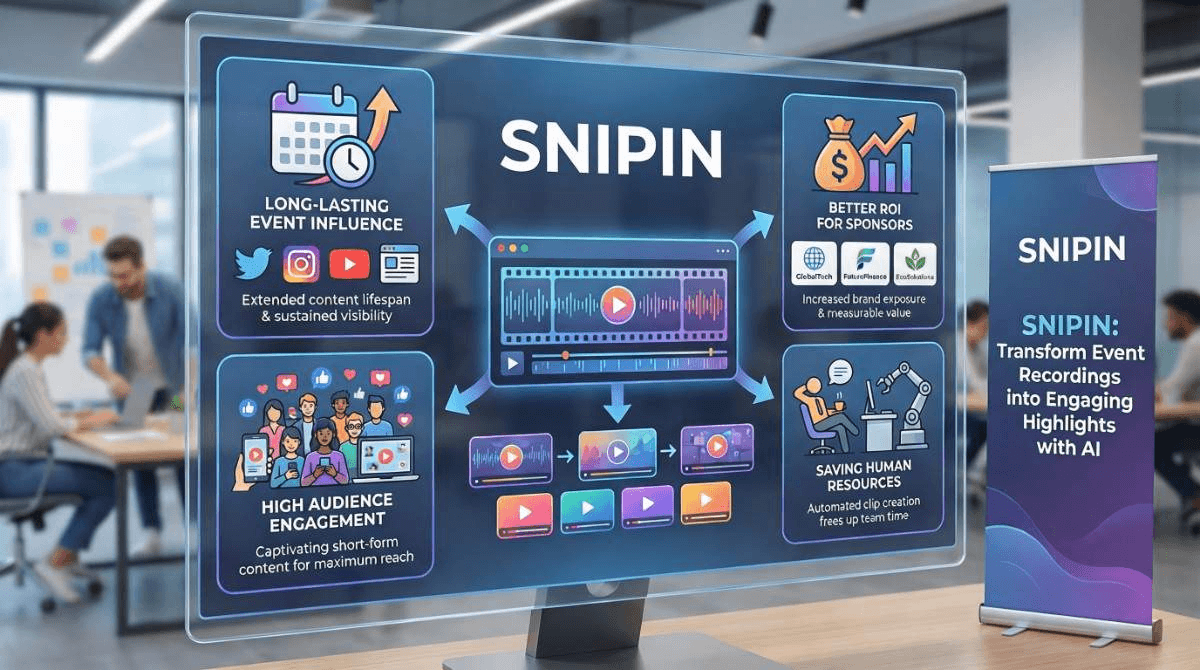
    Saves Precious Human Resources

    So, you're running an event with, say, 25 sessions that are each about 40-45 minutes. That quickly adds up to 16-19 hours of video! Who has time to watch all of that? And if it's a 4-5 day thing, the event recordings just keep piling up. All those hours could be spent on other things. That's where AI tools such as Snipin AI come in handy. You just upload the event recordings, and it quickly gives you summaries, takeaways, and short clips. It lets you spend time on what really needs a human touch, such as talking to people and answering their questions.

    Saves Precious Human Resources

    Maintains Objectivity And Quality

    Manual event summarization can make you lose objectivity. There could be some moments that don’t appeal to you, but could appeal to others. Similarly, in the process of watching so many recordings, you may get tired and lose focus, thus impacting the quality of your summaries. There could be factual inaccuracies, too, in your notes! AI-powered content snippets eliminate all these loopholes. Snipin AI, for instance, gives you highly factual and coherent event summaries and takeaways that you can easily share on LinkedIn, your blog, or any article.

    Alright, now that we know AI-powered snippets beat doing event summaries by hand, let's check out how they can seriously boost post-event audience engagement.

    AI Snippets For Post-Event Engagement: Top Reasons Why They Work

    Dreamcast's Snipin AI is like having an editor on call all day, every day, to help you with event summaries. It can also find the best moments in long event recordings and turn them into cool, shareable clips. Here’s how AI snippets for post-event engagement can help you:

    1. Continuing Your Event’s Influence

    Your event is packed with incredible insights. All those panel discussions, talks, Q&As, and speeches have a huge potential to teach and engage people. While the people at the event get all this great info, those who can't make it miss out! That's where AI-powered content snippets come in. They share valuable highlights and insights with a much larger audience. A tool like Snipin AI cuts up long event recordings into short, easy clips, so more people can consume the wealth of knowledge hidden in your event. Watching the best part of a panel or speech in a 30-second video can totally change how people see it. It could be an awesome quote from a speaker or when they told a really touching story!

    Unlock your events

    2. Giving Attendees Shareable Talking Points

    When people have a great event experience, they like sharing it with their friends and family. But a casual mention in a casual conversation doesn't translate into wider reach. Word-of-mouth marketing is a thing, but it has its limitations. Yaguara.co says that most people (over 70%) would rather watch short videos to learn about products and services. So, why consider events an exception? If you want more people to know about your event, give people cool things to share. AI-powered content snippets on social media can reach way more people. Snipin AI can make it easy to create these clips that are easy to share, however you want. Plus, Snipin AI lets you see how many likes, shares, and downloads your event clips get!

    3. Getting Sponsors Their ROI

    After an event, it's not just about keeping the audience or future attendees interested. You also need to show your sponsors and exhibitors how much people are still talking about your event. It's important for business. They want to know if teaming up with you is worth it. If they see your event content getting shared on social media and your brand getting attention, they will want to work with you again. Instead of just noting how many people visited their booths, try to find out how the audience feels and what new trends are popping up. AI-powered snippets can make this easier, giving sponsors and exhibitors solid proof that shows the event's real impact.

    4. Sparking Interest And Potential Future Registrations

    A great session should have a lasting influence. Snipin AI helps you with that by extending your event content's shelf life. But, it does something more. By repurposing your content in different ways, Snipin AI increases the chances of different kinds of audiences getting curious about your event. If someone discovers that wonderful panel discussion in your event via a short video clip on social media, they'll most likely feel like finding out more about it. If you are lucky enough and a few of your AI-powered snippets go viral, imagine the kind of curiosity they'll spark among the audiences. As a result, there are high chances that you'll see more registrations coming your way in the future!

    Final Thoughts:

    AI-powered snippets are changing how event planners handle post-event engagement. Forget those long recordings that nobody watches. AI can find the best moments and make them into short, cool videos. This keeps people engaged and wanting more.

    When event planners share these AI-created snippets, they can keep the buzz going and create trust with their sponsors. AI-powered content snippets also save a ton of time and work. These clips can really get people curious and lead to more registrations in future events. Tools like Dreamcast's Snipin AI keep things smooth and high-quality when making these clips. Just upload your event recording to Snipin AI, and it takes care of everything.

    FAQs

    How does Snipin AI help in post-event engagement?
    Snipin AI converts your long event recordings into shareable snippets that can be easily shared and revisited. As short-form content is gaining popularity, it is more likely that you’ll be able to engage more audiences with the short clips created by Snipin AI.

    How do other stakeholders benefit from AI-powered snippets?
    It’s easier to show proof of engagement to stakeholders. You can show them how many likes, shares, and downloads the event clips got. They can know which clips became viral talking points among people.

    How fast is Snipin AI compared to manual summarization?
    Snipin AI does all the summarization work within minutes, whereas manual summarization can take hours or even days.

  • AI Insights Extraction: Unlocking Hidden Event Value with Snipin AI

    AI Insights Extraction: Unlocking Hidden Event Value with Snipin AI

    Planning an event is not easy. It requires you to take care of a hundred things. What will be the concept? Where will it take place? How should the setup look? How to market it? The list is endless. Still, after putting your best foot forward, you finally host the event, and it's a massive success. Till here, it sounds dreamy, but what happens after the event? Its buzz leaves along with the guests, and within days of the closing ceremony, your event is just another calendar memory for everyone. The event ends, and so does its magic. That's where an event insights generator like Snipin AI comes to your rescue. It captures your event recording insights and converts them into highly shareable content.

    How does it take the load off your shoulders? We will discuss in this blog. If you, too, want to see how you can extract your event content insights using a smart event insights generator like Dreamcast's Snipin AI, keep reading!

    Why Do You Even Need To Extract Event Content Insights?

    Any mid to large-scale event has a good number of sessions, keynote speeches, and panel discussions. What if you want to revisit these and draw some helpful takeaways? It could be for social media, some kind of blog, casual viewing, or even sharing. What option do you have apart from watching those long event recordings?! Neither do you have the patience nor the time. AI‑extracted event recording insights provide a solution by sorting this content into easily consumable content in minutes.Also, research backs the fact that most attendees forget an event’s content shortly after it’s over. They barely retain 10% of what was said. What if you are in a similar position, and you really wish to revise what the event highlights were? You can easily do so by using an event insights generator like Snipin AI!

    What Makes AI Insights Extraction Different From Manual Summarization?

    The simplest explanation for this question is that an AI event insights generator makes your work lighter, but manual summarization increases it. Here’s how:

    AI‑extracted event recording insights

    Saves You From Exhaustion

    An AI event insights generator saves you from fatigue. If there are 5-6 sessions in a day, you can’t attend, observe, and summarize each one without feeling tired. By the time you are manually summarizing the event content insights or the event recording insights of the last session, your brain is probably half as active as it was during the first session.

    Generates Multiple Content Types From A Single Recording

    By using an AI event content insights platform like Snipin AI, you can generate multiple content pieces from a single event recording! Instead of manually extracting summaries, takeaways, and clips from your event recording, you can use AI to repurpose it however you want. Overall, you can do multiple tasks instead of just one in the same amount of time.

    Retains Objectivity

    When you manually try to craft event content insights, there is a high chance of your personal bias coloring those insights. In fact, you may not even consider some moments as insightful because they didn’t impact you as much. But with AI event content insights, you don’t have to worry about bias. An AI event insights generator objectively extracts insights from event recordings.

    Frees Up Your Staff

    When you use a smart event content insights generator like Snipin AI, your team doesn’t have to spend hours doing boring, repetitive work anymore. Instead, they can use their time to do other important things, like talking to guests and sponsors, making creative content, and coming up with new marketing ideas to get people excited about your events. The tool does the hard part, so your team can focus on the things that really help your event and company grow.

    Frees Up Your Staff

    Unlocks Valuable Insights

    An AI event content insights platform, like Snipin AI, can help you find interesting stuff in your event videos. Simply upload your recordings, and the platform will pull out the key event recording insights, letting you easily connect the dots. The more you use it, the better it gets at spotting trends. Instead of trying to understand the recordings like a person, it focuses on finding what's trending and any other patterns there. Plus, the takeaways in text format make for a solid foundation for deeper research.

    Extracting Event Content Insights Using Snipin AI: How Does It Work?

    So, we've discussed why summarizing events matters and how AI can assist. Now, let us introduce you to an AI event content insights platform called Snipin AI that does exactly that.

    What Is Snipin AI And How Does It Work?

    Snipin AI is Dreamcast's smart AI that changes how you use event recordings. It makes your long event recordings into short, shareable content. It pulls out the highlights from these recordings. You also get a concise summary of your event. All this information is put on a special event microsite made just for you and your attendees. Now, let's check out how Snipin AI works.

    Snipin AI And How Does It Work

    How Snipin AI Works: A Step-By-Step Guide

    Snipin AI is an AI tool from Dreamcast that helps your events last longer. We know it's hard for event organizers to get the most from their recordings and reach more people, so here's Snipin AI to help you out. Let's take a look at what it can do.

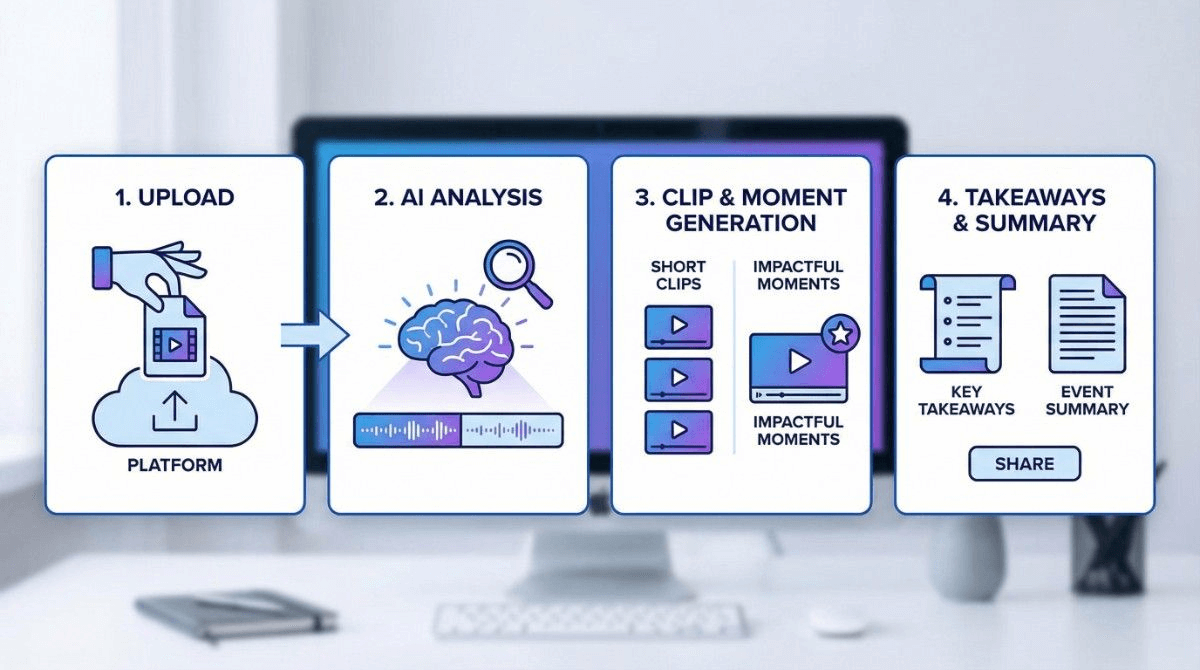
    Step 1: Upload Your Event Recordings

    So first off, you just upload your event video. This could be a panel discussion, a talk, a workshop, or even a webinar – pretty much anything goes! If you don't have the video file itself, a link to it is totally fine. And don't worry about what kind of event it is, because Snipin AI is made to pick out the best event recording insights from any kind of event.

    Step 2: Let AI Detect the Standout Moments

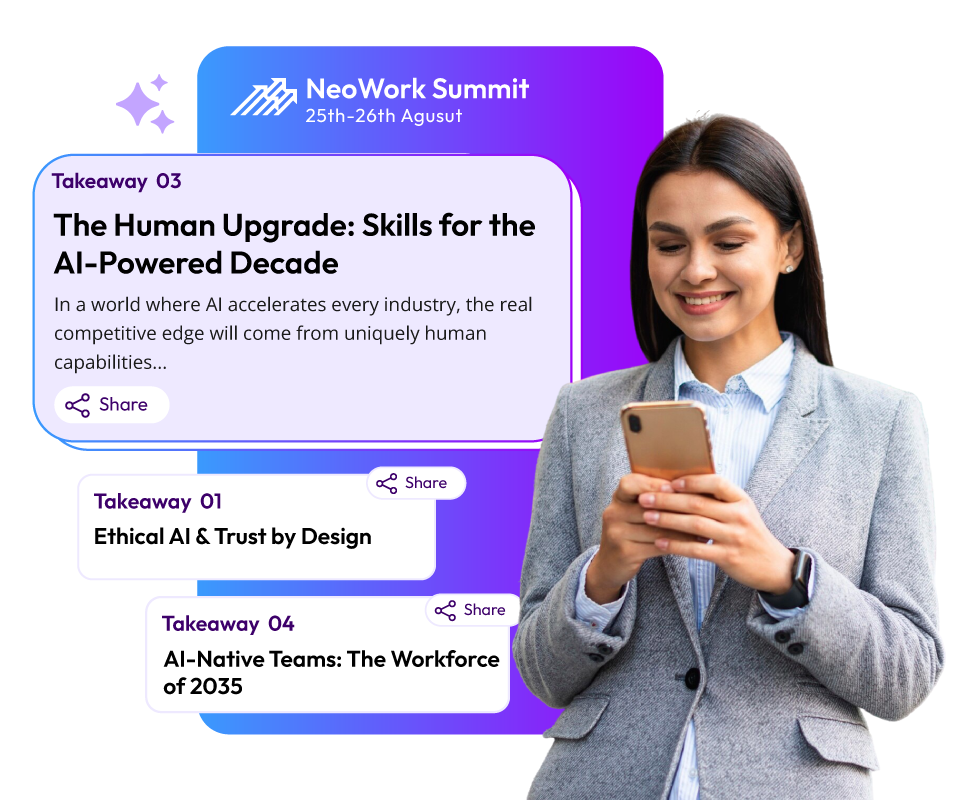
    This is the stage where Snipin AI wields its true magic. Once you upload your event recording, it begins analyzing it. It picks the best moments from it. These moments could be anything from a mic-drop moment to a fun audience interaction. Next, it captures these highlights in short clips and even generates summaries and takeaways. As a result, you have multiple content formats ready to publish or use.

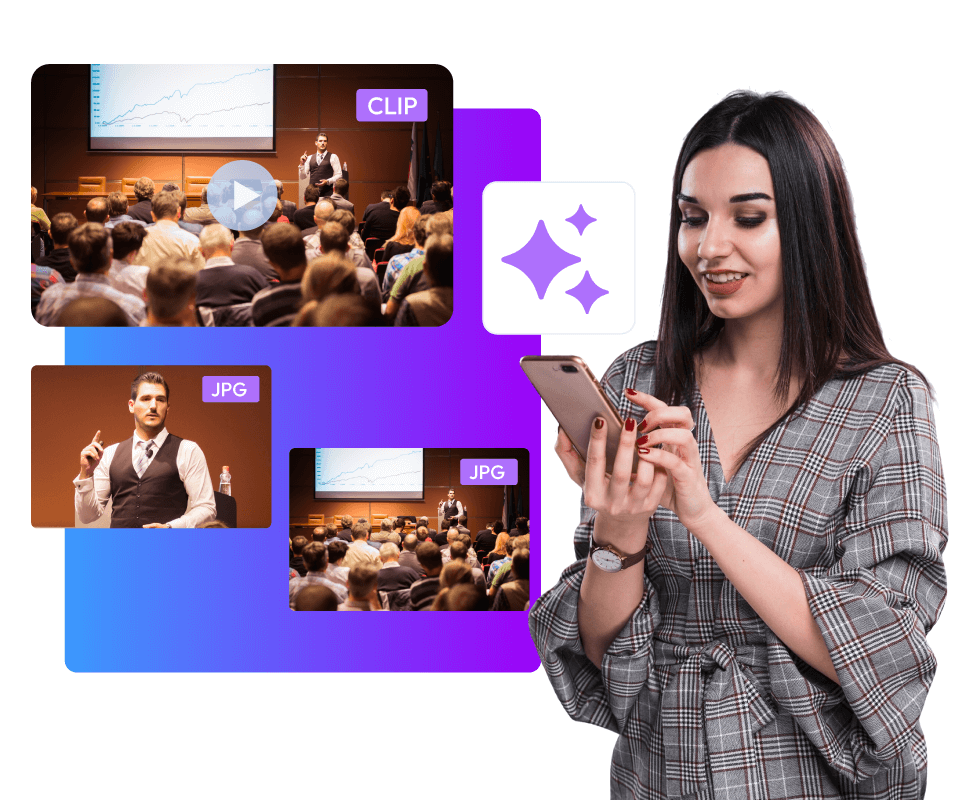
    Snipin AI also captures eye-catching stills or visuals from your event. These make for great marketing content. If your event photographer is taking time to send the event's photographs to you, use Snipin AI instead of panicking. This is not it; the clips generated by Snipin AI have subtitles for the viewer's convenience. Now, imagine the ease of getting all this rich marketing material from your event within minutes. No long hours and no waste of human resources.

    Step 3: Review And Edit

    Snipin AI makes your work way easier by making clips, summaries, and key points for you. But don't worry, you're still in charge! You can check out the clips and pick the ones you like. Also, you can edit the summary and event content insights.

    Step 4: Share How You Like

    Once you have your event content insights or event recording insights ready in the form of clips and summaries, choose how you wish to share them. You can use messengers, email, and social media. Just one click, and your event is out there to engage audiences once again! If you plan on creating an event blog or website, the ready-made summary and takeaways can come in handy. If for nothing else, you can use them as a starting point to build your research on the concerned topic. As you can easily download or save the clips and takeaways, you don't need to rush with your publishing. You can take time to think over your marketing plan, and then use these AI-based event insights.

    Step 5: Monitor Performance

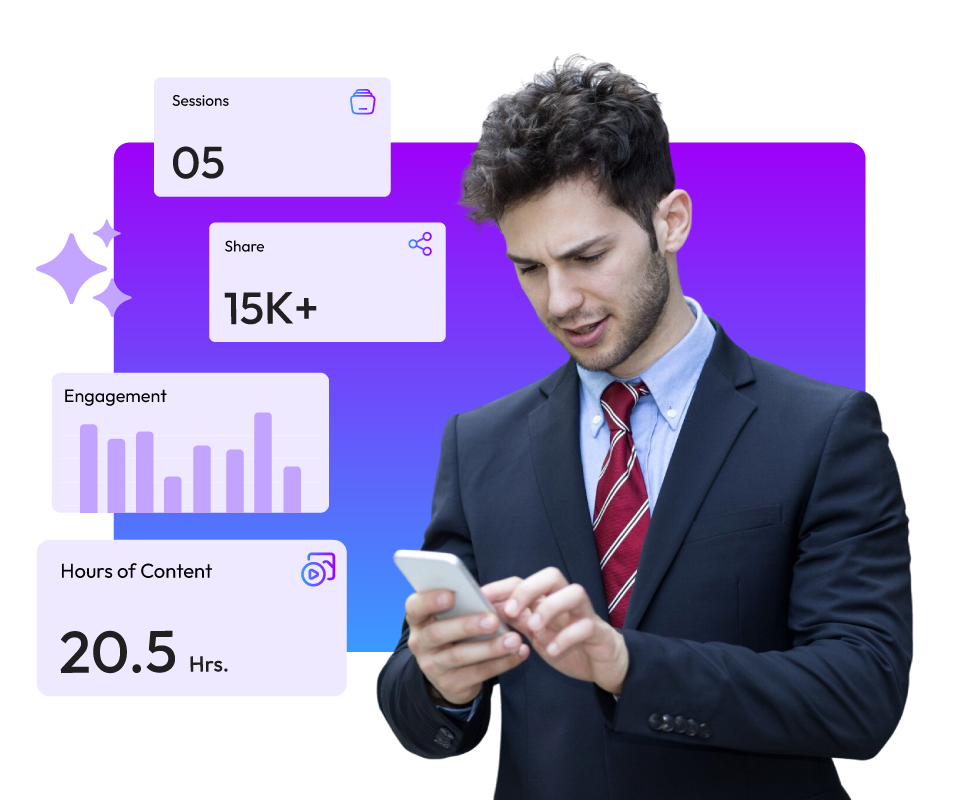
    We made Dreamcast's Snipin AI because we know data is super important. If you've got clips ready to go and ways to get them out there, but no way to see how well they're doing, you're just wasting time. That's why Snipin AI has a dashboard that shows you how your content is doing. You can see what's trending, what people like and share, and stuff like that. This helps you plan what to do next and get better at marketing.

    Try Snipin AI

    Final Thoughts:

    At events these days, people are swamped with info but only remember a bit. That's where Dreamcast's Snipin AI helps out. It makes your event easier to remember. It helps you create short and shareable clips from long recordings.

    Plus, you can track how well those clips do with Snipin AI’s stats. For organizers, this is still helpful after the event. Use the main points to follow up with people, plan better events next time, and get feedback. Basically, events are about getting those event recording insights that move things forward. Snipin AI helps you do just that!

    FAQs

    1. What is the use of event content insights?

    Event content insights allow you to revisit your event easily. They are watchable and shareable, which full-length event recordings aren’t.

    2. How is an event insights generator different from manual summarization?

    An event insights generator like Snipin AI extracts highlights from event recordings within minutes. It doesn’t require anyone to sit, watch, and analyze the recordings.
    3. Does Snipin AI generate video clippings only?

    No. Snipin AI detects standout moments from your event recordings, including stills. It also generates event summaries and key takeaways.

  • AI Event Summarization: The Best Way To Save Time And Generate Post-Event Recaps

    AI Event Summarization: The Best Way To Save Time And Generate Post-Event Recaps

    Just wrapped up a 5-day conference and staring down 15 hours of summary work? Creating recaps after events is tough, esp

    ecially when you are busy. Your note-takers can’t just pull summaries out of thin air. They have to go back, watch recordings, read through what was said, and pick out what’s actually important.

    What's the problem? It eats up time, easily a week or two. By then, people who attended might not even be thinking about your event anymore, or at least not as much. People probably won’t be that interested in your recaps after that long. But here's an idea: AI can come to the rescue. An AI event content summarizer can do all that work for you, automatically, and give you the results super fast. Plus, AI can also become your event video summarizer. If you are someone looking to save long edit hours in post-event recap work, this blog is for you! Dive in!

    Why You Can’t Skip Post-Event Recaps?

    When a task requires so much hard work, it's natural to think of skipping it. But we know, and you know, that it's not possible. Still, let's remind you once again about the importance of post-event recaps and why summarization matters in the first place:

    Capturing Highlights: Summarization recaps discussions, insights, and decisions for internal and external audiences. Those who didn't make it to the event can also know what it was all about.

    Engagement Continuity: Post-event content helps keep attendees connected. One-time participants become long-term community members when they continue to engage with the event long after it's over.

    Brand Visibility: Post-event video summaries or content summaries can be easily used for newsletters, social media, and marketing. Long event recordings don't help there.

    These reasons make it pretty clear that post-event video summaries or content summaries are a must-do task. However, can we continue doing them manually, or do we need to change our ways? Let’s understand that by going through some of the hidden costs of manual summarization methods.

    Manual Summarization And Its Downside: Does It Cost You More Than You Think?

    Event Industry News says that almost half of the event business worldwide is using AI for things like making content. So, can you really afford to skip out on AI like event content summarizer tools? Think about post-event summaries. They take a bunch of people and a lot of time. Do you want to keep ignoring AI tools, or to be precise, event video summarizer tools that could do the same job way faster? Here's why doing summaries by hand might make you fall behind:

    post-event summaries

    • Takes Too Long: Once the event is over, the work really starts. Teams have to dig through all sorts of notes, trying to remember what was said. Writing it all out takes forever, which slows things down when people really want updates.
    • Not Always Right: Notes taken by hand can mess up what was actually said. Technical stuff gets lost, speakers get mixed up, and the final report isn't always correct. Meanwhile, other organizers who use event content summarizer tools use real data to make choices, while you are trying to make sense of the notes.
    • Poor Scalability: When events get bigger, doing summaries by hand gets tough. Lots of sessions, speakers, and recordings can overwhelm staff. It’s almost impossible to give everyone quick, good summaries without exhausting your team.

    Using AI Event Video Summarization Tool: What Does It Mean And Why Is It Better?

    Using AI Event Video Summarization Tool

    A Fortune 500 tech company found that most people (78%) checked out AI-created summaries within 48 hours after events. This is way different from the 23% who read notes taken by hand. Sales teams using those AI summaries? They made way more follow-up calls. 240% more! Because they remembered what was said. So, what does this all mean? Let's break down how AI summaries after events give you more ROI:

    Saves Many Human Hours

    When teams depend on manual note-taking, significant human hours are spent on observing the event, jotting down highlights, and compiling them later. All this takes hours and even days. Now, imagine having an event summarizer tool powered by AI at your disposal. You run your event recording through it, and it generates crisp clips and consumable takeaways from it within minutes! Hard to believe? Well, Dreamcast’s AI event snippets tool called Snipin AI does just that! It saves your staff from spending hours extracting insights from your events. According to studies, attendees retain less than 10% of the event content after it's over. Considering this, can you afford a further delay in sending them post-event recaps? Even if they receive these recaps after a week or two, they'll probably delete them and move on! So, you need a smart event video summarizer tool now! Snipin AI provides a two-in-one offer: It acts as your event content summarizer tool, too.

    Consumable Content with Snipin AI

    Redirects Crucial Resources To Larger Growth

    When you use an advanced AI event summary tool like Snipin AI to sum up event videos, your team isn't stuck doing boring, manual work anymore. They can actually focus on tasks that help the company grow, like connecting with the people who come to your events and sponsors. They can also spend more time making cool content and thinking up ways to get people involved. A good event video summarizer, like Dreamcast’s Snipin AI, lets you use your resources for things that actually make money. If you think an event content summarizer just gives you transcripts and can't be as good as a human, think again. It actually processes video and text in a smart way. For example, Snipin AI pulls out the best insights from your event that are correct, organized, and easy to understand. One good outcome of using an event content summarizer is that you can make decisions faster. These summaries and recaps are useful when you want to make your marketing better, create content to follow up with people, or improve your future events.

    Instant Sharing And Wider Reach

    Instant Sharing And Wider Reach

    The most important thing is instant sharing. You can share hand-written recaps, too, but for that, you'll need a week or two. But an event video summarizer tool like Snipin AI can give you quick summaries in minutes! Instead of waiting days, your team can share short post-event video summaries and takeaways the same day! Just upload the recordings, and Snipin AI creates content that's easy to share. The result is that more people get interested, and your content gets out there more. Since short summaries are easier to take in, people are more likely to take notice and engage with your event. A decent event video summarizer tool lets you reuse your whole event in a way that’s easy to share. Using a tool like this makes things faster, improves your content, and gets it to more people. When you share video summaries right after an event, you keep the excitement going and spread your message even after it's finished.

    Actionable Insights

    An event video summarizer doesn't just make videos shorter; it shows you what your audience is interested in. Tools like Dreamcast's Snipin AI let teams turn long event recordings into short, shareable clips. Then, they can quickly see which moments get the most views, likes, downloads, and shares. This gives you fast feedback, which can help you make smarter marketing choices. For example, HubSpot said in one of its 2024 reports that short videos get much more response than long ones, making video summaries very useful after an event. You can use a summarizer to find the best parts and reuse them in ads, on social media, or for training. Basically, these summarizer tools and analytics turn raw video into an easy-to-understand plan. This way, everyone can see what happened at the event and how people are reacting to it.

    Long Lasting Impact

    Using an AI event summarization tool to extract video highlights from your events helps keep the memory alive. Instead of letting long recordings gather dust, you can turn them into short, watchable post-event video summaries. This gives your team a useful archive they can use repeatedly. Think of it as building a collection of event highlights that new team members can learn from, sponsors can see, and attendees can rewatch. This way, your event has a lasting impact, making it simpler to train new staff, recall key points, and align event outcomes with your company's goals. Using Dreamcast’s Snipin AI, you can create your very own content library that you can go back to whenever you like!

    Long Lasting Impact

    Final Thoughts:

    So, your event's done. What's next? Usually, you just start planning the next one. Your audience? They likely forget all about it. Ever think about how quickly all that hard work just fades away after the event? People come, enjoy themselves, and then leave, and that's it. Maybe you send a thank-you email, but it doesn't really keep the event alive in their minds. And that whole event recording? It just sits there. You can't really share it or use it again. That's where AI-driven event video summarizer tools or event content summarizer tools come in handy. These tools chop up your event recordings into short, shareable clips. This saves you time and effort, and it keeps the buzz from the event going. You can use these short clips and key takeaways to reach more people and get better results down the road. Since everyone's got a short attention span these days, a video summarizer makes sure your event keeps working for you, even after it's over.