Author: Arun

  • Why AI-Powered Event Highlights for Instagram Drive More Engagement

    Why AI-Powered Event Highlights for Instagram Drive More Engagement

    Instagram has become the main stage for event content. Audiences no longer want to sit through long recordings. They want quick, sharp, and engaging reels that capture the energy of the event. AI-powered event highlights for Instagram make this possible by turning long videos into short clips that keep people watching, sharing, and reacting.

    The Changing Landscape of Event Content on Instagram

    The way event content is shared on Instagram has shifted in a big way. Short-form video, especially Instagram reels from event videos, has become the most popular format because it delivers impact in seconds. Audiences today have shorter attention spans, and they scroll quickly through their feeds. Long recordings rarely hold interest, while event highlights for Instagram keep viewers engaged and curious.

    • In 2025, over 2 billion users consumed short-form videos on Instagram monthly, making Reels the most powerful engagement engine on the platform.
    • Reels now reach 726.8 million users via ads, representing more than half of Instagram’s total ad audience.
    • Studies show that Reels generate up to 22% more engagement than static posts, as users are more likely to watch, comment, and share short-form video content.

    Instagram’s algorithm also plays a major role in shaping this trend. It favors content that is short, engaging, and has high retention. Reels meet these requirements perfectly, which means they are more likely to be promoted and seen by larger audiences. Traditional event video editing, however, is too slow for this pace. By the time manually edited clips are ready, the moment has already passed. AI solves this problem by producing event video to short clips instantly, keeping content fresh and timely. Event videos into Instagram reels using AI allow organizers to adapt to the speed of social media, ensuring their events remain visible and relevant.

    What Are AI-Powered Event Highlights?

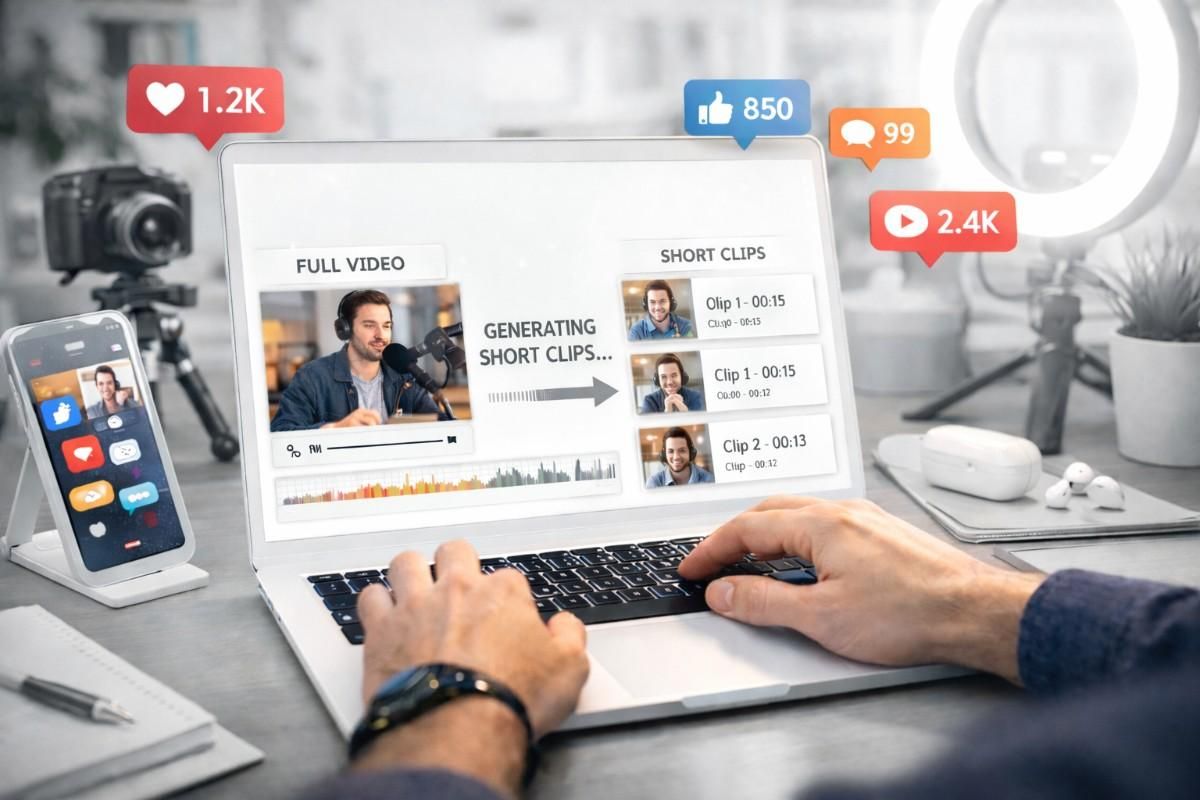
    AI-powered event highlights are created through video summarization tools such as Snipin AI that scan entire recordings and identify the most engaging parts. These tools detect applause, speaker emphasis, crowd reactions, or sudden energy spikes. Once those moments are found, they are automatically cut into clips that are optimized for Instagram formats. The goal is simple: capture the essence of the event without requiring hours of manual editing.

    Unlike traditional editing, which is slow and often subjective, AI-driven clipping is fast, consistent, and scalable. It ensures that the strongest moments are never missed. Whether it is a keynote speech, a product reveal, or a lively audience response, AI makes sure the highlight is ready almost instantly. This speed matters because audiences expect fresh content. Event highlights for Instagram created with AI can be shared while the event is still fresh in memory, keeping engagement high.

    The difference between manual editing and AI is clear. Manual editing demands effort, time, and judgment, while AI transforms event video to short clips in minutes. It allows organizers to turn event videos into Instagram reels using AI without delay. Instagram reels from event videos created this way are sharper, more engaging, and more likely to reach wider audiences. By automating the process, AI ensures that event highlights for Instagram are not only faster to produce but also more effective in driving attention and interaction.

    Why AI-Powered Event Highlights Drive More Engagement

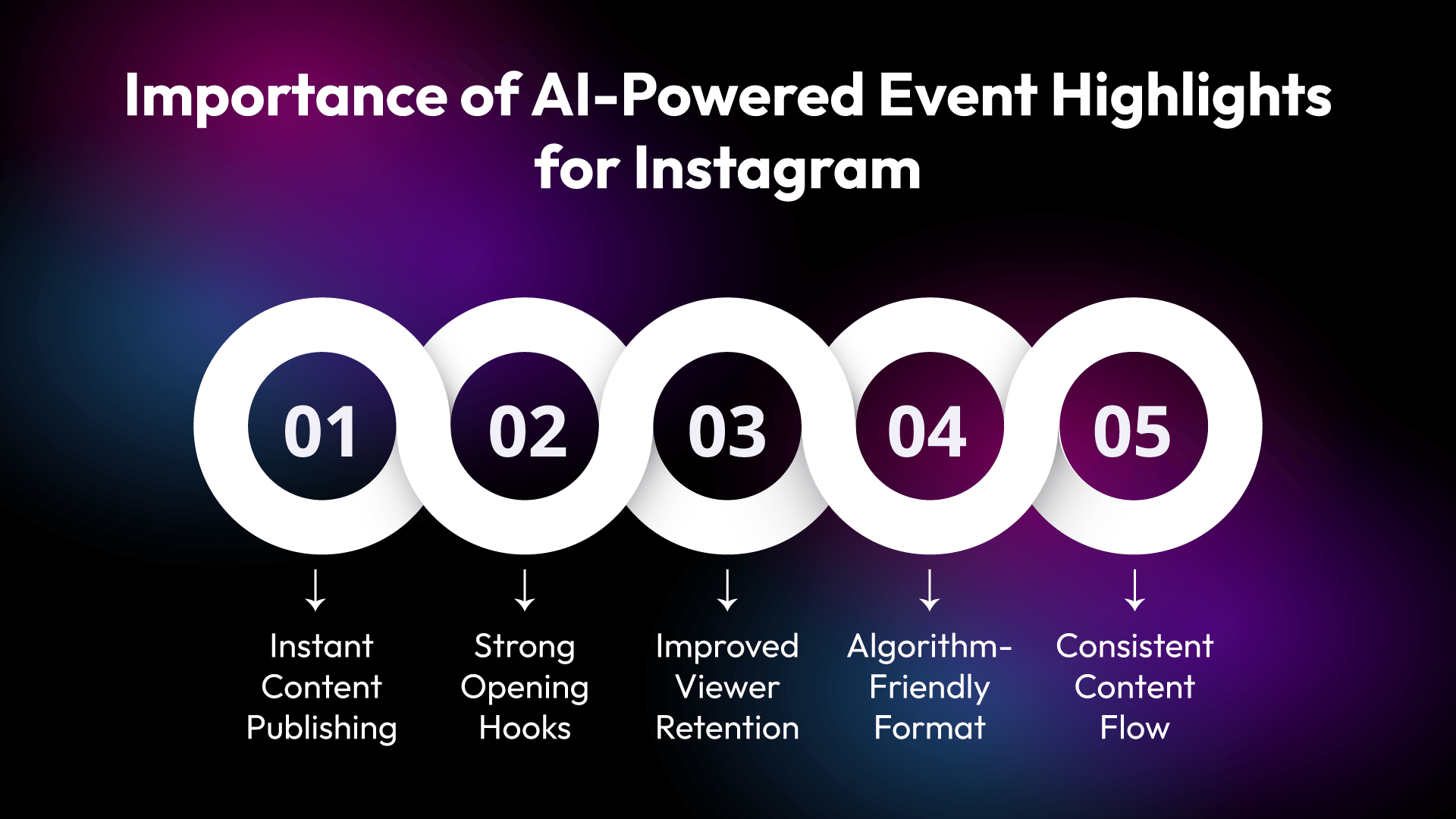
    Event highlights for Instagram are not just quick clips. They are designed to capture attention, spark curiosity, and keep audiences engaged. AI makes this possible by transforming long recordings into short reels that match the pace of social media.
    Event highlights for Instagram

    Faster Content Publishing = Higher Visibility

    AI allows organizers to share content almost instantly. Event video can be posted as short clips while the event is still fresh in people’s minds. This speed ensures that highlights reach audiences at the right moment, increasing visibility and relevance.

    Better Hook Creation in the First 3 Seconds

    The first few seconds of a reel matter the most. AI ensures that the most engaging moment appears right at the start. Instagram reels from event videos created this way grab attention instantly, making viewers more likely to keep watching.

    Higher Audience Retention

    Short clips are easier to consume. They keep viewers watching until the end, which improves retention rates. Event highlights for Instagram are designed to deliver impact without dragging on, and AI ensures that every second counts.

    Optimized for Instagram’s Algorithm

    Instagram favors content that is short, engaging, and keeps people watching. Event videos into Instagram reels using AI are formatted to match these preferences. This optimization increases reach and helps highlight performance better in feeds.

    Consistency in Posting

    AI makes it simple to share highlights regularly. Instead of waiting days for manual edits, organizers can post clips consistently. This steady flow of content keeps audiences engaged over time and builds stronger interaction.

    Engagement Metrics That Improve with AI Highlights

    Event highlights for Instagram are not only faster to produce but also more effective in boosting the numbers that matter. Each metric benefits from the way AI transforms long recordings into short, engaging reels.

    • Views rise because short clips are easier to consume. Instagram reels from event videos catch attention quickly, and more people stop to watch them compared to lengthy recordings.
    • Watch time improves since audiences stay longer on content that feels sharp and relevant. Event video is broken down into short clips keeps viewers focused without dragging on, which means they spend more time watching.
    • Completion rate grows because reels are designed to be watched in full. Event videos into Instagram reels using AI are trimmed to the perfect length, making it natural for viewers to finish them.
    • Shares increase as exciting highlights spread faster. When clips capture energy and emotion, audiences are more likely to pass them along, extending reach beyond the original viewers.
    • Saves also rise. People save reels they find useful, inspiring, or worth revisiting later. Event highlights for Instagram created with AI have a higher chance of being saved because they deliver value in a compact format.
    • Comments become more frequent. Short clips spark quick reactions, and audiences respond faster when the content is direct and engaging.
    • Follower growth follows naturally. Consistent posting of Instagram reels from event videos builds trust and keeps audiences coming back. Over time, this steady rhythm of highlights attracts new followers who want to stay connected.

    AI-powered editing impacts every metric by making content sharper, faster, and more engaging. Each improvement adds up, creating stronger visibility and deeper interaction for event organizers.

    How AI Converts Long Event Videos into Viral Micro-Content

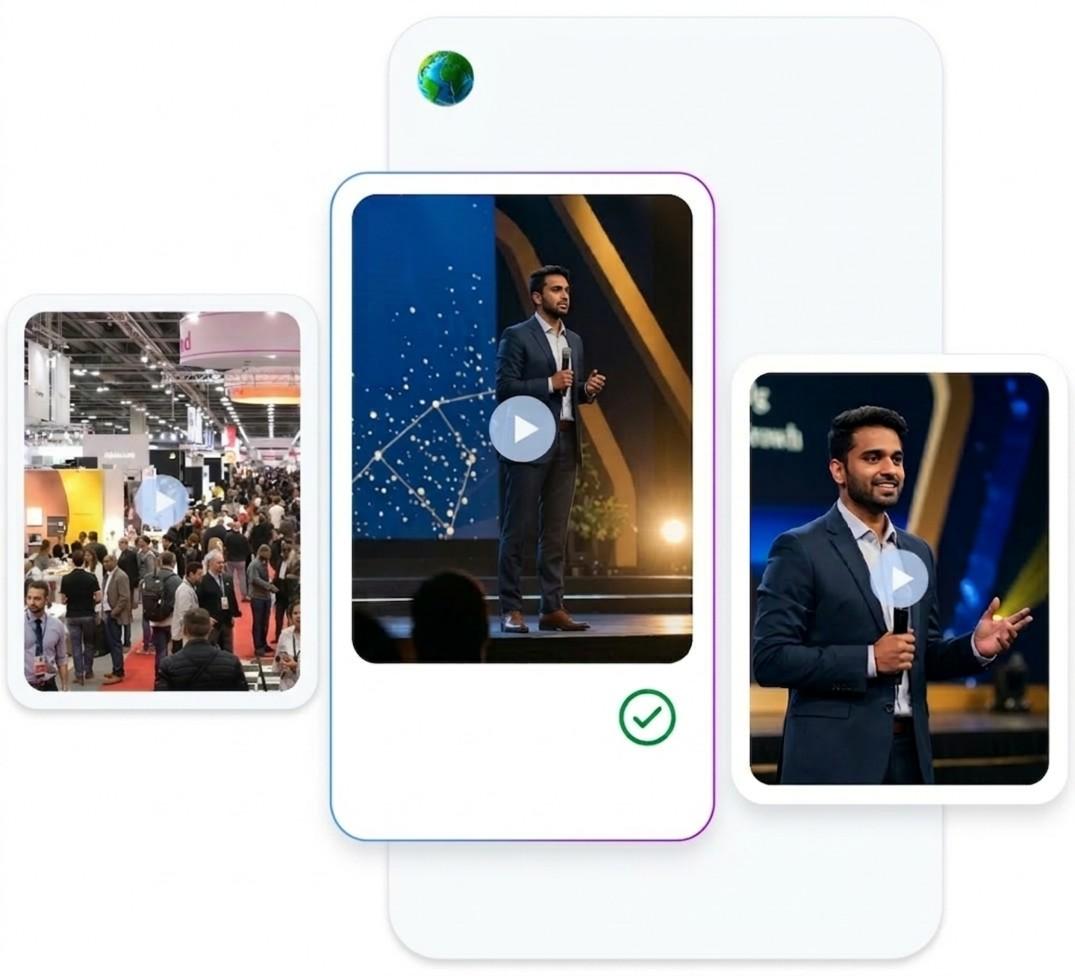
    Here are step-by-step process of how AI transforms long recordings into viral micro-content.
    Long Event Videos into Viral Shorts

    Uploading the Full Recording

    The process begins with the complete event recording being uploaded. This is the raw material that the event video summarizer tool, such as Snipin AI, will analyze, containing every moment from start to finish.

    Analyzing Audio, Visuals, and Engagement Cues

    AI then studies the video carefully. It looks at audio signals such as applause or speaker emphasis, visual cues like crowd reactions, and overall energy spikes. These elements help the system understand which parts of the event are most engaging.

    Highlight Detection

    Once the analysis is complete, AI detects the highlights. Event video to short clips is created by focusing only on the strongest and most memorable sections. This ensures that event highlights for Instagram capture the essence of the event without unnecessary filler.

    Automatic Short Clip Creation

    The detected highlights are then cut into clips automatically. Event videos into Instagram reels using AI are produced quickly, with smooth transitions and proper formatting. This step saves hours of manual editing and delivers content that feels sharp and ready.

    Caption Suggestions and Format Optimization

    AI also suggests captions and adjusts the format to suit Instagram. Instagram reels from event videos benefit from captions that add clarity and context, making them more engaging and accessible.

    Exporting Ready-to-Post Content

    Finally, the clips are exported as ready-to-post content. Organizers do not need to spend extra time preparing them. Event highlights for Instagram are delivered instantly, making it possible to share while the event is still fresh in memory.

    Real Benefits for Event Organizers

    1. Saves Editing Costs

    Manual editing requires significant effort and often a dedicated team. AI reduces this need by automatically producing event highlights for Instagram. By turning event video into short clips quickly, organizers save both money and resources that can be used elsewhere.

    2. Reduces Turnaround Time

    Speed is one of the strongest advantages. Event videos into Instagram reels using AI can be shared almost instantly, keeping the content fresh and relevant. This matters because audiences expect highlights while the event is still in their memory. Instagram reels from event videos created with AI ensure that organizers never miss the right moment to engage their audience.

    3. Maximizes ROI from Event Recordings

    Instead of one long video that few people watch, organizers can generate multiple short reels. Each clip becomes a piece of content that drives engagement, extending the value of the original recording. Event highlights for Instagram therefore provide more opportunities to reach audiences and create impact.

    4. Attracts Sponsors with Higher Social Proof

    Sponsors look for visibility and engagement. When event videos are turned into Instagram reels using AI generate more views, shares, and comments, sponsors see greater value in associating with the event. Higher engagement acts as proof that the event has a strong reach, making it easier to attract and retain sponsorships.

    5. Boosts Ticket Sales for Future Events

    Instagram reels from event videos showcase the energy and excitement of past gatherings. When audiences see highlights that feel sharp and engaging, they are more likely to attend upcoming events. AI ensures that every clip contributes to building anticipation and trust, which directly supports ticket sales.

    6. Strengthens Brand Identity

    Event highlights for Instagram help organizers build a consistent brand image. By posting reels regularly, audiences begin to associate the event with quality and energy. This strengthens recognition and makes the brand more memorable.

    7. Expands Global Reach

    Event videos into Instagram reels using AI are optimized for social platforms, which means they can reach audiences beyond local boundaries. Short clips are easy to share worldwide, giving organizers a chance to expand their reach without extra effort.

    8. Improves Audience Insights

    AI-generated reels also provide data on what type of content performs best. Organizers can study which event video or short clips gain the most views, shares, or comments. These insights help in planning future events and shaping content strategies more effectively

    Final Words

    AI-powered event highlights for Instagram are more than just clips. They are the bridge between events and audiences. By turning event video into short clips, AI ensures that the most important moments are shared in a way that drives engagement. Whether it is trade show video highlights or conference highlight reels, the impact is clear. AI-powered editing makes content faster, sharper, and more engaging. Instagram reels from event videos are not just posts. They are powerful tools for growth, visibility, and connection.
    Long Videos Into Short Instagram Posts

    FAQs

    1. What are AI-powered event highlights for Instagram?
    AI-powered event highlights use artificial intelligence to automatically select, edit, and package the most engaging moments from an event into short, visually appealing clips or posts optimized for Instagram.

    2. How do AI highlights increase engagement on Instagram?

    • They capture attention quickly with dynamic, high-quality visuals.
    • AI ensures the most impactful moments are chosen, boosting likes, shares, and comments.
    • Short-form content aligns perfectly with Instagram’s algorithm and user behavior.

    3. Can AI really understand what makes a moment “highlight-worthy”?

    Yes. AI event video summerizer tools, such as Snipin AI, analyze audience reactions, sound peaks, facial expressions, and contextual cues to identify moments that resonate emotionally and visually. This helps ensure highlights feel authentic and exciting.

    4. Do AI-generated highlights replace human creativity?

    Not at all. AI handles the heavy lifting of sorting through hours of footage, while creators can refine, personalize, and add storytelling elements. It’s a collaboration between efficiency and creativity.
  • How AI Helps You Get Faster Event Reach on Social Media

    How AI Helps You Get Faster Event Reach on Social Media

    How can you make sure your event reaches the right audience quickly on social media? This is the question that every organizer faces. The answer often lies in video content, but editing and sharing videos can take time. Artificial intelligence changes this by making the process faster and more effective. With AI, you can increase event reach using AI and share highlights that keep people engaged without delay.

    Why Video Is Essential for Event Promotion

    Video is the most powerful format for event promotion. Text posts may inform, but videos show the energy and emotion of an event in a way that words cannot. Short clips grab attention, while longer highlights give depth and context. With AI, you can create AI video clips for social media that are short, clear, and engaging.

    Videos are not only about showing what happened. They are about making people feel part of the event. When viewers see AI event session video snippets, they get a taste of the experience. This makes them more likely to share, comment, and spread the word. The sense of involvement is what makes video stand out compared to other formats.

    video clips for social media

    Here are seven reasons why video is essential for event promotion:

    • Visual impact: Videos capture expressions, movements, and atmosphere that text cannot.
    • Emotional appeal: Clips can stir excitement, joy, or curiosity, making audiences feel connected.
    • Higher engagement: Videos are more likely to be liked, shared, and commented on compared to static posts.
    • Easy to consume: Short snippets are quick to watch, fitting perfectly into busy social feeds.
    • Better recall: People remember events more clearly when they see them in motion rather than just reading about them.
    • Cross-platform adaptability: Videos can be reshaped for different platforms, from short reels to longer highlights.
    • Extended reach: A single video can spread across multiple networks, helping to boost event visibility with AI.

    Related Blog: Boost Event Marketing with AI-Powered Post-Event Video Content

    What Is AI Video Summarization?

    AI video summarization is the process of turning long recordings into short, meaningful clips. Instead of hours of footage, you get highlights that show the best parts. This is not manual editing. AI scans the video, finds key moments, and creates clips that are ready to share.

    It is the reason why AI repurposing long event videos works so well. You do not waste content. Every session, every talk, every performance can be reshaped into something useful.

    How the AI Event Video Summarization Tool Works

    AI makes the process of turning long recordings into short, engaging clips simple and fast. Instead of spending hours editing, the system scans through the video and identifies the most important parts. It looks for changes in tone, applause, or visual cues that signal key moments. Once detected, the video is cut into smaller, shareable clips. If yuo are looking to Increase event reach using AI, these clips can help you.

    Working Steps of the AI Event Video Summarization Tool

    1. Upload Your Recording

    Begin by placing your event session video into the AI platform. This step is simple but important because it sets the stage for everything that follows. Once uploaded, the system has access to the full recording and can start analyzing it without delay.

    2. AI Detects Highlights

    The tool scans through the video carefully, looking for moments that stand out. It notices changes in tone, audience reactions, or strong visual cues. These signals help the AI decide which parts are worth turning into clips. Instead of manually searching, the system does the heavy lifting for you.

    3. Receive Summaries and Clips

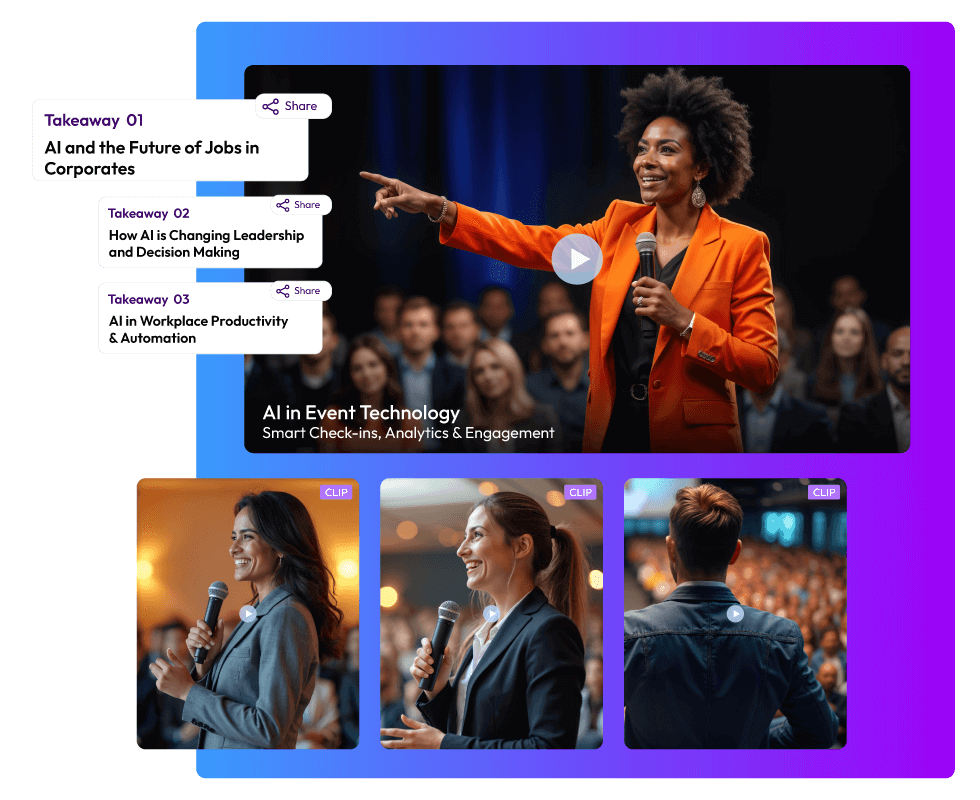
    After detection, the AI generates short clips, summaries, and even takeaways for each session. This means you get multiple forms of content from one recording. A single long video can now produce highlights, recap segments, and quick snippets that are ready to share.

    4. Share Effortlessly

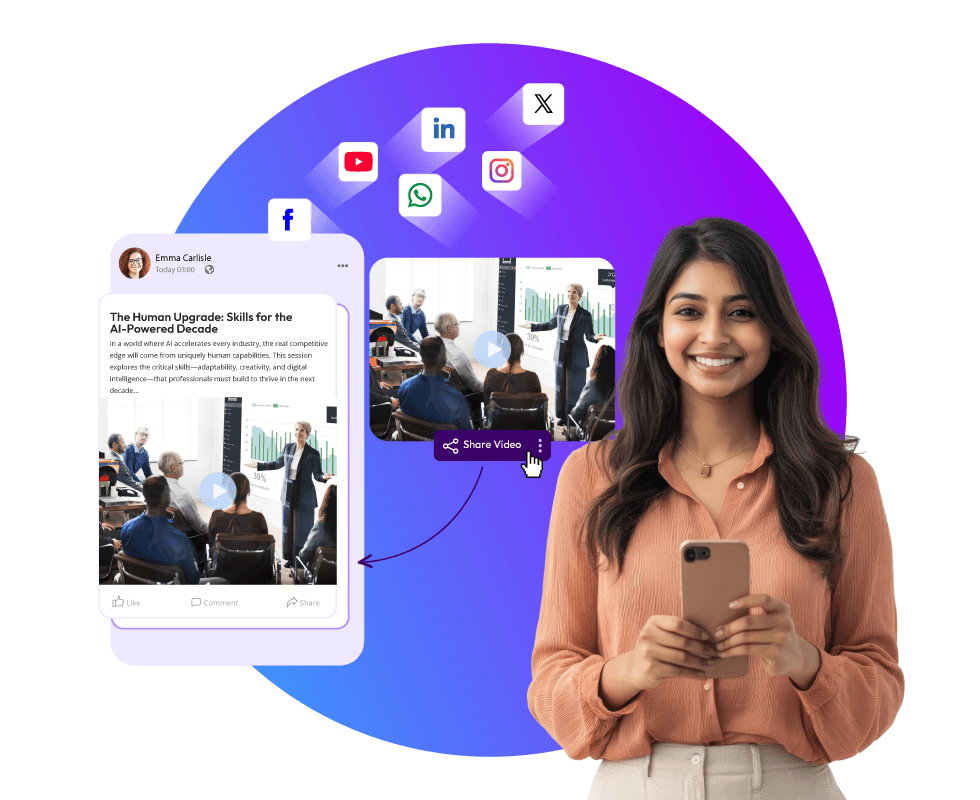
    With one click, the clips can be posted across different social platforms. The AI prepares them in the right format, so you do not need to adjust sizes or lengths. This makes distribution smooth and saves time, ensuring your event content reaches audiences faster.

    5. Track Performance

    Once shared, the AI allows you to monitor how each clip performs. You can see which highlights attract the most views, shares, or comments. This feedback helps you understand what your audience enjoys and guides future event promotion strategies.

    How AI-Generated Short Clips Boost Your Social Reach

    AI-generated short clips are more than just quick edits. They are powerful tools that help events gain attention faster and keep audiences engaged longer. By reshaping long recordings into bite-sized highlights, organizers can reach more people without spending extra time on manual editing.

    AI-Generated Short Clips

    Here are six points that explain how these clips boost social reach:

    1. Speed of sharing

    One of the biggest advantages is how quickly clips are ready. Instead of waiting days for editing, AI prepares highlights almost instantly. This means you can post while the event is still fresh in people’s minds. Timely sharing keeps the buzz alive and ensures your audience does not move on before seeing your content.

    2. Better engagement

    Short videos hold attention longer than text posts because they combine visuals, sound, and emotion. A quick highlight can spark curiosity and encourage viewers to watch more. Engagement rises when people feel entertained or informed in just a few seconds, making them more likely to comment, like, and share.

    3. Platform fit

    Every social platform has its own style and preferred video length. AI adjusts clips to match these formats, whether it is a short reel, a square video, or a longer highlight. This saves time and ensures your content looks natural wherever it is posted, increasing the chance of reaching the right audience.

    4. Extended visibility

    Events do not end when the lights go out. With recap videos, the conversation continues. AI creates AI recap videos for events that keep the event alive even after it has finished. This extended visibility helps maintain interest and keeps your brand active in feeds long after the event day.

    5. Audience growth

    Not everyone attends live sessions. Snippets give new viewers a chance to see what they missed. These highlights attract people who may not have been part of the original audience but are curious about the content. Over time, this expands your reach and builds a larger following.

    6. Content variety

    A single long video can be broken into many smaller posts. This variety allows you to share different angles, topics, or moments without repeating the same clip. It keeps your feed fresh and gives audiences multiple reasons to engage. By repurposing content, you maximize the value of every recording.

    This is how you boost event visibility with AI without adding extra effort. The combination of speed, engagement, adaptability, and variety ensures that your event content reaches more people and stays relevant longer.

    Strategic Use Cases for Event Organizers

    Event organizers can use AI in many practical ways to make sure their content reaches audiences faster and more effectively. By applying these strategies, you can increase event reach using AI and ensure that no valuable moment goes unnoticed. Here are five use cases:

    1. Highlight reels

    AI can quickly create highlight reels that capture the best parts of an event. Instead of manually editing hours of footage, the system produces engaging clips that show the energy and excitement. These AI video clips for social media are perfect for keeping momentum alive and encouraging audiences to share them widely.

    2. Recap videos

    After the event ends, the conversation should continue. AI generates AI recap videos for events that summarize the most important sessions and moments. These recaps remind attendees of what they experienced and show non-attendees what they missed. This extended visibility, powered by AI, boosts event visibility and keeps your brand active long after the event is over.

    3. Session snippets

    Long sessions can be overwhelming to watch in full. AI solves this by creating video snippets from AI event sessions that focus on key points. These short clips give audiences quick takeaways without requiring them to sit through the entire recording. Snippets are easy to share and often spark curiosity, drawing new viewers to your content.

    4. Cross-platform sharing

    Different social platforms prefer different video formats. AI makes AI repurposing long event videos simple by adjusting clips for each platform. A short reel may work best on one site, while a longer highlight fits better on another. This ensures that your content looks natural everywhere and reaches audiences across multiple networks.

    5. Future promotion

    Past content can be repurposed to promote upcoming events. AI takes old recordings and reshapes them into teasers or highlight reels that build anticipation. By reusing AI video clips for social media, organizers can remind audiences of past success and encourage them to attend future sessions.

    By applying these strategies, event organizers not only save time but also maximize the value of every recording. AI ensures that highlights, recaps, and snippets are shared in ways that increase event reach using AI and keep audiences engaged across platforms.

    Related Blog: Turn Long Videos into Viral Shorts, Reels & Clips Using AI

    Final Words:-

    AI is changing how events are promoted. It makes video editing faster, smarter, and more effective. With AI video clips for social media, AI event session video snippets, and AI recap videos for events, organizers can reach audiences quickly and keep them engaged.

    The ability to boost event visibility with AI comes from smart summarization and repurposing. By using AI to repurpose long event videos, every moment of an event becomes valuable content.

    Events are about people coming together. AI ensures that the energy of those moments spreads far and wide, reaching audiences faster than ever before.

    AI-Powered Event Snippet

    FAQs

    1. Why is video more effective than text for event promotion?

    Video captures emotions, energy, and atmosphere in ways text cannot. Short clips grab attention quickly, while longer highlights provide depth and context, making audiences feel part of the event.

    2. What is AI video summarization?

    AI video summarization is the process of automatically turning long event recordings into short, engaging clips. The AI scans for key moments (like applause, tone changes, or visual cues) and generates highlights ready to share.

    3. How does AI help increase event reach on social media?

    AI speeds up editing, creates platform-ready clips, and enables instant sharing. This ensures your event content reaches audiences while the buzz is fresh, boosting visibility and engagement across multiple networks.

    4. How quickly can AI prepare event highlights?

    Unlike manual editing, which can take days, AI prepares clips almost instantly. This allows organizers to share content during or immediately after the event.

  • The Complete Guide to AI Video Repurposing for Events (2026 Edition)

    The Complete Guide to AI Video Repurposing for Events (2026 Edition)

    What happens to all those hours of video once an event ends? Conferences, webinars, trade shows, and even internal town halls generate recordings full of insights, announcements, and discussions. Yet, most organizations simply upload the full video online and hope someone will watch it. The reality is that audiences rarely have the patience for two-hour recordings. They want short, clear, and engaging clips that deliver value quickly. This is where AI video repurposing for events becomes essential.

    By using AI video clipping tools, marketers can turn event recordings into clips, create event video highlights, and even generate text summaries that capture the essence of the event. Instead of letting valuable content sit unused, AI makes it possible to transform it into bite-sized pieces that are perfect for social media, newsletters, or internal communications. In 2026, this practice is not just a nice addition to a marketing plan. It has become a central part of event content marketing strategies.

    91% of businesses use video as a marketing tool, and short-form video is the most effective format for engagement and conversions. This shift toward smarter content use is changing how events are valued, making repurposing a necessity rather than an option. Want to know more about AI video repurposing for events? Keep reading!

    What Is AI Video Repurposing?

    What Is AI Video Repurposing

    AI video repurposing for events is the process of using artificial intelligence to transform long recordings into smaller, more useful pieces of content. Instead of spending hours manually editing, AI video clipping tools step in to automatically detect important segments, cut them into clips, and even generate summaries.

    “Think of it as giving a second life to your event recordings. What was once a two-hour session becomes a set of short, engaging clips.”

    This approach changes how event recordings are handled. A long session no longer feels heavy or inaccessible. It becomes a collection of highlights that can be shared, reused, and enjoyed by different audiences.

    “AI video summarization ensures that no important detail is lost, while still keeping the content short and easy to consume.”

    This matters greatly in 2026. Audiences prefer short, engaging content. Social platforms reward clips that are quick to watch and easy to share. Long recordings often go ignored, but when repurposed into event video highlights, they gain new life. By choosing to turn event recordings into clips, organizations can repurpose webinar content, extend the value of their events, support event content marketing, and keep audiences engaged long after the event has ended.

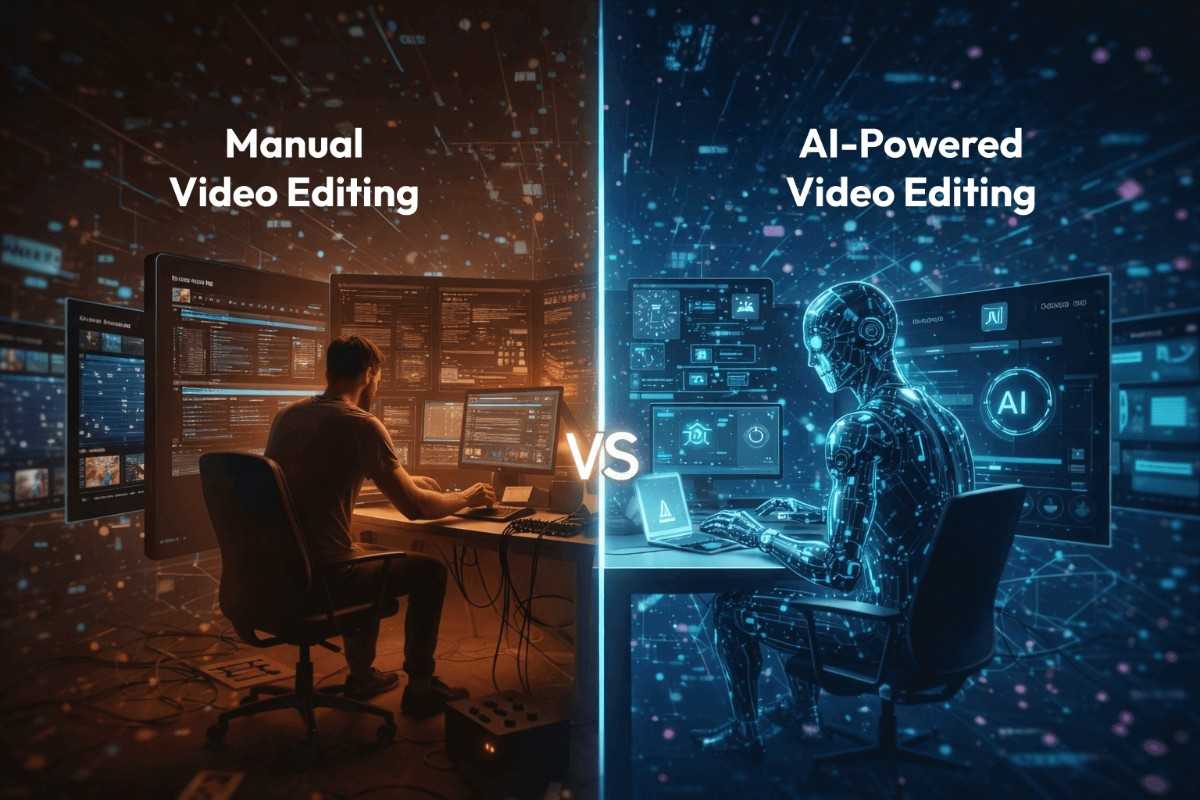
    Difference Between Manual and AI-Powered Event Video Editing

    It is true that Manual editing has always been a slow and demanding process. Editors must watch the full recording carefully, mark timestamps, cut sections, and polish them for final use. This can take hours or even days, depending on the length of the event. It requires patience and constant attention, and even the results may vary depending on the skill of the editor.

    Manual and AI-Powered Event Video Editing

    By contrast, AI video clipping tools change the entire workflow. Instead of spending endless time on repetitive tasks, AI analyzes speech, visuals, and transitions in minutes. It automatically detects important segments, identifies key highlights, and prepares clips that are ready to share. The difference is striking. What once felt like a heavy task now becomes smooth and efficient.

    This shift is especially important for marketers. When you need to turn event recordings into clips, AI ensures that the process is quick and reliable. It allows teams to focus on strategy rather than spending days cutting video. It also supports event content marketing by producing a steady stream of event video highlights. Whether the goal is to repurpose webinar content or create short clips for social platforms, AI makes the process practical and scalable.

    At the same time, AI video summarization ensures that audiences get exactly what they want: quick access to the best parts of an event. Instead of forcing viewers to sit through hours of footage, AI delivers the highlights in a format that is easy to consume and share.

    Manual Vs AI-Powered Event Video Editing

    The comparison table will help you understand the difference between manual vs ai-powered event video editing.

    Factors

    • Time Require
    • Effort
    • Consistency
    • Cost
    • Output
    • Marketing Value
    • Flexibility

    Manual Event Video Editing

    • Hours or days to complete
    • High requires watching the entire recording
    • Depends on the editor’s skill
    • Expensive due to labor
    • Limited number of clips
    • Slower to support campaigns
    • Manual adjustments only

    AI-Powered Event Video Editing

    • Minutes to generate clips
    • Low, automated detection of highlights
    • Standardized across all recordings
    • Lower cost with automation
    • Multiple event video highlights are quickly created
    • Immediate support for event content marketing
    • Easy to repurpose webinar content and more

    Why AI-Generated Short Clips Rule in 2026

    Audiences in 2026 consume content in a very different way. It is a fact that the long recordings often feel heavy, and most viewers prefer short clips that deliver value quickly. This change has made AI video repurposing for events a vital practice. Instead of uploading full sessions, organizations now focus on creating event video highlights that are easy to watch and share.

    AI-Generated Short Clips Rule

    Short clips gain more attention, more engagement, and more reach. The Short Form Video Statistics 2025 report revealed that over 90% of Gen Z and Millennial users regularly watch short-form videos, making repurposed clips essential for reaching younger audiences.

    With AI video clipping tools, teams can turn event recordings into clips in minutes. The process is fast, reliable, and consistent, making it possible to keep audiences engaged without the slow pace of manual editing.

    AI video summarization also plays a key role. It condenses hours of footage into digestible pieces, ensuring that no important detail is lost. For marketers, this supports event content marketing by providing a steady stream of material. They can repurpose webinar content, conference sessions, or townhalls into highlights that continue to deliver value long after the event has ended.

    “Short clips are not just convenient. They are the format audiences expect, and AI makes them possible at scale.”

    Without AI, valuable recordings risk being ignored. With AI, every event becomes a source of ongoing engagement.

    Long Videos into Short Highlights

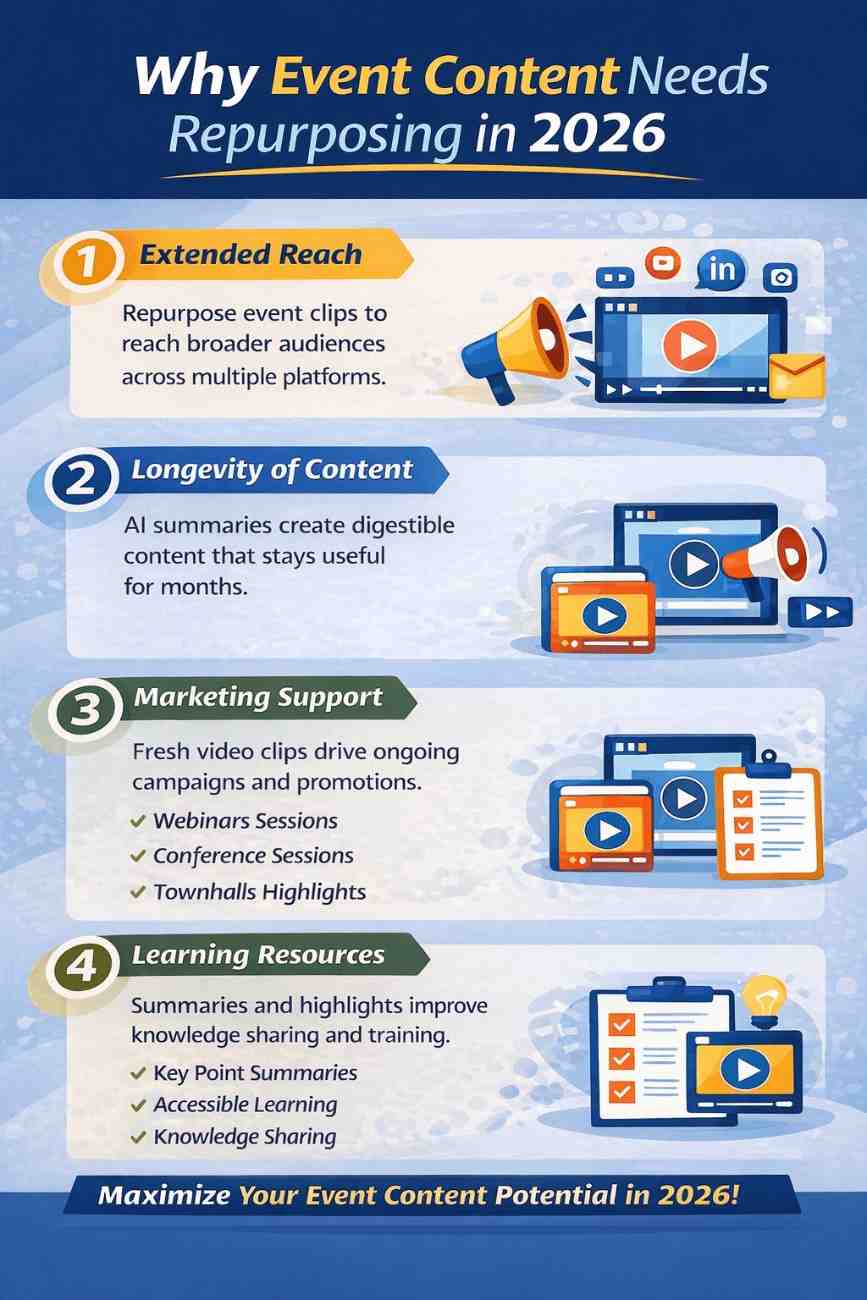
    Why Event Content Needs Repurposing in 2026

    Organizing an event requires significant resources. Speakers, venues, technology, and promotion all demand time and money. When recordings are left unused, much of that investment loses its potential value. Repurposing ensures that the effort continues to deliver benefits long after the event has ended.

    Why Event Content Needs Repurposing

    1. Extended Reach

    By using AI video clipping tools to turn event recordings into clips, organizations can share highlights across multiple platforms. Short clips travel faster, reach more people, and keep audiences engaged. This extended reach allows events to connect with audiences who may never have attended in person, giving the content a wider impact.

    2. Longevity of Content

    A single event does not need to fade away once it is over. Through AI video summarization, sessions can be condensed into digestible pieces that remain useful for weeks or even months. Repurposed content keeps the conversation alive and ensures that the event continues to deliver value long after the closing remarks.

    3. Marketing Support

    Fresh clips fuel campaigns and strengthen event content marketing strategies. Marketers can repurpose webinar content, conference sessions, or townhalls into event video highlights that align with ongoing promotions. This steady stream of material helps maintain visibility, supports brand awareness, and keeps audiences engaged with consistent updates.

    4. Learning Resources

    Repurposing also creates learning opportunities. Summaries help audiences revisit key points without sitting through hours of footage. Knowledge becomes easier to access, share, and apply. Teams can use highlights for training, internal communication, or knowledge sharing, making the event recordings more practical.

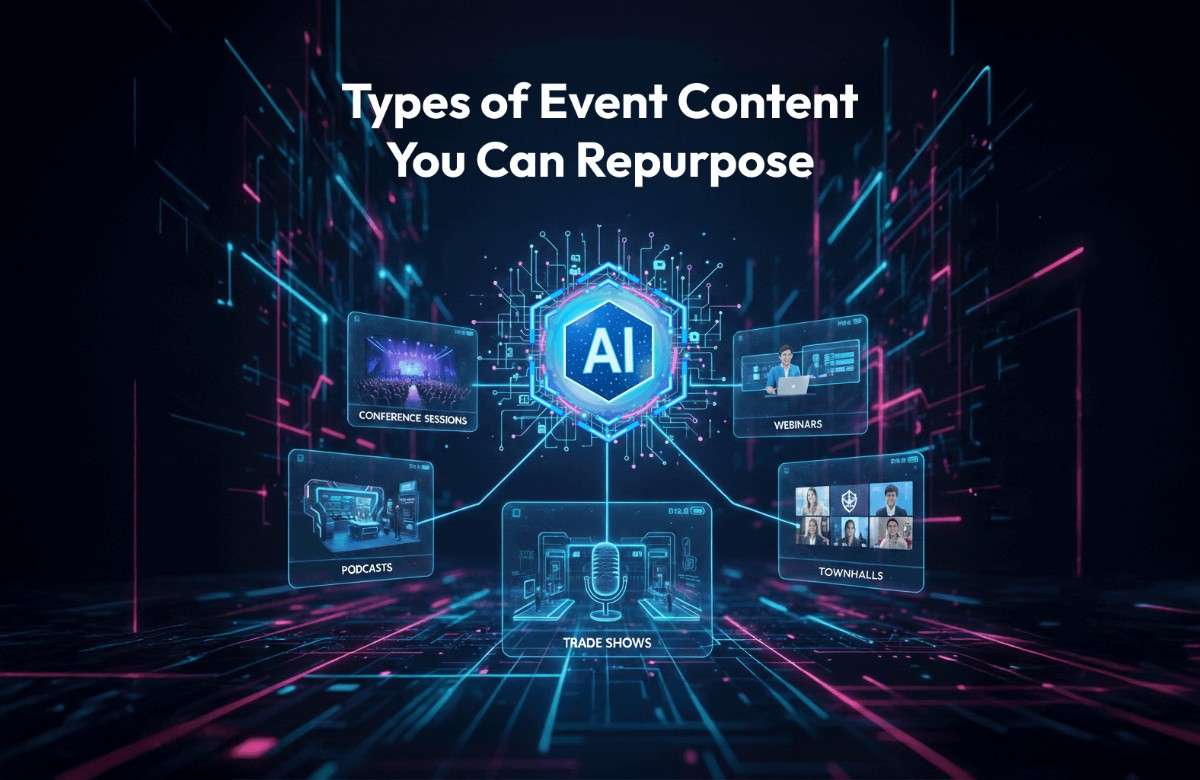
    Types of Event Content You Can Repurpose

    Repurposing is not limited to one type of event. Every format produces recordings that can be transformed into new content. With AI video repurposing for events, organizations can make sure that no valuable moment is wasted. Here are the main types of event content that benefit from repurposing:

    Types of Event Content

    1. Conference Sessions

    “Average meeting length reached 48 minutes, but engagement dropped sharply after the first 15 minutes, highlighting the need for shorter highlights.”

    Keynote speeches and panel discussions often run long. By using AI video clipping tools, these sessions can be broken down into short clips that highlight the main ideas. The result is a set of event video highlights that are easier to share and consume.

    These clips can be used to emphasize important themes, reinforce learning, and keep audiences engaged even after the event has ended.

    2. Webinars

    Webinars are full of useful insights, but usually last an hour or more. With AI, teams can repurpose webinar content into bite-sized lessons or highlight reels for training. This makes the material more practical and keeps audiences engaged. Repurposed clips can also support event content marketing, giving marketers ready-to-use material for campaigns and promotions.

    3. Podcasts

    Podcasts can also be repurposed.

    By extracting video snippets, organizations can turn event recordings into clips that attract new listeners on social platforms. Short previews encourage audiences to explore the full episode. These snippets can also serve as promotional tools, helping podcasts reach wider audiences and gain more visibility.

    4. Trade Shows

    Product demos and presentations at trade shows are perfect for repurposing. AI tools can create short clips that showcase features and benefits. These clips support event content marketing by giving teams ready-to-use promotional material. They can highlight product strengths, demonstrate functionality, and provide quick insights for potential customers.

    5. Virtual Events

    Virtual events often include multiple sessions and discussions. AI video summarization can convert these into highlight packages for internal use or external sharing. This ensures that the most important points are captured. Repurposed clips can also be used to maintain engagement with audiences who could not attend live.

    6. Townhalls

    Internal townhalls usually contain key announcements. Repurposing allows organizations to share these in short, clear clips with employees. It saves time and ensures that everyone receives the message. These clips can also be archived for future reference, making them valuable resources for internal communication.

    According to the report, employees crave clarity, transparency, and recognition in townhalls, making video highlights essential for engagement.

    How AI Video Summarization Works

    AI video summarization is the process of condensing long recordings into short, meaningful clips that capture the essence of an event. Instead of requiring hours of manual review, AI systems use algorithms to detect important segments automatically. They scan speech patterns, visual cues, and even audience reactions to identify the moments that matter most.

    The technology works by analyzing the flow of conversation, changes in tone, and visual transitions. When a speaker emphasizes a point, the system marks that section. If there is a lively Q&A, it identifies the start and end of questions. The outcome is a set of clips that represent the highlights, making it easier to turn event recordings into clips that audiences actually want to watch.

    AI video summarization tools ensure that long sessions are not wasted but instead transformed into event video highlights that can be shared across platforms. For marketers, this is especially valuable. Summarization supports event content marketing by creating a steady stream of clips that can be used in campaigns, newsletters, or social posts.

    In short, AI summarization ensures that every recording continues to deliver value. It condenses hours of footage into digestible pieces, keeping audiences engaged and making events useful long after they are over.

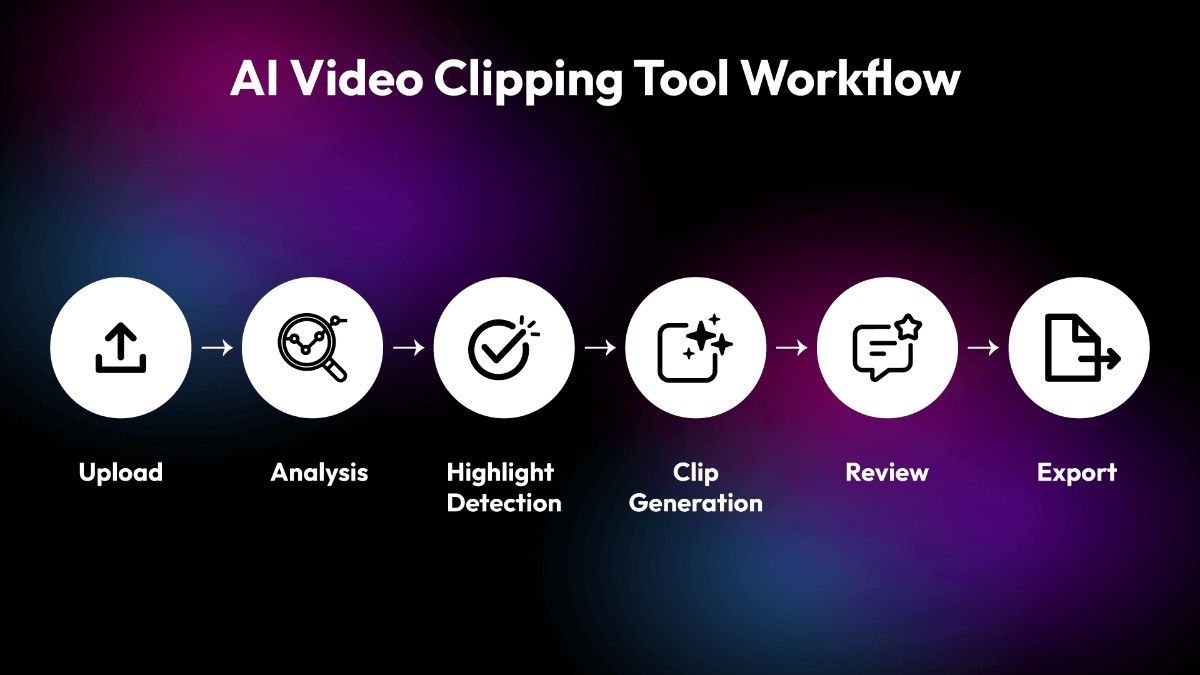
    Step-by-Step Workflow of AI video clipping tools (From 2-Hour Recording to 20 Clips)

    Repurposing a long recording into short clips may sound complex, but with AI video clipping tools, the process is smooth and structured. Each step adds value, ensuring that the final clips are accurate, engaging, and ready to share. Here is how the workflow unfolds:

    Workflow of AI video clipping tool

    Step 1. Upload

    The recording is uploaded into the system. This is the starting point where the raw material is prepared for AI video repurposing for events.

    Step 2. Analysis

    The tool scans the video carefully. It looks for speakers, topics, and transitions. This analysis is the foundation that allows the system to turn event recordings into clips that make sense.

    Step 3. Highlight Detection

    Key moments such as announcements, Q&A sessions, or topic shifts are marked. The system identifies emphasis in speech, visual cues, and audience reactions. This ensures that the most important parts are captured for event video highlights.

    Step 4. Clip Generation

    The system automatically creates short clips, usually 30–90 seconds long. These clips are concise, meaningful, and suitable for sharing. They can also be used to repurpose webinar content into lessons or training material.

    Step 5. Review

    Marketers or content teams check the clips for accuracy and context. This step ensures that the clips align with the goals of event content marketing and maintain quality.

    Step 6. Export

    Finally, the clips are exported. They can be shared on social media, added to newsletters, or used on internal platforms. With AI video summarization, the content is ready to engage audiences across multiple channels.

    This workflow shows how a two-hour recording can be transformed into twenty clips that continue to deliver value. Instead of being forgotten, the event becomes a resource that supports marketing, learning, and engagement.

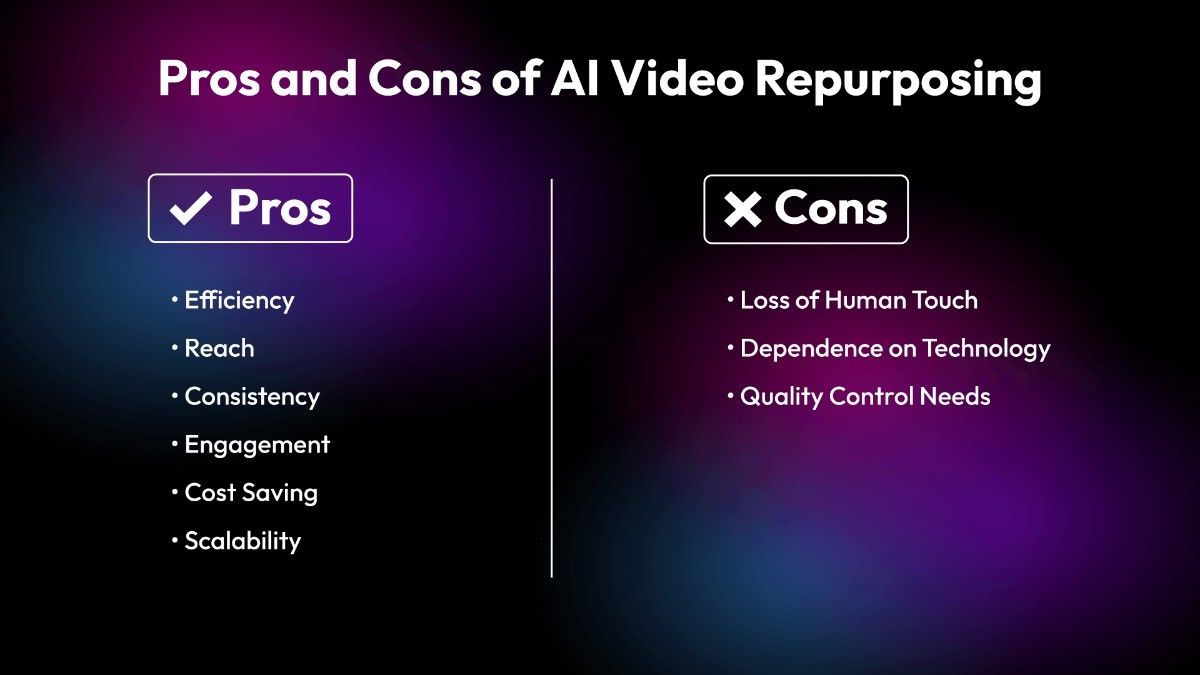
    Pros and Cons of AI Video Repurposing for Event Marketers

    Using AI video repurposing for events brings clear advantages, but it also comes with a few challenges. Marketers benefit from speed, reach, and consistency, yet they must also consider limitations before fully relying on automation.

    Pros and Cons of AI Video

    Pros

    • Efficiency

    Editing time is reduced from hours to minutes. With AI video clipping tools, teams can quickly turn event recordings into clips without spending days on manual work. This efficiency allows more focus on strategy and less on repetitive tasks. The Stanford AI Index Report 2025 noted that AI adoption in creative workflows, including video, reduced average production time by up to 40%, showing clear efficiency gains.

    • Reach

    Short clips perform better on social platforms. Event video highlights are easier to share, more likely to be watched, and help extend the reach of content far beyond the original audience. According to Insivia’s 2025 Video Marketing Statistics, short-form clips under two minutes had significantly higher engagement, with 90% of marketers reporting positive ROI from video content

    • Consistency

    Every event produces reusable content. AI video summarization ensures that highlights are captured in a uniform way, making the output reliable across multiple recordings.

    • Engagement

    A Metricool study on short-form video in 2025 found that clips under two minutes had completion rates nearly 60% higher than longer recordings, confirming audience preference for highlights.

    Audiences prefer highlights over full recordings. Repurposed clips keep viewers interested and make it easier for them to revisit key points. This supports event content marketing by providing engaging material that fits audience habits.

    • Cost Saving

    Less need for manual editing teams means lower production costs. AI reduces labor expenses while still delivering professional-quality clips.

    • Scalability

    Multiple events can be repurposed quickly. Teams can repurpose webinar content, conference sessions, or townhalls into clips without being slowed down by long editing cycles.

    Cons

    • Loss of Human Touch

    AI may miss subtle context or emotional nuance that a human editor would notice. This can affect how certain clips feel to the audience.

    • Dependence on Technology

    If the system fails or misidentifies highlights, important content could be overlooked. Relying fully on automation carries some risk.

    • Quality Control Needs

    Even with automation, marketers must review clips for accuracy and relevance. Without this step, the output may not align with campaign goals or audience expectations.

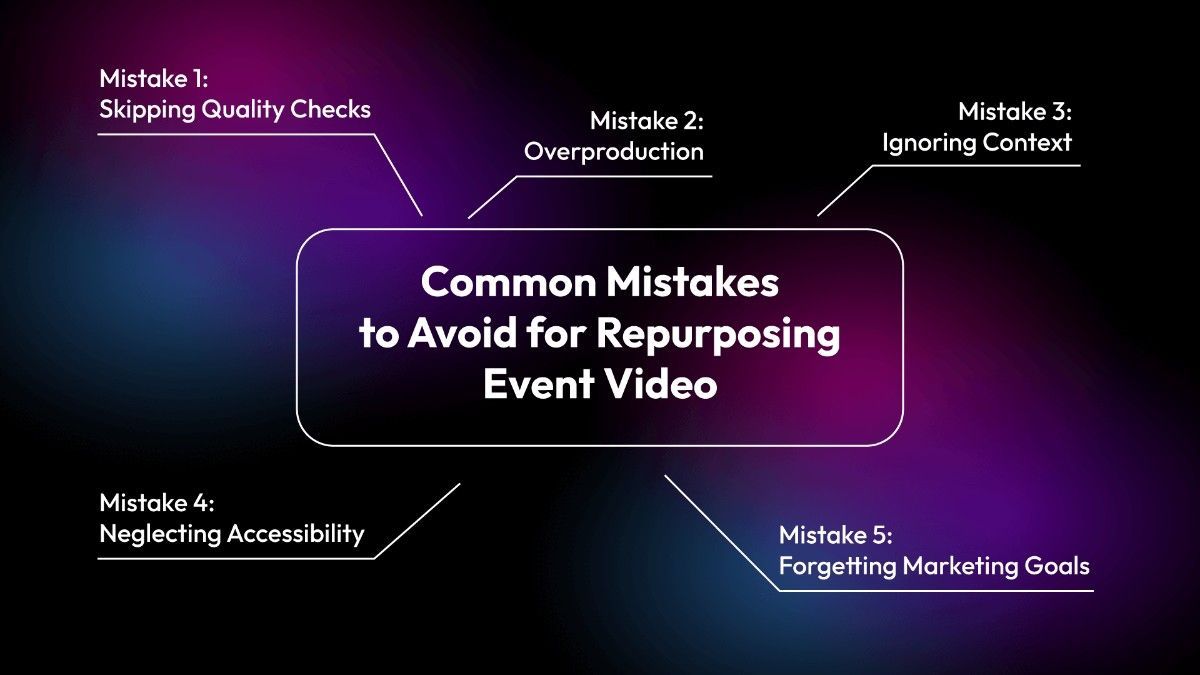
    Common Mistakes to Avoid for Repurposing Event Video

    Repurposing event recordings with AI video clipping tools can be highly effective, but mistakes often reduce the impact. Avoiding these errors ensures that AI video repurposing for events delivers consistent value and supports event content marketing in the right way.

    Avoid for Repurposing Event Video

    Mistake 1: Skipping Quality Checks

    AI is powerful but not perfect.

    Always review clips before publishing. Even with AI video summarization, some segments may lack context or feel incomplete. A quick human check ensures that the clips align with campaign goals and maintain accuracy. Without this step, audiences may lose trust in the content, and the highlights may fail to represent the event properly.

    Mistake 2: Overproduction

    Too many clips can overwhelm audiences. Focus on key highlights that matter most. When teams turn event recordings into clips, they should prioritize clarity over quantity. A smaller set of strong event video highlights performs better than dozens of clips that dilute attention. Overproduction also risks confusing viewers, making them less likely to engage with the material.

    Mistake 3: Ignoring Context

    Clips should make sense even when viewed alone. If a highlight feels confusing without the full recording, it loses impact. Repurposed content must stand independently, whether it is used to repurpose webinar content or conference sessions. Context ensures that audiences understand the message instantly, and it helps clips remain useful across different platforms.

    Mistake 4: Neglecting Accessibility

    Accessibility is often overlooked. Adding captions and descriptions makes clips usable for wider audiences. This step not only improves inclusivity but also boosts engagement on platforms where sound is off by default. Accessibility should be part of every repurposing workflow, ensuring that event video highlights reach the widest possible audience. According to the research, only 28% of online videos have accurate captions, despite captions being proven to increase engagement and reach

    Mistake 5: Forgetting Marketing Goals

    93% of marketers reported positive ROI from video content, but only when clips were aligned with clear marketing goals.

    Clips should align with campaign objectives. Repurposing is not just about cutting videos; it is about supporting event content marketing strategies. Each clip should serve a purpose, whether it is brand awareness, lead generation, or internal communication. Without alignment, even well-produced clips may fail to deliver measurable results.

    How to Choose the Best Ai Video Summarization Tool for your Event

    When you are selecting an AI video summarization tool, the focus should be on features that make your work easier and your content stronger. Below are expanded points that highlight what to look for before making a choice.

    1. Strong Event Video Highlights

    The tool should be able to identify the most important parts of your recordings and present them as clear event video highlights. This means the clips must feel natural, carry meaning, and reflect the essence of the session. A tool that captures highlights well will help you share content that feels polished and keeps your audience interested.

    2. Reliable AI Video Repurposing For Events

    AI video repurposing for events is about breaking down long recordings into smaller clips that can be reused across different platforms. A good tool should allow you to turn event recordings into clips quickly, without losing clarity. This makes it easier to keep your content fresh and relevant while saving time on editing.

    3. Essential Features Before Choosing

    The essential features to look for include:

    • Session summaries: Crisp summaries that make long recordings easy to consume.
    • Content hub: A searchable library of clips, summaries, and visuals for quick access.
    • AI clips detection: Automatic identification of short, ready-to-post clips that drive engagement.
    • Publishing control: Options to approve, publish, or remove clips before sharing.
    • One-click export: Ability to export clips for platforms like Instagram, LinkedIn, or YouTube.
    • Moments extraction: Capture audience reactions, gestures, and stage highlights for social posts.
    • Built-in analytics: Real-time insights on views, engagement, and performance.

    4. Easy-To-Use AI Video Clipping Tools

    AI video clipping tools should not feel complicated.

    A clean interface with simple controls makes the process smoother. At the same time, the tool should give you enough flexibility to refine clips so they match your tone and style. Ease of use combined with smart automation will save time and reduce effort.

    5. Alignment With Event Content Marketing Goals

    Think about how the tool supports your event content marketing strategy. If your aim is wide distribution, then export formats and platform compatibility become important. If your focus is on building a library of clips, then precision in summarization is key. The tool must align with your long-term goals.

    6. Balance Between Speed And Quality

    The tool must save time without cutting away meaning. Fast processing is helpful, but clarity and flow of the video should remain intact. In simple words, a tool that balances speed with quality will fit better into your workflow and reduce extra editing effort.

    7. Flexibility In Clip Customization

    Look for a tool that allows you to adjust clip length, pacing, and tone. This flexibility ensures that your clips can be shaped for different platforms and audiences. Repurpose webinar content or event recordings in a way that feels natural and professional.

    8. Branding Option

    A valuable feature to look for is the ability to add branding options, such as a watermark. This ensures that every clip you share carries your identity and strengthens your event content marketing. Watermarks protect your content from misuse and also help in building brand recognition across platforms.

    9. Consistency In Summarization

    A good AI video summarization tool should provide consistent results. If the clips vary too much in quality or relevance, you will spend extra time fixing them. Consistency ensures that your event content marketing stays strong and reliable.

    10. 24×7 Support Availability

    Do not overlook the importance of support. A tool that offers 24×7 support ensures that you can resolve issues quickly whenever they arise. This is especially useful when working with AI video clipping tools for urgent projects or when repurposing webinar content under tight deadlines. Reliable support adds confidence and stability to your workflow

    Snipin AI - Try for Free

    Final Words:-

    AI video repurposing for events has become a vital part of event content marketing. It gives organizations the ability to repurpose event content, create event video highlights, and use AI video summarization to make recordings more practical. Long sessions no longer sit unused. Instead, AI video clipping tools help turn event recordings into clips that are easy to share and consume.

    This approach keeps the value of events alive even after they end. A single recording can be reshaped into many forms, each serving a different purpose. Short clips can highlight key ideas, while summaries provide quick insights. Event video highlights capture the energy of the moment, and repurposed webinar content extends the reach of knowledge.

    The result is simple but powerful. Hours of footage transform into useful pieces that continue to support event content marketing. AI video repurposing for events ensures that every recording has a second life, and audiences keep finding value long after the event is over.

    FAQs

    Q1: What is AI video repurposing for events?

    It is the process of using AI tools to transform long event recordings into short clips, highlights, or summaries.

    Q2: Why should I repurpose event content?

    Repurposing helps extend the life of your event, reach wider audiences, and support marketing campaigns.

    Q3: How does AI video summarization work?

    AI scans the video, detects important segments, and condenses them into short clips or summaries.

    Q4: Can I repurpose webinar content with AI?

    Yes, webinars are one of the most common types of content repurposed using AI tools.

    Q5: What are the benefits of AI video clipping tools?

    They save time, reduce costs, and create engaging content quickly.

    Q6: How many clips can be created from a single recording?

    A two-hour recording can easily be turned into 15–20 clips, depending on the content.

    Q7: Do AI tools replace human editors?

    No, they assist editors by automating repetitive tasks. Final review is still important.

    Q8: Can AI repurposing be used for internal events?

    Yes, townhalls and internal meetings can be repurposed into clips for employees.

    Q9: Is AI repurposing expensive?

    Costs vary, but it is generally cheaper than manual editing.

    Q10: How does repurposing support event content marketing?

    It provides a steady stream of clips that can be used in campaigns, newsletters, and social media.

  • Why Every Event Organizer Needs an AI Snippet Tool in 2026

    Why Every Event Organizer Needs an AI Snippet Tool in 2026

    Planning events is one thing, and making sure the content lives beyond the event is another. Most organizers know the effort it takes to run a successful event. But what happens after the lights go off and the stage is cleared? The real challenge begins. You have hours of video, dozens of moments, and a team wondering how to turn all that into something useful. That is where an AI snippet tool steps in.

    This tool is not just software. It is a helper that works fast. It watches your event recordings and pulls out the best parts. It does not need breaks. It does not miss anything. It finds the highlights, the reactions, the key takeaways. And it does all this in minutes.

    Why Events Need Smarter Content Tools

    Events are full of value. But most of that value gets lost. People speak on stage. Audiences react. Ideas are shared. But if you do not capture it right, it fades. That is why organizers now look for something better. Something that can convert long event videos to short clips without wasting time.

    An AI video snippet tool for events does exactly that. It watches the full video. It finds the moments that matter. Then it turns those into short clips. These clips are easy to share. They work well on social media. They help people remember your event. And they help others see what they missed.

    What Is an AI Snippet Tool?

    What Is an AI Snippet Tool?

    An AI snippet tool means AI-based real-time content summarization. It is not just about cutting videos. It is about understanding them. The tool looks at your event footage. It finds the parts that people care about. Then it creates summaries, clips, and even visual highlights. You do not need to sit for hours watching the video. You do not need to guess which part is good. The tool does it for you. It is like having a smart assistant that knows what your audience wants.

    Features That Make a Difference

    The best AI event content tool does more than just clip videos. It gives you a full set of features that help you manage, publish, and track your content.

    • Session Summaries: Short write-ups that explain what happened in each session.
    • Content Hub: A place where all your clips, summaries, and visuals are stored.
    • AI Snippet Detection: Finds moments that drive engagement.
    • Publishing Control: Approve, reject, or edit clips before they go live.
    • One-Click Export: Share clips instantly to major platforms.
    • Built-In Analytics: Track views, likes, and performance insights.

    Top Reasons to Consider the AI Snippet Tool in 2026

    Here are a few points that will help you understand why every event organizer needs an AI snippet tool in 2026.

    #1. Saving Time and Money

    Manual editing takes time and costs money. You need editors, tools, and hours of watching videos to pick the best parts. That is slow and expensive. An event content repurposing tool, such as Dreamcast’s Snipin AI, changes that. It does the work in minutes. You upload the video. The tool analyzes it. Then it gives you clips, summaries, and highlights. No long wait. No extra cost.

    Your team can focus on promotion, sponsor relations, or planning the next event. The tool handles the content.

    #2. Better Reach After the Event

    Events are not just about the day they happen. They are about what follows. You want people to remember, share, and talk about it. Short clips help with that. They are easy to watch and easy to share. They perform well on social media. An event video summarizer finds the important moments and turns them into content that spreads.

    No need to guess. No need to edit for hours. The tool provides everything.

    #3. Works for All Types of Events

    Whether it is a conference, webinar, town hall, or trade show, the tool fits right in. It does not matter if the event is big or small, online or offline.

    An AI-based video summarizer like Dreamcast’s Snipin AI analyzes the video, finds the good parts, and gives you clips and summaries. Perfect for marketing, attendee engagement, and social sharing.

    Works well for:

    • Conferences
    • Townhalls
    • Webinars
    • Trade shows
    • Exhibitions
    • Festivals

    #4. Easy to Use

    You do not need editing skills or technical knowledge. The tool is super easy. Upload the video and let it work.

    You receive:

    • Highlights
    • Summaries
    • Short clips
    • Visual moments

    You can export, publish, and track performance with ease.

    #5. Helps You Stay Consistent Across Channels

    When you use an AI event content tool, your messaging stays consistent. Whether you post on LinkedIn, Instagram, or your own site, the clips carry the same tone and look. You do not need to re-edit for each platform. The tool gives you content that fits everywhere. That means your audience sees the same message, no matter where they find you.

    Consistency builds trust. It helps people recognize your brand. It makes your event feel polished and professional. And it saves your team from doing the same work twice.

    #6. Speeds Up Post-Event Marketing

    The days right after an event are important. That is when people are still thinking about it. That is when they are most likely to engage. If you wait too long to post content, you lose that momentum.

    An AI video snippet tool for events helps you move fast. You get clips within minutes. You can post them the same day. You can send them to attendees. You can share them with sponsors. You do not need to wait for editors or approvals. The tool gives you what you need when you need it.

    #7. Turns One Event Into Many Pieces of Content

    A single event can give you dozens of clips. Each session, each speaker, each moment can become its own post. An event content repurposing tool helps you break down the full video into smaller parts. You can use those parts for weeks or even months. This means your event keeps working for you. It keeps bringing in views. It keeps driving engagement. You do not need to plan new content every week. You just use what you already have.

    In the End

    Events are full of value, but that value needs to be captured, shared, and preserved.

    An AI snippet tool helps you do that. It watches your video, finds the best parts, and delivers clips, summaries, and highlights. You save time, save money, and expand your reach.

    For event organizers in 2026, this tool is not optional. It is essential. Use it to convert long event videos to short clips and create content that works long after the event ends.

    Your audience will thank you. Your team will thank you. And your sponsors will see the results.

    FAQs

    What is an AI snippet tool?

    An AI snippet tool is a smart tool that analyzes your event videos and pulls out the best parts. It uses real-time content summarization to create short clips, highlights, and summaries from long recordings. You do not need to edit manually. The tool does it for you.

    How does an AI video snippet tool for events work?

    You upload your event video. The tool analyzes it using AI. It finds key moments, speaker highlights, audience reactions, and important points. Then it turns those into short clips that are ready to share. You can export them to social media or use them in your post-event marketing.

    Can I use this tool for different types of events?

    Yes. The tool works for conferences, webinars, townhalls, trade shows, exhibitions, and festivals. It does not matter if your event is online or offline. The tool watches the video and gives you usable content.

    What kind of content does the AI event content tool create?

    You get:

    • Short video clips
    • Session summaries
    • Visual highlights
    • Export options for social media

    Everything is created automatically. You just choose what to publish.

  • From Hours to Highlights: How AI Turns Event Videos into Shareable Snippets

    From Hours to Highlights: How AI Turns Event Videos into Shareable Snippets

    Long recordings often feel heavy. Hours of footage can sit unused, waiting for someone to trim them down. Yet the real value of an event is not in the full-length video but in the moments that stand out. Those moments carry the energy, the emotion, and the meaning. This is where modern tools step in. With an event video highlights generator, long recordings can be reshaped into short clips that are easy to share.The idea is simple but powerful. Instead of watching or editing hours of content, you let technology find the best parts. The result is event recording highlights that capture the essence without wasting time.

    Main Question: Why Highlights Matter?

    Why Highlights Matter

    It is true that people rarely want to sit through entire recordings.

    They want the best parts. They want the laughter, the applause, the key statements, the memorable actions. A highlight condenses the story. It makes the video more engaging and more useful. Highlights also help in communication. A short clip can be shared quickly and easily. It can be posted on social platforms, sent in emails, or added to websites. The reach becomes wider because the content is more easily consumed. When you use an AI video highlights generator, you are not just saving time. You are creating a format that fits modern attention spans. Long videos may be important for archives, but snippets are what people watch and share.

    How AI Video Highlights Generator Finds The Best Moments

    Artificial intelligence works by scanning through event recordings. It looks for patterns, peaks in sound, changes in visuals, or moments of activity. These signals help the system decide what matters. The process is not random. It is guided by algorithms that understand context. For example, applause or laughter often signals a highlight. A sudden change in tone or pace may also be important. By combining these signals, the AI event snippets tool builds a set of clips that feel natural and meaningful.

    This approach removes the need for manual editing. Instead of spending hours cutting and trimming, you let the system do the heavy lifting. The outcome is video highlights from recordings that are ready to share.

    How AI Turns Event Videos into Shareable Snippets

    The transformation from long recordings to short highlights follows a simple flow. It is not random. Each step adds clarity and structure.

    Step 1: Upload the Recording

    The process begins with the raw video. You provide the full recording, whether it is hours long or just a few minutes. This is the starting point.

    Step 2: AI Scans the Content

    The AI video highlights generator scans the footage. It looks for signals such as changes in sound, applause, laughter, or visual activity. These signals help the system detect important moments.

    Step 3: Identify Key Segments

    The system marks the segments that stand out. These may be strong statements, emotional reactions, or shifts in tone. The AI event snippets tool uses algorithms to decide which parts carry meaning.

    Step 4: Cut and Trim

    Once the segments are identified, the tool trims them into short clips. This step removes silence, pauses, or less relevant sections. The clips become smooth and easy to watch.

    Step 5: Arrange Highlights

    The clips are arranged in a logical order. They follow the rhythm of the event. This makes the highlights feel natural and connected.

    Step 6: Generate Snippets

    The event snippet maker, such as Dreamcast Snipin AI, produces polished snippets. Each snippet can stand alone. Each one is short enough to share but strong enough to carry meaning.

    Step 7: Export and Share

    The final snippets are ready to use. They can be posted on social platforms, added to newsletters, or stored in libraries. The outcome is video highlights from recordings that are light, engaging, and easy to distribute.

    The Role of Event Snippet Makers

    An event snippet maker is more than a tool. It is a way of turning raw footage into something useful. Think of it as a filter. You just need to upload an event video (it can be short or long), and you will receive a set of short clips. Each clip is polished enough to stand alone.

    These snippets can be used in many ways. They can be shared on social platforms, added to newsletters, or stored in libraries for future use. The flexibility makes them valuable. Instead of one long video, you now have multiple pieces of content.

    The role of an event snippet maker such as Dreamcast Snipin AI goes beyond trimming. It creates a new format. It changes how people consume event content. Instead of asking viewers to commit hours, it gives them minutes. Instead of one heavy file, it gives them many light clips.

    This shift is important. It makes events more accessible. It makes them easier to share. It makes them more engaging. The event snippet maker does not just cut the video. It shapes communication. It turns raw footage into usable content.

    The AI event snippets tool also adds consistency. Each snippet follows a clear logic. Each clip carries meaning. Each highlight feels natural. This consistency builds trust. Viewers know they are watching the best parts. They know the clips matter.

    The event snippet maker also supports reuse. Clips can be posted again. They can be added to reports. They can be shared with new audiences. This reuse adds value. It keeps the event alive. It extends its reach.

    Benefits of Using Event Video Highlights Generator

    The advantages are clear.

    • Time saving: Editing hours of footage manually takes effort. AI reduces that to minutes.
    • Consistency: The system applies the same logic across all recordings. This ensures fairness in what gets selected.
    • Accessibility: Short clips are easier to watch, share, and store.
    • Engagement: Highlights attract more attention than full recordings.
    • Cost-effective: Hiring a person to sort and edit all event video clips can be expensive.

    By using an event video highlights generator, you gain efficiency and impact.

    Why Short Clips Work Better

    Short clips fit the way people consume content. They are easy to watch. They are easy to share. They are easy to remember.

    Long recordings demand time. Short clips demand attention. They fit into daily life. They fit into social feeds. They fit into reports.

    This is why highlights work better. They match the way people consume content today.

    The Value of Reuse

    Highlights can be reused. They can be posted again. They can be added to reports. They can be shared with new audiences. This reuse adds value. It keeps the content alive, and it makes the event last longer.

    Conclusion

    From hours to highlights, AI changes the way event videos are used. Long recordings become short clips. Heavy files become light assets. Events live beyond their recording.

    With tools like an event video highlights generator or an event snippet maker, content becomes shareable. With video highlights from recordings and event recording highlights, events become easier to watch. With an AI event snippets tool, they become easier to share. This is the flow of AI editing. It turns hours into highlights. It makes events live longer. It makes content useful again.

    Shareable Snippets With Snipin AI

    FAQs

    1. What is an event video highlights generator?

    An event video highlights generator is a tool that takes long recordings and trims them into short clips. These clips capture the most important parts of the event, making the content easier to watch and share.

    2. Why are event recording highlights important?

    Event recording highlights matter because people rarely watch full-length videos. Highlights condense the story into short segments. They keep attention, save time, and make the content more engaging.

    3. How does an AI video highlights generator work?

    An AI video highlights generator, such as Dreamcast Snipin AI, scans the recording for signals such as applause, laughter, or changes in tone. It uses these cues to identify key moments. The system then trims and arranges them into polished clips.

    4. What are video highlights from recordings used for?

    Video highlights from recordings can be shared on social platforms, added to newsletters, or stored in content libraries. They are flexible and can be reused in reports, promotions, or archives.

  • How to Turn Your Event Recordings into Social Media Posts with AI

    How to Turn Your Event Recordings into Social Media Posts with AI

    When an event ends, the energy fades. The crowd leaves. The stage goes quiet. But the content captured during that event still holds value. It is not just a recording. It is a source of ideas, moments, and expressions that can be shared again. You can convert event recordings to social media posts.

    But many organizers do not use this content properly. They store it. And they forget it. Or they think it is too much work to edit and post. But now, with AI tools, that has changed.

    In this digital and advanced world, AI tools are helping people turn event recordings into social media posts. These tools are not just for big companies. Anyone can use them. You upload your event video to the tool. The tool scans the video. It finds the best parts. It clips them. It adds subtitles. It formats them for different platforms. Then you can post them. That is how you go from event video to social media post without spending hours editing.

    Why Event Content Still Matters After the Event

    You may think the event is over, so the content is old. But that is not true. The recording is still fresh. It has moments that people missed. It has ideas that can be shared again. It has speakers who said something useful. It has reactions from the crowd. These are all things that can be turned into social media posts from event content.

    social media posts from event content

    Social media is not about posting once and forgetting. It is about staying visible. If you had a good event, you should keep talking about it. You can post short clips, quotes, highlights, and behind-the-scenes moments. All of this can come from your event recording.

    What AI Tools Can Do with Your Event Video

    There are many AI tools that can help you convert event recordings to social media posts. They are made for people who do not want to edit videos manually. You upload your video, and the tool does the rest. It finds the best parts, cuts the video into clips, adds subtitles, and formats the clips for Instagram, YouTube Shorts, and LinkedIn.

    Some tools even let you choose what kind of clips you want, for example, speaker highlights, audience reactions, or short quotes. You can select what you need, and the tool will find those parts and give you clips. That is how you go from an event’s long video to social clips without doing the editing yourself.

    These tools also help with timing. Social media clips should be short. Most people do not watch long videos. They want quick clips. AI tools know that and make clips that are 15 to 60 seconds long- perfect for a social media post. So if you are looking to convert an event video to social media post, these tools can be an ideal option for you.

    How to Use AI Tools to Generate Social Media Shorts from Long Videos

    Want to convert event video to social media post with AI?

    Don’t worry! You do not need to be a video expert to create engaging social media content from your event recordings. With the help of AI tools, the process has become simple and manageable. Whether your event was a webinar, a panel discussion, a workshop, or even a casual fireside chat, you can turn that long video into multiple short, shareable clips. These clips can then be used across platforms like Instagram, LinkedIn, and YouTube.

    Here is how you can do it step by step:

    Step 1. Upload Your Event Recording

    Start by selecting the full video from your event. This could be a single session or a full-day recording. Most AI tools accept common video formats, so you do not need to worry about converting the file. Once you have the video ready, upload it to the AI event video summarizer tool like Snipin AI. This is usually a drag-and-drop process or a simple file selection. It will help you convert event video to social media posts or clips within minutes.

    Step 2. Let the Tool Process the Video

    After uploading, the AI tool begins analyzing the video. It scans the entire footage to detect key moments. These could be speaker highlights, audience reactions, applause, laughter, or even moments when the speaker emphasizes a point. The tool uses speech recognition and visual cues to identify these segments. It then clips them into shorter videos. Most tools also add subtitles automatically, which is helpful since many people watch videos without sound. The clips are also formatted to fit the dimensions of different platforms, like vertical for Instagram reels or square for LinkedIn.

    This step usually takes a few minutes, depending on the length of your video. You do not need to do anything during this time. The tool works in the background and prepares a set of clips for you to review.

    Step 3. Select the Type of Content You Want

    Some AI tools give you options to choose the kind of content you want to extract. For example, you might want to focus on:

    -Speaker highlights where key messages are delivered

    -Audience reactions that show engagement

    -Short quotes or soundbites that are easy to share

    -Moments with humor or emotion

    -Q&A segments that offer value

    You can select one or more of these categories. The tool will then prioritize those types of clips. This helps you generate social media shorts from long videos that fit your social media goals.

    Step 4. Review the Clips

    Once the tool finishes processing, it will show you a set of clips. You cannot edit these clips manually, but you can go through them and decide which ones you want to keep. If a clip does not match your expectations or feels off-topic, you can skip it. Most tools allow you to filter or sort the clips based on length, topic, or speaker. This helps you pick the ones that are most relevant to your audience.

    Even without editing, the clips are usually polished enough to be posted directly. They come with subtitles, proper formatting, and clean transitions. That is why many organizers find this method useful- it saves time and still gives you quality content.

    Step 5. Download and Post, or Share Directly

    After you are satisfied with the clips, you can download them. But in many cases, you do not even need to do that. Most AI event video summarizer tools, like Snipin AI, now offer direct sharing options. You can connect your social media accounts and post the clips straight from the tool. This saves time and avoids the extra step of downloading and uploading.

    If you prefer to schedule your posts, you can download the clips and use a social media scheduler. This way, you can plan a week or even a month of content from just one event.

    You will be happy to know that this entire process, from uploading your video to posting the final clips, can take less than 10-15 minutes. Compare that to the traditional way of editing videos manually, which could take days. AI tools are not just faster. They are also smarter. They help you find the best parts of your event without you having to watch the whole video again.

    By using this method, you can easily turn event recordings into social media posts. You can go from long event video to social clips that are ready to share. You can generate social media shorts from long videos without needing a production team. And most importantly, you can keep your audience engaged long after the event is over.

    create event clips

    What Kind of Social Media Posts You Can Create

    There are many types of posts you can make from your event content by using the AI event video summarizer tool.

    • Speaker Highlights- Clip the best moments from your speakers and post them with subtitles.
    • Audience Reactions- Show how people responded with short clips of applause or laughter.
    • Quotes and Soundbites- Take short quotes, add them to a video, and post them as reels or shorts.
    • Behind-the-Scenes- Show what happened before or after the event; people love that.
    • Panel Discussions- Clip the best parts of a panel and post them as short videos.
    • Q&A Moments- Show interesting questions and answers to boost engagement.

    All of these social media posts from event content can be made using AI tools. You do not need to edit manually- just upload and select.

    Final Thoughts

    Event organizers often focus on the event itself. They plan, manage, and host. But after the event, they stop using the content they captured, and that is a major mistake. The event video is a resource. It can be reused, shared, and posted.

    In this advanced world, turning event recordings into social media posts is no longer hard. You don’t need to edit manually or hire a video team. You just need the right AI tool. These tools help you go from long event videos to short, engaging clips in minutes.

    If you had a great event, don’t let the content go to waste.

    Use it. Share it. Post it. Your audience wants to see it, and now, with Dreamcast's Snipin AI, you can do that easily. So what are you waiting for? Try Snipin AI with a free trial today!

    FAQs

    1. What does “event video to social media post” mean?

    It means taking a full-length video from an event like a keynote, panel, or workshop and converting it into short clips that can be posted on platforms like Instagram, LinkedIn, or YouTube.

    2. Can I generate social media shorts from long videos without editing skills?

    Yes. Dreamcast's Snipin AI is designed for non-editors. You just upload your video, and the tool automatically creates short clips with subtitles and proper formatting.

    3. What kind of clips can I get from my event recording?

    You can get speaker highlights, audience reactions, short quotes, Q&A moments, and even behind-the-scenes footage. These clips are ideal for creating social media posts from event content.

    4. Do I need to download the clips before posting?

    Not always. Dreamcast's Snipin AI allows you to share the clips directly to your social media accounts without downloading them first